


When using CCS4 to erase and program the flash through XDS510 (JTAG), I encountered this error shown in Figure 1. I then tried it with CCS3 and everything worked - proving that it was not a hardware issue.
What I realized was that CCS4 semi-hides the flash settings so I forgot to reconfigure it when I created a new project. I am posting this to remind anyone who encounters this error to check that the flash settings are correct - especially the oscillator frequency setting.
To get to the oscillator frequency setting:
(1) Connect to the target and go into Debug Perspective.
(2) Select Tools->On chip Flash, see Figure 2
(3) You'll see the OSCCLK setting under clock configuration. This needs to be the value of the oscillator on your board. See Figure 3.
(4) Click "Remember My Setting" at the bottom. Do not forget this step!!! See Figure 4.
(5) Restart CCS4. (I found that this makes a difference).
Note that in step 1, you need to connect to the target first BUT you don't want it to automatically start erasing the flash. What you'll need to do is to temporarily set CCS4 to load only symbols. Right-click your project and select "Debug Properties". Click on the "Debugger" tab and select "Load symbols only". REMEMBER to set it back to "Load Program" after you are done configuring your flash settings.
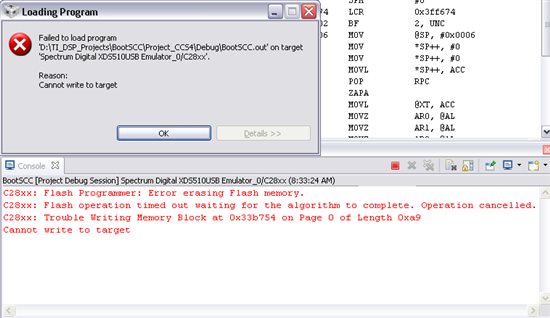
Figure 1. Programming error in CCS4.

Figure 2. On-Chip Flash from the menu bar.

Figure 3. OSCCLK setting.

Figure 4. Click "Remember My Settings"!
