


Part Number: TMS320F28379D
Other Parts Discussed in Thread: TMDSCNCD28379D, C2000WARE
Hi,
I am using the TMDSCNCD28379D to develop my own library, but I have encountered an issue when attempting to set the PLLSYSCLK to any frequency below 60 MHz. Both the InitSysPll() and SysCtl_setClock() (driverlib) functions get stuck or cause the device to reset. However, when setting the frequency above 60 MHz, it works as expected. I have carefully reviewed the TRM and datasheet for the clock requirements and have chosen the appropriate imult, fmult, and divsel values to ensure that the PLLRAWCLK remains within the 120 MHz to 400 MHz range.
I conducted tests on the timed_led_blink project from C2000ware without modifying any code except for line 165: InitSysPll(XTAL_OSC, IMULT_10, FMULT_0, PLLCLK_BY_4) in F2837xD_SysCtrl.c. During the testing, I observed that the watchdog timer resets the CPU while waiting for the CpuTimer1 and CPUTimer2 TIF flag to calculate the clock error inside the InitSysPll() function. To address this issue, I disabled the watchdog timer, but the sysclkInvalidFreq remains true, indicating that the PLL could not generate a frequency within the error tolerance.
I could not find any documentation indicating that the PLLSYSCLK must be set above 60 MHz. However, I am still experiencing issues with the InitSysPll() and SysCtl_setClock() functions when attempting to set the frequency below this threshold. I am wondering if there is something that I might have overlooked or missed.
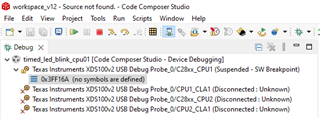
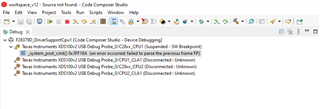
Shown here is the debug view, with the left panel displaying the timed_led_blink project and the right panel displaying my own project.
Please guide in this regard.
