This thread has been locked.

If you have a related question, please click the "Ask a related question" button in the top right corner. The newly created question will be automatically linked to this question.

TMS320F28075: Double definition error message when importing sample code

Guru 14510 points

Part Number: TMS320F28075
Other Parts Discussed in Thread: C2000WARE, CONTROLSUITE

Hi,

I'm trying to try the F2807x sample project with CCS11.

Please let me know if the procedure is correct as these will cause errors.

1. Select the LED blink project.
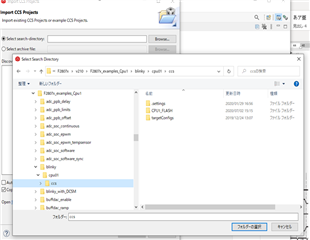
2. Press the "Finish" button.
Here the screen already shows a "red X" in the project explorer.

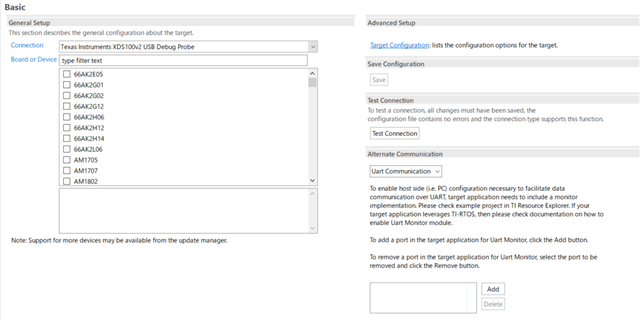
3. Set the chip name and debugger name in the project properties.
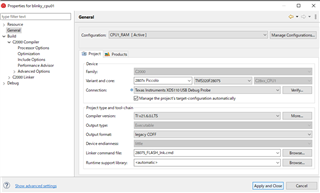
4,Press "Apply and Close" to build, but a lot of errors occur.

I get a message like double definition.
Can you tell me how to deal with it?

Thanks,

Conor

  • Hello Conor,

    When you import an example project you should not need to select the device/chip in the project properties, as the example should already configured for whatever device folder it's in. If you just import it without changing anything, does it build? If so, then you can set the debug probe to whichever one you're using but you won't need to change the chip selection.

    Best regards,

    Omer Amir

  • Hi, Omer Amir

    I did a build without changing anything, no improvement. So I installed C2000Ware and tried Blinky with the same results. Since all three environments are the same, I think there is some unique problem.

    Thanks,

    Conor

  • Hello Conor,

    From the error screenshot it looks like you have multiple linker command files being used, but I do not see any in the project directory. Can you confirm where this example lives? It looks like the error is pointing to controlSUITE, not C2000Ware.

    Also, is this a problem with every example in the SDK or just this specific one?

    Best regards,

    Omer Amir

  • Hi, Omer Amir

    Can you confirm where this example lives?

    I reinstalled C2000Ware, but nothing changed.

     is this a problem with every example in the SDK or just this specific one?

    Yes, the same phenomenon occurs in other sample code. I got an error trying to run other project, so I'm trying to run "blinky_cpu1" first.

    Thanks,

    Conor

  • Hello Conor,

    I reinstalled C2000Ware, but nothing changed.

    This is not a C2000Ware example from what it seems like in your images. I will reassign this to the proper expert.

    Best regards.

    Omer Amir

  • Hi Omer Amir,

    I found the reason for the error.
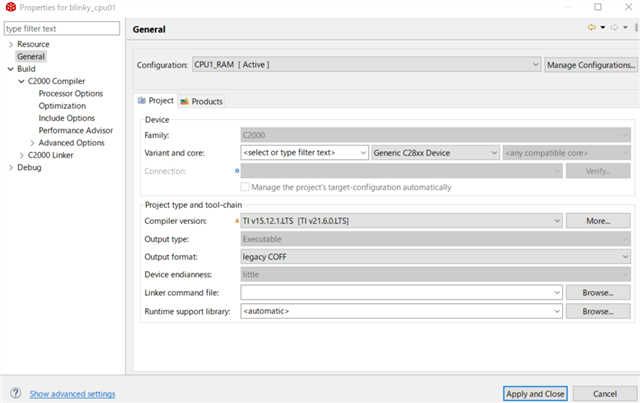
    I was getting the error because I had changed "Generic C28xx Device" to "F28075" in the project properties of "CCS General/Device".
    Why if I select 'Generic C28xx Device' in the example code it compiles without error, but if I select 'F28075' it compiles with an error?

    I don't understand the difference between Device set in ccxl and Device set in above Variant and core.

    Thanks,

    Conor

  • Hi

    Do you have any update?

    Thanks,

  • Hi,

    Glad to hear you got it working.

    Conor can you confirm the version of CCS you are using. Additionally, please confirm the version of C2000Ware you are using. From your last screenshot, it is clear you are not using the latest C2000Ware version. As mentioned previously, the linker command file errors you observed are due to multiple references of the .cmd in your project. In the future, ensure that the linker cmd specified in the project properties is the same as the one in the project.

    Regards,

    Ozino