This thread has been locked.

If you have a related question, please click the "Ask a related question" button in the top right corner. The newly created question will be automatically linked to this question.

LAUNCHXL-F2800137: CPU JLM driver error

Part Number: LAUNCHXL-F2800137
Other Parts Discussed in Thread: C2000WARE, TMS320F2800137

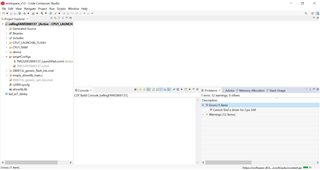
Hello, I'm getting this error on CCS 12.4 with Windows 10 OS saying 'Cannot find a driver for Cpu JLM'. I'm not able to find the download link. Can anyone please help? 
  • Hi Gautam,

    Have you updated any settings on the ccxml file?

    Can you open any empty driverlib example from the latest C2000Ware release V5.00 for F2800137 and try to build the project and check if you are getting the same error.

    Please confirm if you are able to view the JLM settings in the advanced settings of Target configuration when you open the TMS320F2800137_LaunchPad.ccxml file.

    Thanks

    Aswin

  • Thanks for your response Aswin. We do not get that error if we use an example code. This is only when we use our own code and we have not updated any settings on ccxml file. The Advanced settings for JLM is as per the following image.

  • Hi Gautam,

    Can you please add 

    <instance XML_version="1.2" href="drivers/tixds510ajsm.xml" id="drivers" xml="tixds510ajsm.xml" xmlpath="drivers"/>
    in your TMS320F2800137.ccxml file and try to rebuild it again and check if the issue is resolved.
    You can select the source file and add this line in it.
    Thanks
    Aswin