This thread has been locked.

If you have a related question, please click the "Ask a related question" button in the top right corner. The newly created question will be automatically linked to this question.

TMS320F28376S: Serial flash programmer for SCI BOOT mode Stuck at Auto baud Lock

Part Number: TMS320F28376S
Other Parts Discussed in Thread: C2000WARE

Tool/software:

HI,

https://e2e.ti.com/support/microcontrollers/c2000-microcontrollers-group/c2000/f/c2000-microcontrollers-forum/1319960/tms320f28376s-error-while-flash-the-code-through-rs422-in-tms320f28376s-controller/5029294#5029294

In the above link we posted the same problem.due to slow response from my side thread was locked.Actually we tried everything they told in that link,but still we are getting the same problem.

we are suspecting that device is not entering into SCI BOOT MODE, even though we configured everything as they mentioned in the above link.

1)can you please guide me how to know the device entered into SCI BOOT MODE or not.

2)how to know weather the BOOT_ROM_CODE is Running or not.

can you please help me for further process.

Thanks&Regards

K.T.Prasanna.

  • Hi,

    Here are some things to check on the hardware if the device entered into SCI Boot Mode:

    - Are the boot mode switches for the device set (GPIO72 low, GPIO84 high) for SCI on device startup?

    - If available, you can use an oscilloscope to view the RX & TX lines for the autobaud character to see if it is being sent (0x41, 'A')

    To check if the device boot ROM code is running or not, you can perform the following steps in CCS:

    - Connect to the device target configuration in CCS

    - In the memory window, enter the following EMU-boot table values at the given addresses:

      0xD00: 0x815A (valid BOOTCtrl register setting, SCI Boot Alternate pins)

    - Press the CPU reset button in the CCS toolbar

    - Press the resume button in the CCS toolbar to Run CPU1

    - Press the pause button in the CCS toolbar to halt CPU1

    - Locate the Load Program button in the CCS toolbar, navigate to the boot_rom folder and load the .out file for the project:

      C:\ti\C2000Ware_5_02_00_00\libraries\boot_rom\f2837xs\revB\rom_sources\ccs_files\cpu01\Release\F2837x_cpu01_bootROM_REVB_Golden_020314.out

    - If required, navigate to the boot_rom source folder and locate the source file:

      C:\ti\C2000Ware_5_02_00_00\libraries\boot_rom\f2837xs\revB\rom_sources\F2837x_bootROM\cpu01-bootROM\source

    Here it should tell you if the boot ROM code has been reached by the device. 

    EDIT: I've had to edit my response here to reflect the device used.

    Thanks and regards,

    Charles

  • Hi,

    we tried as you mentioned in the above message and we got different in the 0xD00 address and the screenshot attached below

    and we trying to load the boot rom.out file we got below attached error was coming

    and we tried another method in that we load the kernel code through ccs tool and in address 0xD00 we modified as 815A in place of  015A,for  this procedure kernel was loaded and after select DFU application also loaded but after RUN command it was STUCK at F021 calling send Packet.

    Thanks & Regards

    K.T Pasanna 

  • Hi K.T.,

    Apologies for previous response as it was for a related device, it has now been modified. 

    For the error you received above, this shows that the bootROM program was loaded, where you only need to load the symbols for the bootROM. Can you try loading the symbols only after the device becomes stuck to see where the kernel is after loading to the device?

    Thanks and regards,

    Charles

  • Hi Charles,

    1) In control card, we tried SCI Bootloading with GPIO84,GPIO85(SCI_BOOT pins) for communication, Application Load was Successful. But with GPIO28,GPIO29(SCI_BOOT_ALTERNATE pins) we need to change 0xD00 location from 0x015A to 0x815A through emulator.

    Now our requirement is to load the application through SCI_BOOT_ALTERNATE pins without changing the 0xD00 location through emulator. is it possible?. If possible how to do that. if we are trying to do that one serial_flash_programmer.exe was stuck at Autobaudlock.

    2)One solution we know that is OTP programming. If once OTP was programmed, we are assuming that the boot mode will always enters into SCI boot. is it correct?. Does it will go to FLASH boot mode again from SCI boot mode after completion of Application code load successful.

    3) If we use GPIO84,GPIO85(SCI_BOOT pins), here GPIO84 Configured as bootmode selection pin and TX pin. How can we configure in our hardware like ControlCard.

    Thanks and regards,

    K.T. Prasanna

  • Hi K.T.,

    1) Loading the Application through SCI_BOOT_ALTERNATE pins without touching the emulation boot mode location (0xD00) would not be possible standalone. It would result in an Autobaudlock as you are seeing.

    2) Yes, since there is only one Get Mode, the device would always enter into SCI boot upon launch. Even if the application is downloaded successful, you would need to modify the flash kernel so that once the download has completed to then branch to the application address.

    3) If using default as GPIO84 and GPIO85 as SCI_BOOT pins, you would have to use a different pair of GPIOs for your bootMode selection pins so you can clearly get info on GPIO84 (SCIRX) and GPIO85 (SCITX). You can at first try in emulation to set BMSPs as needed, as shown in Section 4.5 Table 4-6 of the device TRM.

    Thanks and regards,

    Charles

  • Hi Charles,

    Thank you for giving clarity. But I have one doubt that in Controlcard GPIO84 is using for for both Boot Mode selection and also as a TX pin. How is this possible in Controlcard.

    Thanks & Regards,

    K.T. Prasanna.

  • Hi Charles,

     1) If the application is downloaded successful, where and how to modify the Flash Kernel Branch to the application address.

    2) And sometimes through command prompt when we give (DFU or ERASE CPU1) it will be stuck at NACK error, But through C2prog Programming got Success.is there any issue, please give clarity on that.

    Thanks & Regards,

    K.T. Prasanna.

  • Hi K.T.,

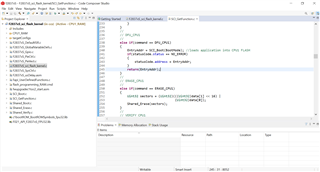
    1) Can modify the SCI Flash Kernel branch within 'DFU CPU1' command check, which downloads the application to return the application entry address. It will then return from the SCI_GetFunction and provide the entry address as a final return.

            //
            // DFU_CPU1
            //
            else if(command == DFU_CPU1)
            {
                EntryAddr = SCI_Boot(BootMode); //loads application into CPU1 FLASH
                if(statusCode.status == NO_ERROR)
                {
                    statusCode.address = EntryAddr;
                }
                return(EntryAddr);
            }

    2) If it is getting stuck with NACK error after 'DFU CPU1' or 'ERASE CPU1', you may want to see what GPIO pins the kernel is using to initialize for SCI, as well as check the SCIRX and SCITX lines for the device. I have not been able to witness this error on the related f28379xD devices, are you still using the RS-422 to interface for SCI? If you could test the sending of the command through this device, it may shed light on why the NACK error is occurring. 

    Thanks,

    Charles

  • Hi charles,

    Thanks for the support,we have changed the resister at GPIO84 from 1K to 10K,our transmission is happening correctly. Now it is working fine,this resolved my issue.

    thanks&Regards

    K.T.prasanna

  • Hi charles,

    we have another issue,we are using multiple controllers for one application,we are taking all controllers UART lines shorted and connected to single connector,is it possible to download the firmware for required controller with this single UART line by giving individual id's to each controller. 

    Is there any possibility to update the firmware for multiple controllers through single UART connector, with all the controllers are in SCIBOOT mode.

    Thanks&Regards,

    K.T.prasanna.