


Part Number: LAUNCHXL-F28069M
Tool/software:
First of all I'm just running the Example_2806xSci_Echoback example simplified and changed the jp6 and jp7 header to transmit uart to the gpio28 and gpio29 pins.
My code is simple and is just getting the character from the buffer and printing it to the tx pin for verification. I plan to use these values of the joystick from the RX pin to spin a motor at a certain speed. But I need to verify that I'm getting the correct data
This is just the for loop of the echoback example. Everything else is as it originally was. I was thinking that maybe I had to parse each bit coming from the buffer and make it into an actual string. That is what the bottom commented code is. But then after stepping through breakpoints, I see that it seems like the whole number is coming through into the buffer as you can see in some of the pictures. Sometimes also the full number does not come through. Like it is one part of it. Like the ascii 50 which translates to the number 2
 for(;;)
    {
        ReceivedChar = SciaRegs.SCIRXBUF.all;


        scia_xmit(ReceivedChar);

//        ReceivedChar = SciaRegs.SCIRXBUF.all;
//
//        int i = 0;
//        char str[25] = "";
//        str[i] = ReceivedChar;
//        ReceivedChar = SciaRegs.SCIRXBUF.all;
//        i++;
//
//        while(ReceivedChar != 0) {
//            ReceivedChar = SciaRegs.SCIRXBUF.all;
//            str[i] = ReceivedChar;
//            i++;
//        }
//
//        scia_msg(str);

        LoopCount++;
    }
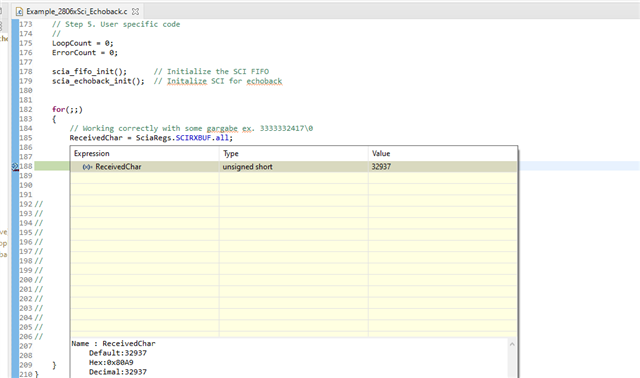
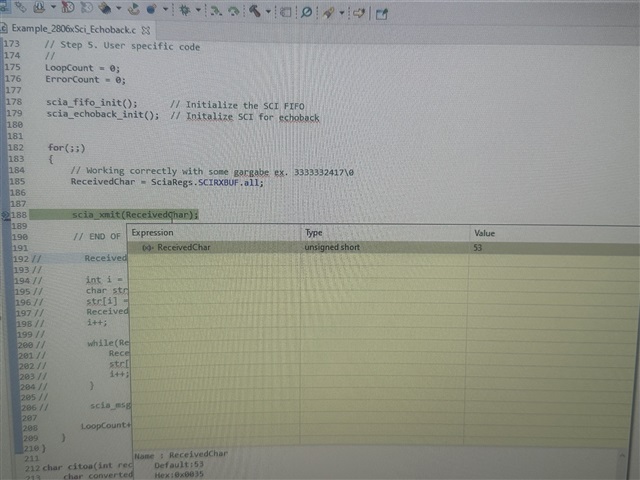
Also when putting the ReceivedChar in the expressions window and putting on continuous refresh, the numbers just go from 48 to 57 which I am pretty sure are just the asii decimal version of the strings. This does not make any sense though as when I put the logic analyzer directly on the rx pin it shows the 30000 or 0 or 60000 asii strings depending on where I move the joystick. So, I am obviously missing something in translations writing it to TX output or how the SCIRXBUFF gets the information
Setup of the boards
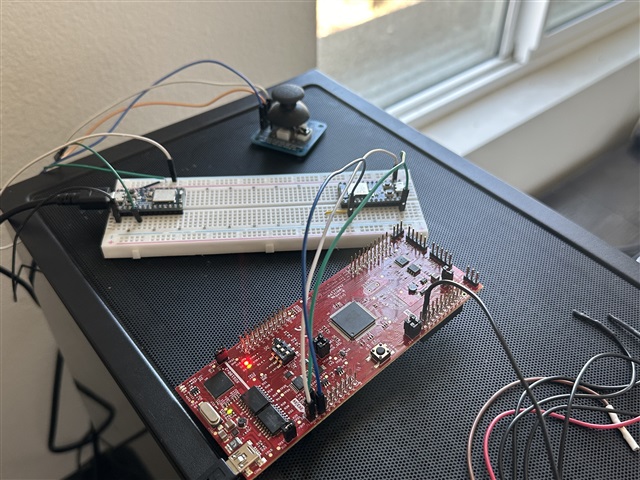
I have an ItsyBitsy NRF52840 that I connected to the LaunchXL-F28069M GPIO28 RX pin. When I connect my logic analyzer to the rx pin

I see

which is perfect. That's what I see in my putty terminals. (Left is the Central board with the joystick connected and the right on is receiving the data and is writing it to the launchpad)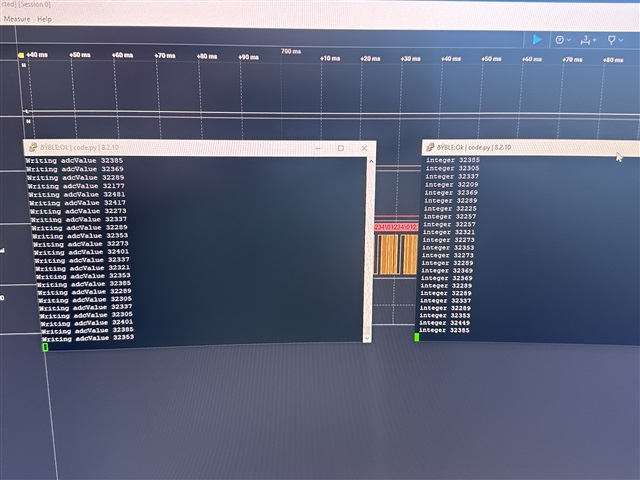
Unfortunately, when I connect the logic analyzer to the TX pin on the launchpad

and try to write to it and view it on the logic analyzer there is some garbage. If you look close, you can see the 32200 ish number. This is the number range when the joystick is in the middle position. It is proceeded by a bunch of 2's in some cases and different kinds of numbers. Not sure why. Maybe cause I am not initializing a variable and there is some garbage coming in.


