


Part Number: TMS320F280038C-Q1
Tool/software:
I have installed CCS12.8 and connected an XDS110.
I can use xdsdfu -e and get
USB Device Firmware Upgrade Utility
Copyright (c) 2008-2019 Texas Instruments Incorporated. All rights reserved.
Scanning USB buses for supported XDS110 devices...
<<<< Device 0 >>>>
VID: 0x0451 PID: 0xbef3
Device Name: XDS110 Probe with CMSIS-DAP
Version: 2.3.0.5
Manufacturer: Texas Instruments
Serial Num: 00000000
Mode: Runtime
Configuration: Standard
Found 1 device.
I can see the devices in device manager
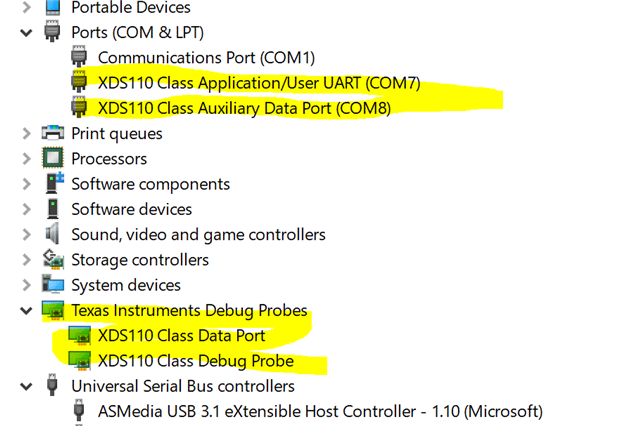
When I run xdsdfu -m it reports that it is switching to DFU mode and I get the Windows new USB connection ding dong. But the xdsdfu -f command says no device found and in Device Manager I see

Instead of the usual XDS110 connections. But I can not find or get a driver to load automatically.
Hence I am unable to update the firmware in the units. I have tried two brand new XDS110 units purchased directly from TI several months ago.
Any suggestion welcome.
