This thread has been locked.

If you have a related question, please click the "Ask a related question" button in the top right corner. The newly created question will be automatically linked to this question.

TMDSCNCD28388D: EPWM module doesn't trigger ADC SOC with DeviceSupport added in sysconfig.

Part Number: TMDSCNCD28388D
Other Parts Discussed in Thread: SYSCONFIG, C2000WARE

Tool/software:

Hello,

I want to use F28388D with its internal oscillator.

I attempted to create an application that reads the internal temperature sensor using ADC, triggered by ePWM. However, my application was unsuccessful.

I changed the clock sources in ClockTree within Sysconfig and added "Device Support". I have attached screenshots of the settings I modified. However, my application does not work.

If Device Support is not added in Sysconfig, my application functions very well. (The "device" folder was utilized in the empty project)
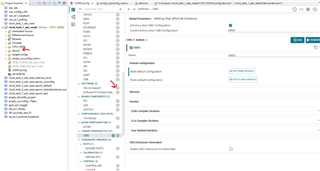
I tested the default clock settings in ClockTree after adding "Device Support," but my application does not work.

How can I properly use ClockTree with "Device Support"? Do I need to make any changes to utilize ClockTree effectively?

Thank you.

  • Hi Furkan,

    The expert is currently out of office today due to US holiday. Please expect a delay in response.

    Best Regards,

    Aishwarya

  • Hi Furkan,

    Thanks for your patience.

    What version of C2000ware and CCS are you using?

    Regards,

    Hadi

  • Hi Hadi,

    I am using code composer studio v12.8 with c2000ware 5.03.

  • Furkan,

    Did you get any error when you build your project in CCS?

    what usually happens is that there would be errors regarding having duplicate file in the project after enabling "Device Support".

  • Hi Hadi,

    I didn't get any error.

    The code compiles without errors, and the LED is controllable, yet the EPWM module remains non-functional.

  • Hi Furkan,

    Sorry I'm confused here. Did you get your application running without "Device Support"?

    Can you change the EPWMCLKDIV in your clocktree and check if the associated field value in PERCLKDIVSEL Register has changed or not?

  • Hello Hadi,

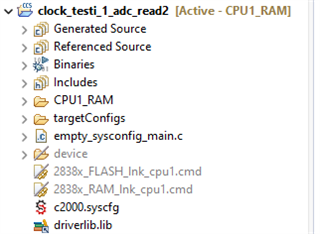
    Let me explain the issue. I opened a blank project using Resource Explorer. After that, I excluded the device folder and the cmd files within the project files in order to use the internal oscillator. Then, I configured the internal oscillator settings in the clock tree using Sysconfig. To make the clock tree settings effective, I added device support. Finally, I added a cmd file with the default settings. Since I wanted to use EPWM, I added the EPWM module as well. I wrote my program in the main.c file. However, when I ran the program, I noticed that the EPWM module was not working.

    To investigate why this might be happening, I looked at one of the example projects in Resource Explorer. I saw that device support was not being used in the example projects. Following the example, I removed the previously added device support from Sysconfig and re-included the device folder from the project files into my project. I know that as a result of this, the clock tree settings I made will be invalid. I did not change the EPWM settings in Sysconfig, nor did I change the cmd settings; I only removed device support and re-included the device folder. When I ran the program again, I noticed that the EPWM module was working.

    As a result, I realized that if I include device support in my project (I even tested this with the default clock tree settings), the EPWM module doesn't work. I don’t receive any warnings or errors in CCS.

    What should I do to enable epwm module? I didn't change anything except adding device support, adding cmd, adding adc and adding epwm. I didn't change sysctl or any other topics.

  • Furkan,

    Thanks for thorough explanation. 

    Please add "device support" and "CMD" , and check if you change the EPWMCLKDIV in your clocktree, the associated field value in PERCLKDIVSEL Register has changed or not?

  • Hello Hadi,

    I can adjust the EPWMCLKDIV to /1 in the clock tree.

    I have reviewed the PERCLKDIVSEL:

    PERCLKDIVSEL has been set to 0.

  • Furkan,

    Thanks for sharing the test result with me.

    I recommend to use the following function directly in your main() after initialization:

    SysCtl_setEPWMClockDivider(SYSCTL_EPWMCLK_DIV_2);

    Meanwhile, I will raise this as a clocktree bug. Hopefully it'll be fixed in next version.

    Regards,

    Hadi 

  • Hello Hadi,

    I believe I've discovered the solution.

    Over the weekend, I reviewed the clock settings in the technical reference manual. The PCLKCRx registers stood out to me (pages 270-295). I proceeded to activate the corresponding PCLKCRx register through sysconfig > sysctl > lock system configs > PCLKCR2.

    Subsequently, I enabled TBCLKSYNC in sysconfig > sysctl > enable peripherals > TBCLKSYNC (page 2915, section 26.4.3.2). Consequently, the EPWM module is now operational.

    Thanks.