


Part Number: TMS320F28379D
Tool/software:
I'm using DSS to write unit test scripts in jython.
I'd like to call the following method:
//
// Function to read a single Uint32 from the external flash
// - base is the SPI base address
// - endianness indicates little or big endian (TI C200 is little endian)
// - address is the byte address of the external flash to read from
// Returns the read 32-bit value
//
Uint32 SPI_read32bits(Uint32 base, SPI_endianess endianness, Uint32 address)
{
    Uint32 RXdata = 0;

    CS_LOW;

    // Send the READ4 opcode.
    SPI_transmitByte(base, READ4);

    // Send flash address to read data
    SPI_transmit32Bits(base, address, NO_DELAY);

    // Receive data 32-bit word from flash by sending four dummy bytes
    RXdata = SPI_receive32Bits(base, endianness, DUMMY_DATA, NO_DELAY);

    CS_HIGH;

    return RXdata;
}
If I load the application in the Code Composer debugger, I can see that parameter "base" is stored in register "AL", and parameter "endianness" is stored in register "XAR4". But I'm not sure how to set parameter "address":
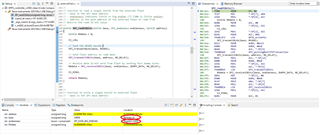
# go to the SPI_read32bits() function
debug_session.memory.writeRegister("PC", 0x8c3e1)

# pass the variables via registers
debug_session.memory.writeRegister("AL", EPPSDefines.SPIB_BASE)             # SPIB_BASE = 0x00006110
debug_session.memory.writeRegister("XAR4", EPPSDefines.SPI_DATA_BIG_ENDIAN) # SPI_DATA_BIG_ENDIAN = 1
I can see my "SP" register is currently 0x40E:
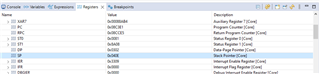
Is there some way I can use the SP register value and memory.writeData() to save the "address" parameter value?
sp_value = debug_session.memory.readRegister("SP")
debug_session.memory.writeData(Memory.Page.PROGRAM, ???, 0x40000, 32)
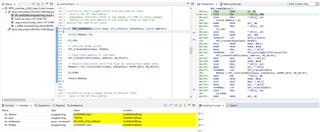
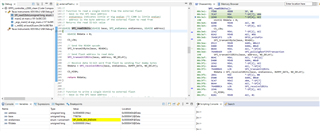
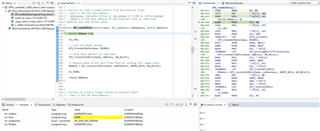
As I step thru the assembly steps, I can see how the stack is updated with the passed in parameters:
Thank you,
Diane


