


Other Parts Discussed in Thread: LAUNCHXL-F28P65X, C2000WARE
Hi Matt,
I was able to get the Serial Flash Programming exampled working without having to debug and step through the boot ROM code.
Now I have moved on to porting the Live Firmware Update With Device Reset on C2000 MCUs example to the LaunchXL-F28P65X.
I am close to get it working, but it does not seem to be booting into my download firmware correctly and I want to step through the Boot ROM code after a CPU Reset.
I am following your instructions from above.
I added the Symbols from "C:\ti\c2000\C2000Ware_5_04_00_00\libraries\boot_rom\f28P65x\rev0\rom_sources\cpu1\ccs_files\Release\F28P65x_CPU1_ROM.out"

I added the Source Path. "C:\ti\c2000\C2000Ware_5_04_00_00\libraries\boot_rom\f28P65x\rev0\rom_sources\cpu1\F28P65x_ROM"

After executing a CPU Reset, my step pointers are located here (in code file cpubrom_boot.c and in the Disassembly window.

If I do Step Over (F10) two times, the pointers are here.
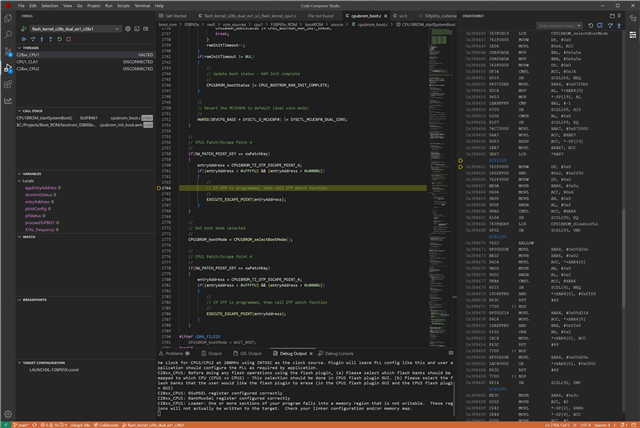
This is on a comment line. This does not seem correct. It does not seem to be stepping through the correct source code.
Can you help me with this? Am I doing something wrong.
Thank you,
Rob McCullough
