Part Number: LAUNCHXL-F28P55X
Other Parts Discussed in Thread: UNIFLASH, C2000WARE
Tool/software:
Hi,
Good evening,
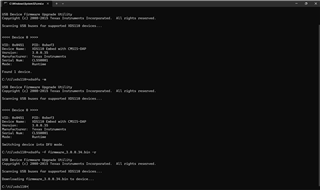
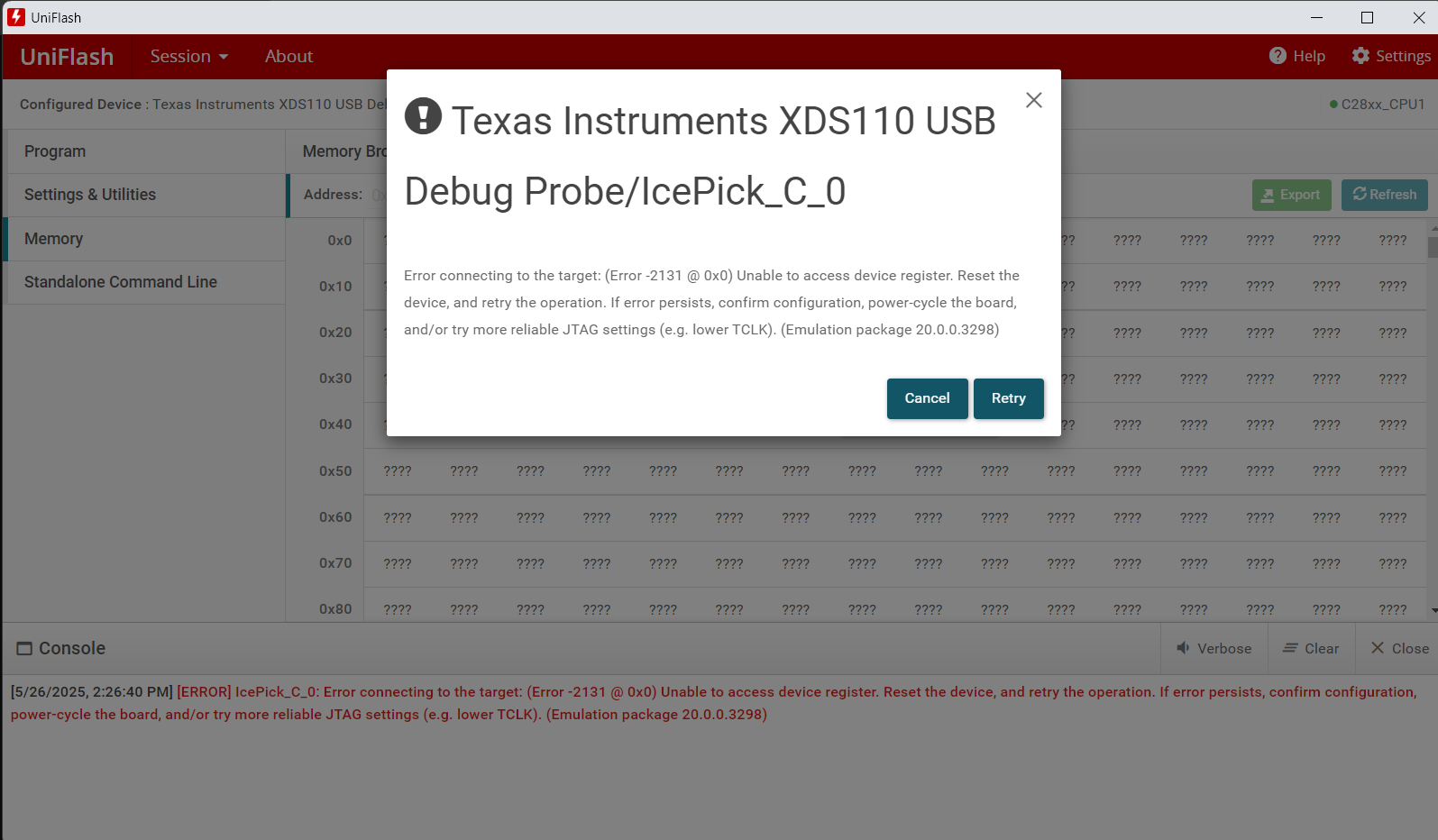
We are not able to detect the xds110 when we are connecting the EVAL Board with Laptop.
This thread has been locked.
If you have a related question, please click the "Ask a related question" button in the top right corner. The newly created question will be automatically linked to this question.
Part Number: LAUNCHXL-F28P55X
Other Parts Discussed in Thread: UNIFLASH, C2000WARE
Tool/software:
Hi,
Good evening,
We are not able to detect the xds110 when we are connecting the EVAL Board with Laptop.
Hello,
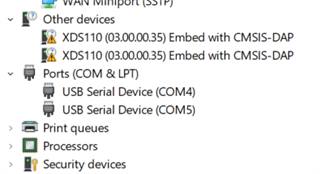
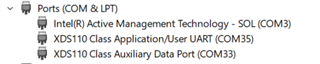
What do you mean by not detecting? Is it showing up in the Device Manager under Ports?

Best,
Matt
Hello,
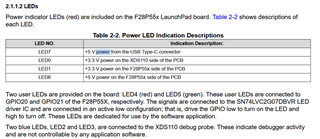
Can you verify the status of the power indicator LEDs on the board? Are LED0, LED1, LED6, and LED7 on? Moreover, what's the status of LED2 and LED3?
As per the F28P55x LaunchPad User's Guide:

Best,
Matt
Hello,
LED0, LED1, LED6, and LED7 are powering ON with RED color indication according to the user guide.
LED2 is not blinking, LED3 is blinking with blue color
According to the user guide this condition is not happening "Two blue LEDs, LED2 and LED3, are connected to the XDS110 debug probe. These indicate debugger activity and are not controllable by any application software."
Best,
Venkat
LED2 is not blinking, LED3 is blinking with blue color
This is unusual. LED2 should be off (as you're seeing) and LED3 should be on (not blinking) when idling.
Did you install the XDS110 drivers using CCS? Please also see troubleshooting steps here: https://software-dl.ti.com/ccs/esd/documents/xdsdebugprobes/emu_xds110.html#troubleshooting
Best,
Matt
Hi,
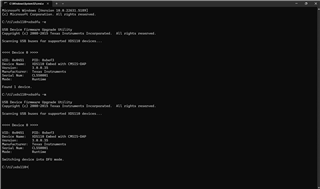
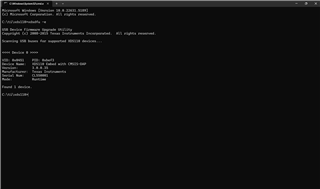
I have installed the XDS110 according to the instructions given in the link https://software-dl.ti.com/ccs/esd/documents/xdsdebugprobes/emu_xds110.html#troubleshooting
Please follow the attached step by step images
still I am able to see the same error


Hi Venkat,
I've been able to replicate the problem on my end and determine a solution. This was caused by a target configuration file issue with the UniFlash tool.
<?xml version="1.0" encoding="UTF-8" standalone="no"?>
<configurations XML_version="1.2" id="configurations_0">
<configuration XML_version="1.2" id="Texas Instruments XDS110 USB Debug Probe_0">
<instance XML_version="1.2" desc="Texas Instruments XDS110 USB Debug Probe_0" href="connections/TIXDS110_Connection.xml" id="Texas Instruments XDS110 USB Debug Probe_0" xml="TIXDS110_Connection.xml" xmlpath="connections"/>
<connection XML_version="1.2" id="Texas Instruments XDS110 USB Debug Probe_0">
<instance XML_version="1.2" href="drivers/tixds510icepick_c.xml" id="drivers" xml="tixds510icepick_c.xml" xmlpath="drivers"/>
<instance XML_version="1.2" href="drivers/tixds510c28x.xml" id="drivers" xml="tixds510c28x.xml" xmlpath="drivers"/>
<instance XML_version="1.2" href="drivers/tixds510cla2.xml" id="drivers" xml="tixds510cla2.xml" xmlpath="drivers"/>
<instance XML_version="1.2" href="drivers/tixds510cs_child.xml" id="drivers" xml="tixds510cs_child.xml" xmlpath="drivers"/>
<instance XML_version="1.2" href="drivers/tixds510ajsm.xml" id="drivers" xml="tixds510ajsm.xml" xmlpath="drivers"/>
<property Type="choicelist" Value="4" id="SWD Mode Settings"/>
<platform XML_version="1.2" id="platform_0">
<instance XML_version="1.2" desc="TMS320F28P550SJ9_0" href="devices/f28p550sj9.xml" id="TMS320F28P550SJ9_0" xml="f28p550sj9.xml" xmlpath="devices"/>
<device HW_revision="1" XML_version="1.2" description="" id="TMS320F28P550SJ9_0" partnum="TMS320F28P550SJ9" simulation="no">
<router HW_revision="1.0" XML_version="1.2" description="ICEPick_C router" id="IcePick_C_0" isa="ICEPICK_C">
<subpath id="Subpath_1">
<property Type="numericfield" Value="0x11" desc="Port Number_0" id="Port Number"/>
</subpath>
</router>
</device>
</platform>
</connection>
</configuration>
</configurations>
Now, you should be able to connect to the device. I'll loop in the UniFlash team so this can be fixed in an upcoming release.
Best,
Matt