This thread has been locked.

If you have a related question, please click the "Ask a related question" button in the top right corner. The newly created question will be automatically linked to this question.

LAUNCHXL-F28069M: Serial port program upgrade fail

Part Number: LAUNCHXL-F28069M
Other Parts Discussed in Thread: UNIFLASH, C2000WARE,

Tool/software:

I used the serial_flash_programmer to flash the converted APP.txt file, but an error message occurred.
...ers\serial_flash_programmer\serial_programmer_appln.exe
File:minkernel\ucrt\src\appcrt\stdio\fopen.cpp
Line: 30
Expression: file_name != nullptr


I have already flashed the converted f28069_sci_flash_kernel.hex file using UniFlash 9.2.0 according to the file (the bootloader is located in Sector H, 0x3D8000 to 0x3DBFFF). The bootloader program uses SCIA to flash the APP.


The APP is allocated in Sectors C+D+E+F+G, separate from the bootloader.


Here, since 28069M is used, is the <device> input f2806x correct? The instructions don't mention this.


Since the baud rate is automatically detected, 9600 should be sufficient, right? COM10 has also been confirmed.

  • Hi ChiHsiang,

    I am having the expert look over this question

    Regards,

    Peter

  • Hi,

    Yes, f2806x should be the correct argument given for this device. Can you also give the name of the kernel file that you are using as an argument? The error may be related to the -k argument not being present.

    Thanks and regards,

    Charles

  • Hi Charles

    Thank for your reply, here we use

    C2000 Example:

    C:\ti\c2000\C2000Ware_5_05_00_00\device_support\f2806x\examples\c28\f28069_sci_flash_kernel 

    Call the command line tool that comes with WINDOWS and convert the file according to the following format to obtain a TXT suffix file in HEX format that meets the format requirements of the host computer:

    C:\ti\ccs1281\ccs\tools\compiler\ti-cgt-c2000_22.6.1.LTS\bin\hex2000.exe

    Place the converted .txt file in the directory of serial_flash_programmer_appln.exe, and then execute the following command through the command line to enter the host computer program:

    C:\ti\c2000\C2000Ware_5_05_00_00\utilities\flash_programmers\serial_flash_programmer\serial_flash_programmer_appIn.exe

    What is the -k argument?

    Ex.

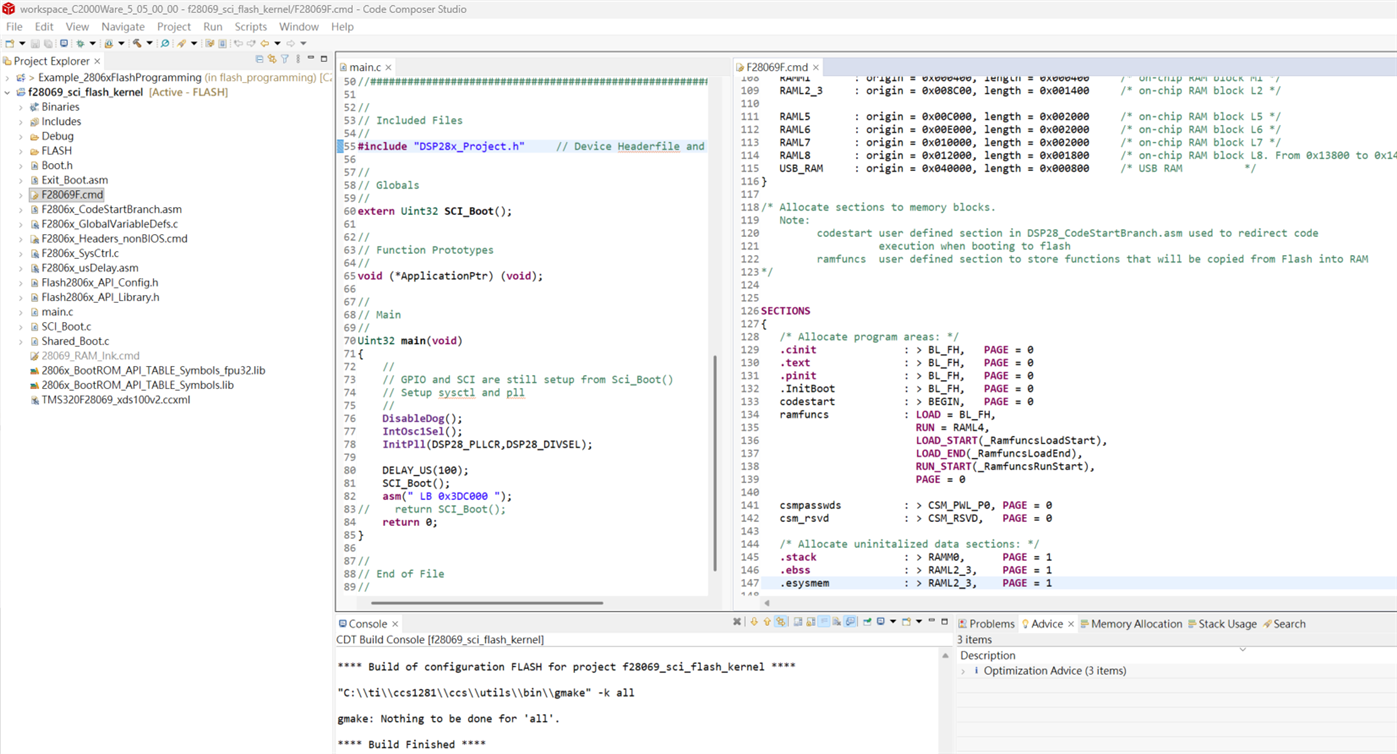
    Because we want to keep it in Get mode (e.g., Flash), we use F28069F.cmd as the configuration file. The bootloader space is set to 0x3D8010, length = 0x003990, and the app's starting location is set to 0x3DC000.  That's right, right?

    Regards,

    Chi-Hsiang Chen

  • Hi Chi-Hsiang,

    The -k argument given is for the kernel file that is used to load the application. Although you are first loading the kernel to the device using CCS, the appln version of the serial flash host programmer executable would still require the -k argument as input. 

    For example: 

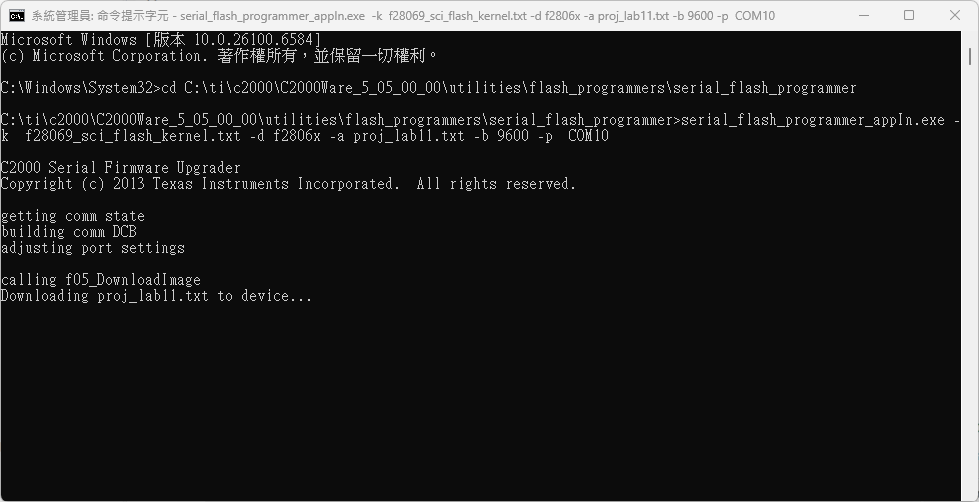
    serial_flash_programmer_appIn.exe -k f28069_sci_flash_kernel.txt -d f2806x -a proj_lab11.txt -b 9600 -p COM10 

    The default linker command file should be fine.

    Thanks and regards,

    Charles

  • Hi Charles

    Thank for your reply,

    There seems to be no error in the window, but it does not seem to be burned in. It is stuck on the word "downloading"

    Regards,

    Chi-Hsiang Chen

  • Hi Chi-Hsiang,

    Can we load the bootROM symbols for this device in CCS to confirm its current operation?

    C2000Ware_5_05_00_00\libraries\boot_rom\f2806x\v1_1\rom_sources\Release

    Thanks and regards,
    Charles

  • Hi Charles

    Here, use "load program" to jump out the following warning

    Here we only connect one LAUNCHXL-F28069M

    Regards,

    Chi-Hsiang Chen

  • Hi Charles

    The following steps are feasible

    1. Use the SCI ROM bootloader to download a flash kernel to RAM.

    2. Run the flash kernel in RAM to download the application to flash.

     (SCI Boot) 


    I would like to ask about the power-on sequence, because I was able to burn it in only a few times.


    Regards,

    Chi-Hsiang Chen

  • Hi Chi-Hsiang,

    The Load Symbols option for loading the bootROM source should be underneath the Load Program option in the Load dropdown. 

    Thanks and regards,

    Charles

  • Hi Charles

    What can I do after loading the bootROM?

    It's definitely burned in here. I've confirmed that the execution jumps to asm("LB 0x3DC000")

    I tried the example a few more times and found a problem.

    My goal is to be able to flash the kernel without using a boot file. However, the example in f28069_sci_flash_kernel seems to differ from the one provided in the documentation (attached).

    C2000 bootloader.pdf

    The document says that you can burn the flash first, then run the command from the Windows command prompt without the -k parameter (it also doesn't mention switching to SCI Boot mode).

    Are there any 28069-related examples available for me?

    The attached example is located in \C2000Ware_x_xx_xx_xx\driverlib\f28004x\examples\flash\ flash_ex2_sci_flash_kernel

    Regards,

    Chi-Hsiang Chen

  • Hi Chi-Hsiang,

    For this device, there does not currently exist an example, known as the Live Firmware Update, that allows the Flash Kernel to reside in Flash memory (so you do not have to burn the kernel every time). 

    Thanks and regards,

    Charles