TMS320F28P650DK: Question about TMS320F28P650DK

Part Number: TMS320F28P650DK
Other Parts Discussed in Thread: C2000WARE

Hello:

After the customer downloaded the example code and the FreeRTOS example code with ROV from the official website using the TI 28P650DK9 chip, and burned the code onto the development board, they tried to open the VIEW to view the results. However, the runingtime object was displayed as unavailable, as shown in the image below. Could you please tell me what the reason might be? Thank you.
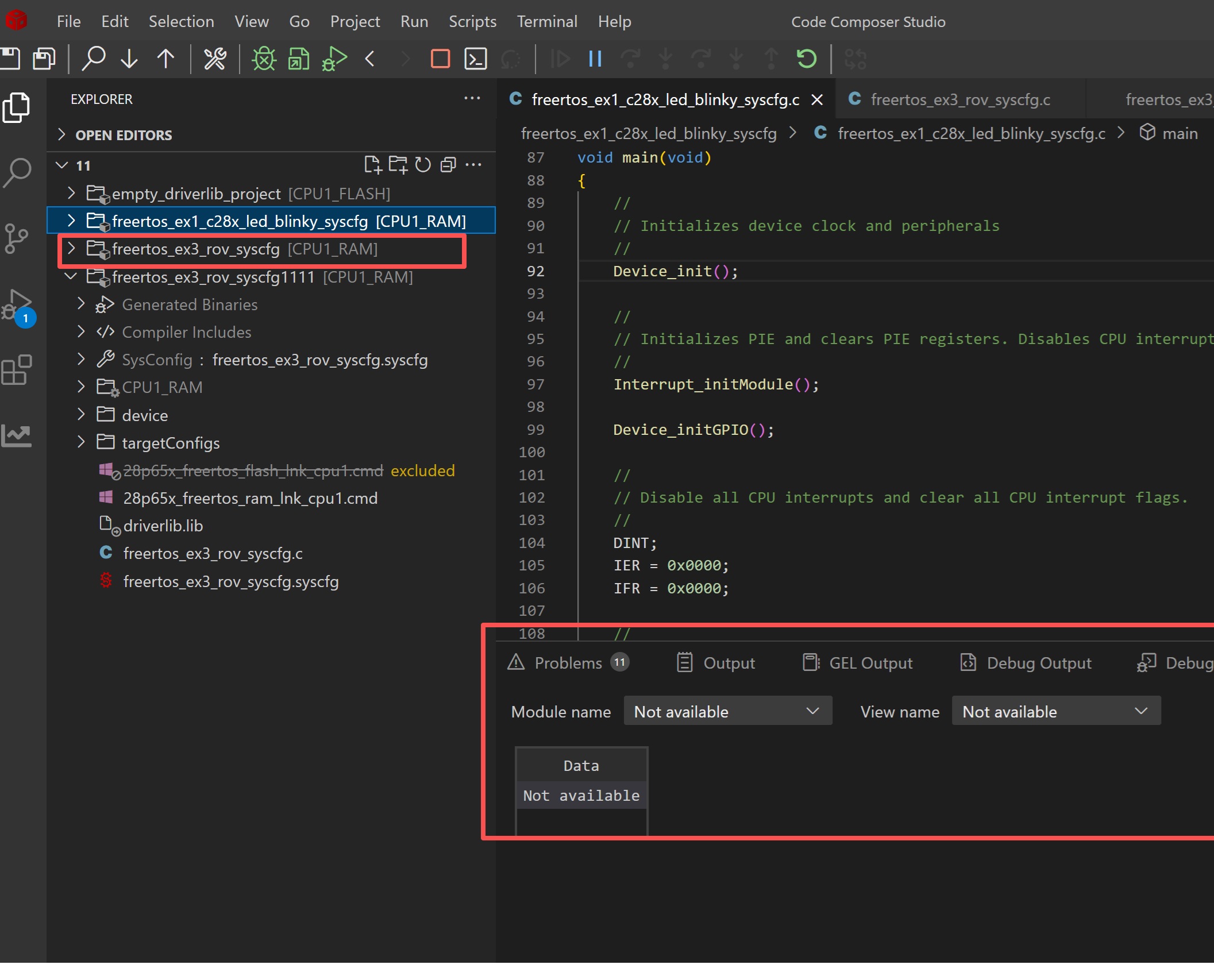
1.jpg

  • Hello,

    I was able to program the same example and view the RTOS objects on my setup.

    How is the customer programming their device (are they connected to the CPU1)? What version of CCS are they using?

    Best,

    Matt

  • Hello Matt:

    I am using a 28p65 development board, and I am directly programming via USB simulation, connecting to cpu1 (I have tried both flash and RAM). The CCS version is 20.3.0.14_1.9.0

  • Hello,

    Can you try upgrading to the latest CCS version (20.4)? I will loop in the CCS team if that still does not fix it.

    Best,

    Matt

  • Hello Matt:

    I tried, but the same issue occurred - the view still cannot be displayed, Please help,Thanks!!!

  • Hello,

    I've looped in the CCS team to assist further, please expect a slight delay in assistance.

    Best,
    Matt

  • Hi Matt,

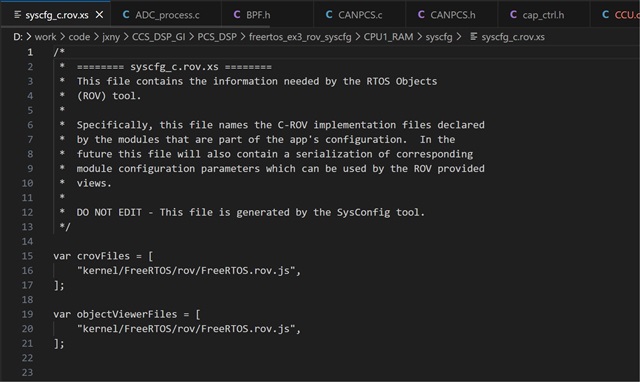
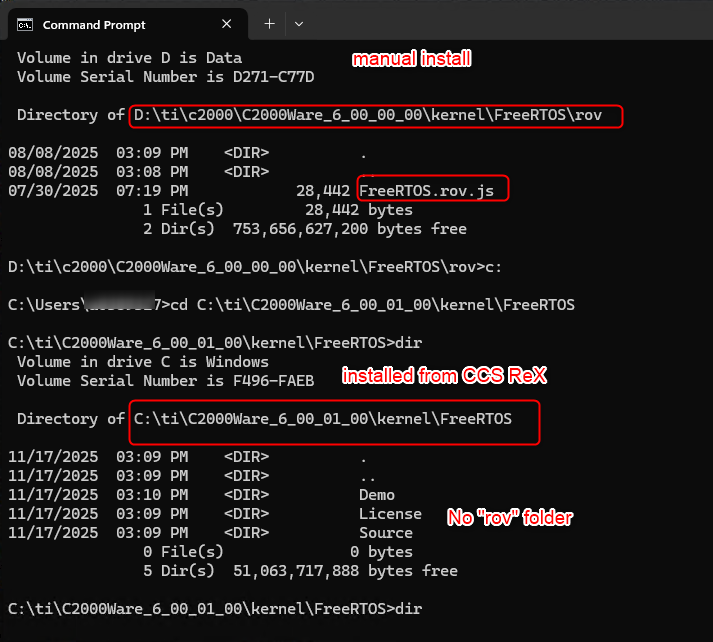
    I see the same issue with the same project. I am using C2000Ware 6.00.01.00. When I open the generated syscfg_c.rov.xs for the project, I see:

    /*
     *  ======== syscfg_c.rov.xs ========
     *  This file contains the information needed by the RTOS Objects
     *  (ROV) tool.
     *
     *  Specifically, this file names the C-ROV implementation files declared
     *  by the modules that are part of the app's configuration.  In the
     *  future this file will also contain a serialization of corresponding
     *  module configuration parameters which can be used by the ROV provided
     *  views.
     *
     *  DO NOT EDIT - This file is generated by the SysConfig tool.
     */
    
    var crovFiles = [
    ];
    
    var objectViewerFiles = [
    ];
    

    This would explain why I don't see anything.

    What do you see in your file?

    Thanks

    ki