Part Number: TMS320F28P559SJ-Q1
Other Parts Discussed in Thread: LAUNCHXL-F280049C
Hello TI Experts,
I am working on locking and unlocking memory using the DCSM module. For this setup, I have used two different programmers:
-
On-Chip Debugger of LAUNCHXL-F280049C
-
Blackhawk XDS560 v2 System Trace Emulator
I am also using the latest CCS version 20.4.1.
When I use the On-Chip Debugger (LAUNCHXL-F280049C), the code runs properly without any errors, and the device unlocks successfully.
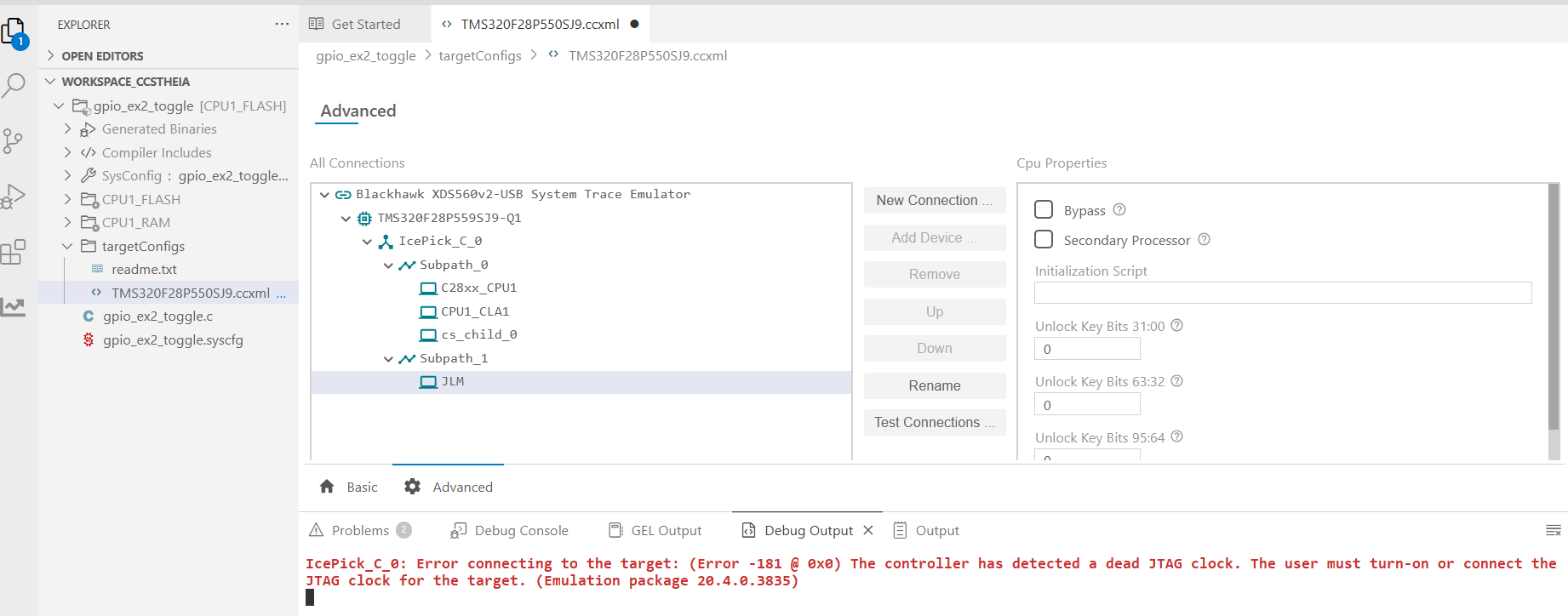
However, when I use the Blackhawk XDS560 v2 System Trace Emulator, I encounter the error shown below.
I have also tried the method of lowering the JTAG TCLK Frequency from 10.368MHz to 8MHz, 6MHz, 5MHz, 3MHz, 1MHz, upto 500kHz.
Could you please help me understand why this issue occurs with the Blackhawk emulator and suggest how to resolve it?
IcePick_C_0: Error connecting to the target: (Error -181 @ 0x0) The controller has detected a dead JTAG clock. The user must turn-on or connect the JTAG clock for the target. (Emulation package 20.4.0.3835)