Part Number: TMS320F280049
Hello everyone,
I hope this message finds you well.
I am using the 280049 Control Card.
Following the ZHCU802A guide, I first erased the entire FLASH memory completely before starting. I then followed section 6.2 and completed step 2 successfully. I can see data in the Memory Browser at address 0x80000.
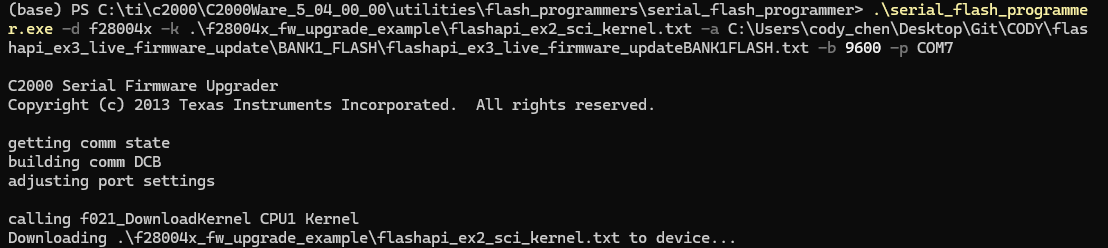
When I try to proceed to step 3, I need to run this command: serial_flash_programmer_appln.exe -d f28004x -k {Kernel File} -a {App File} -b 9600 -p COMx
I have two questions:
- Where can I find the Kernel File? Since I already completed step 2 using JTAG, is the kernel already loaded?
- Which App File should I select?
The program always stops here for a long time with no response. To check, I tested my COM7 port and it works fine. I successfully communicated with the C2000 using another MODBUS program.
Could you please help me understand what the problem might be? Did I miss any step, or is there something important I need to pay attention to?
Thank you very much for your time and assistance.
Cody