


Part Number: CCSTUDIO-THEIA
Other Parts Discussed in Thread: TMS320F28P650DK, SYSCONFIG
---
**Device:** TMS320F28P650DK
**Tool/IDE:** Code Composer Studio
**Topic:** CPU2 project fails to load into RAM when D5RAM is included in the linker command file
---
## Problem Description
I am developing a dual-core project on the TMS320F28P650DK. When I try to load the CPU2 binary into RAM via CCS, I get the following verification error:
---

---
The project **compiles without any errors**, but the load/verification step fails at address `0x00E000`, which corresponds to the start of **D5RAM**.
---
## Memory Configuration
**Linker Command File (CPU2) — MEMORY section:**
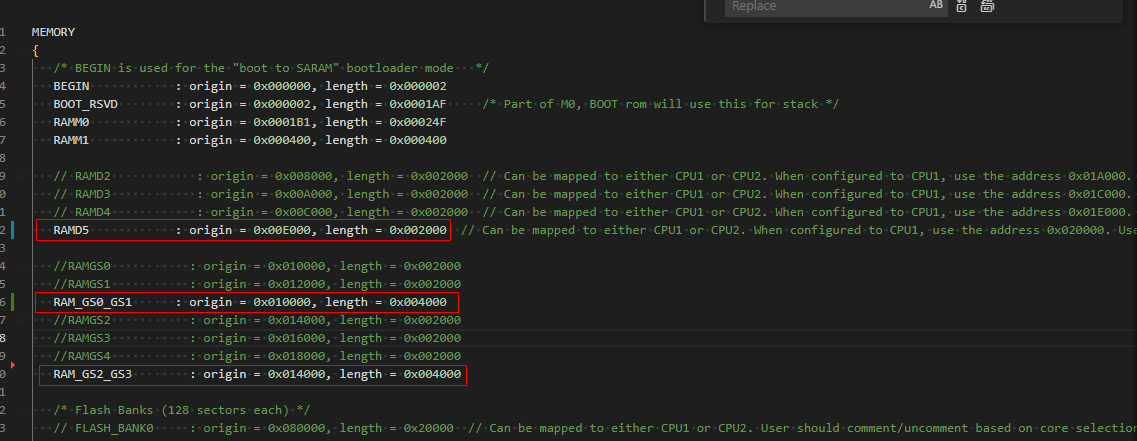
**Linker Command File (CPU2) — SECTIONS:**
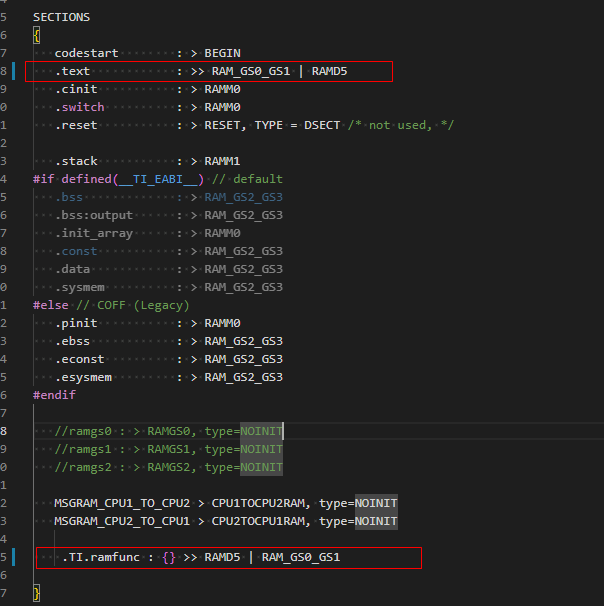
**SysConfig (CPU1) — RAM Ownership:**
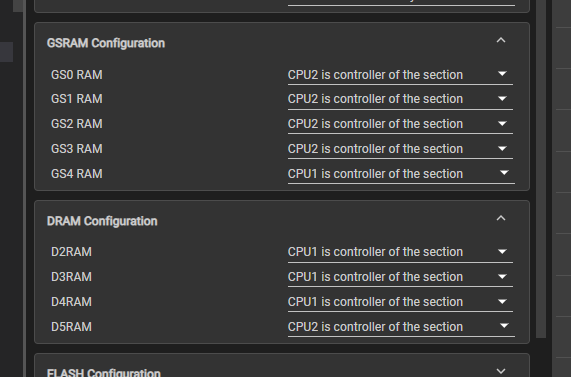
The SysConfig memory ownership matches the linker allocation — D5RAM is assigned to CPU2.
---
## Workaround
If I **remove the D5RAM entry** from the CPU2 linker command file (i.e., only use GS0–GS3), the project loads successfully.
I am currently using this as a temporary workaround, but CPU2 requires D5RAM in the long term, so I need to resolve this properly.
---
## Questions
1. Is there a known issue with using D5RAM for CPU2 on the F28P650DK when loading via CCS?
2. Is there any additional initialization or GEL file configuration required to make D5RAM accessible to CPU2 before the load step?
3. Does the CPU1 project need to explicitly release or configure D5RAM before CPU2 can be loaded into it?
Any guidance would be appreciated. Thank you.

