This thread has been locked.

If you have a related question, please click the "Ask a related question" button in the top right corner. The newly created question will be automatically linked to this question.

TMS320F28P650DK: Sys Config issue related to myANALOGPinMux0

Part Number: TMS320F28P650DK
Other Parts Discussed in Thread: SYSCONFIG

Dear Sir/Madam,

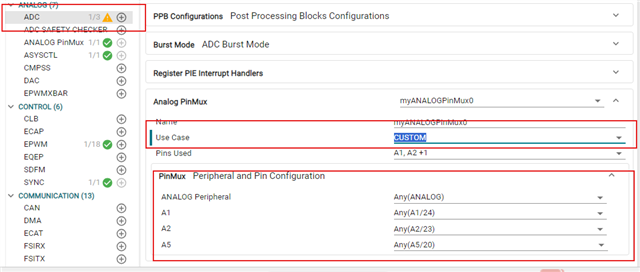
For ADC pupose we are using only 14 channels. But in sys Config file most of the ADC pins are used by myANALOGPinMux0. How to release those pins for other function, for example GPIO.

The screen shot is attached below. If I try to use these pins as GPIO, "Resource conflict" is happening. What is the purpose of ANALOG PinMux?
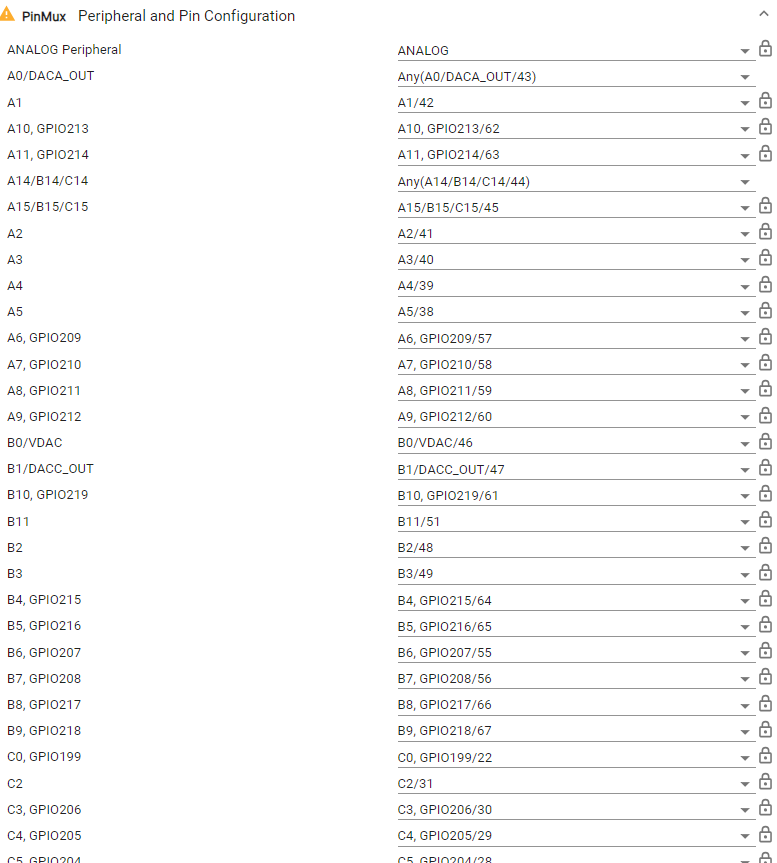
image.png

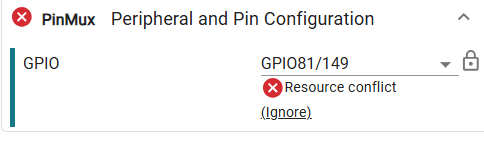
Resource conflict is as below

image.png

Thanks and Regards,

Prashant Gugle

  • Hi Prashant,

    The ANALOG PinMux (myANALOGPinMux0) is a pin multiplexing configuration that reserves physical device pins for ADC analog input functionality. Pin multiplexing controls the routing of internal signals to external device pins — each pin can only serve one function at a time [1]. Because myANALOGPinMux0 claims all ADC-capable pins by default (not just the 14 you need), those pins are locked to the analog function, and SysConfig's conflict detection correctly raises a "Resource conflict" when you try to assign them to GPIO [2][3].

    How to Release Unused ADC Pins for GPIO

    The fix: uncheck or disable the unused ADC channels in SysConfig so those pins are freed.

    1. Open the ADC / ANALOG configuration in SysConfig — locate myANALOGPinMux0 in your configuration panel.

    2. Uncheck the analog signals you don't need. The SysConfig ADC interface provides checkboxes for individual analog signals (e.g., AIN0 through AINx). Deselect every channel beyond your 14 active ones [4]. Alternatively, look for a "Channels In Use" parameter and set it to match your actual channel count (14) [5].

    3. Save and rebuild. SysConfig regenerates the configuration files based on your changes — the unchecked pins will no longer be claimed by the analog peripheral [5].

    4. Now add GPIO. With the pins released from myANALOGPinMux0, you can assign them to GPIO or any other available peripheral without triggering a resource conflict [4].

    Key point: SysConfig's intelligent solver enforces that each pin serves exactly one function [1]. You must explicitly remove the ADC assignment first — the tool won't let you override it by simply adding a GPIO on the same pin.

    1. TI Pin Mux Tools Documentation
    2. TI E2E - SysConfig PinMux IOSET and Voltage Conflict FAQ
    3. TI Application Note - Resource Conflict Detection (SDAA194)
    4. TI SysConfig PinMux Overview (SLYP729)
    5. MCU Plus SDK - PRU ADC SysConfig Example