This thread has been locked.

If you have a related question, please click the "Ask a related question" button in the top right corner. The newly created question will be automatically linked to this question.

F29H850TU: CPU3 debug issue in flash mode

Part Number: F29H850TU

  1. When debugging CPU1, Debug Output window show as below figure error, but CPU1 can enter debug mode; Do these errors affect CPU1 functionality?

image.png

2. After running CPU1 and CPU1 released CPU3, CPU3 CPU3 will immediately enter the RUNNING state; Clicking "Pause" , CPU3 cannot be halt, as below figure; When Loading program in the RUNNING state, some error will occur as shown in the figure below; How can we solve this problem?
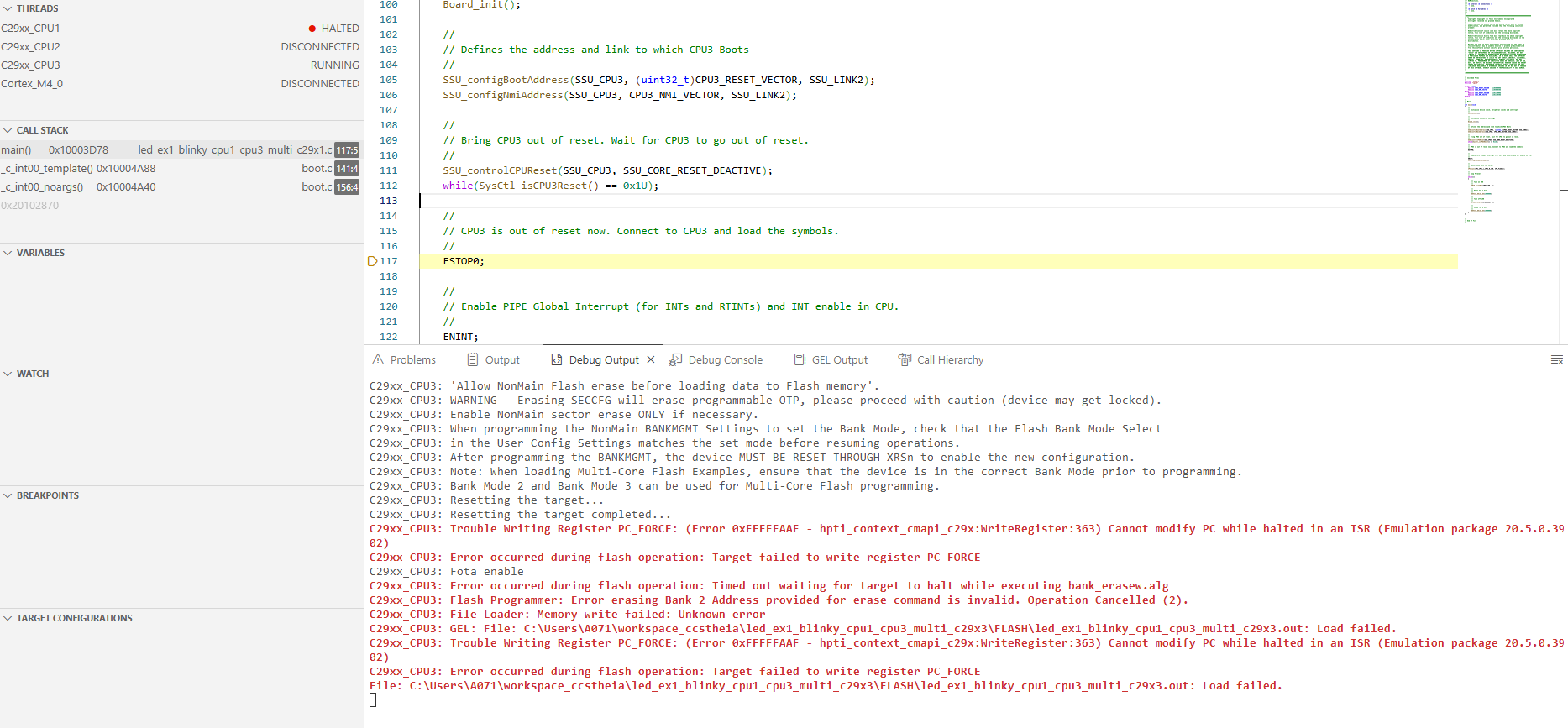
 

image.png


Note: Steps of project debugging:  F29H85x-SDK: Multi Core Example Build and Run 

  • Hi, 

    1. No these errors do not affect the CPU1's functionality. These seem to be debugger-level probe errors, not firmware level. 

    2. Are using FLASH or RAM configuration? 

    Kind regards,
    AJ Favela 

  • FLASH configuration;

  • Hi, 

    Can you attempt the following steps in terms of running the example?

    1. Start a project-less debug

    2. Connect to CPU1 and load the project .out

    3. Run CPU1 till it reaches the ESTOP0

    3. Connect to CPU3 and load just the project symbols

    4. Run CPU3 then CPU1

    The project should run and you should see LEDs blinking. Additionally, you should be able to pause CPU3 and see one of the LED's stop blinking 

    Additionally can you ensure that your Bank Mode is set to 2. If this has not been done yet, you can do so by opening up CPU1's project properties, going to the flash settings, setting BANK MODE to 2, clicking Program BANKMGMT and resetting the device. Then you can reconnect to the device and attempt the above steps again.

    Kind regards,
    AJ Favela