This thread has been locked.

If you have a related question, please click the "Ask a related question" button in the top right corner. The newly created question will be automatically linked to this question.

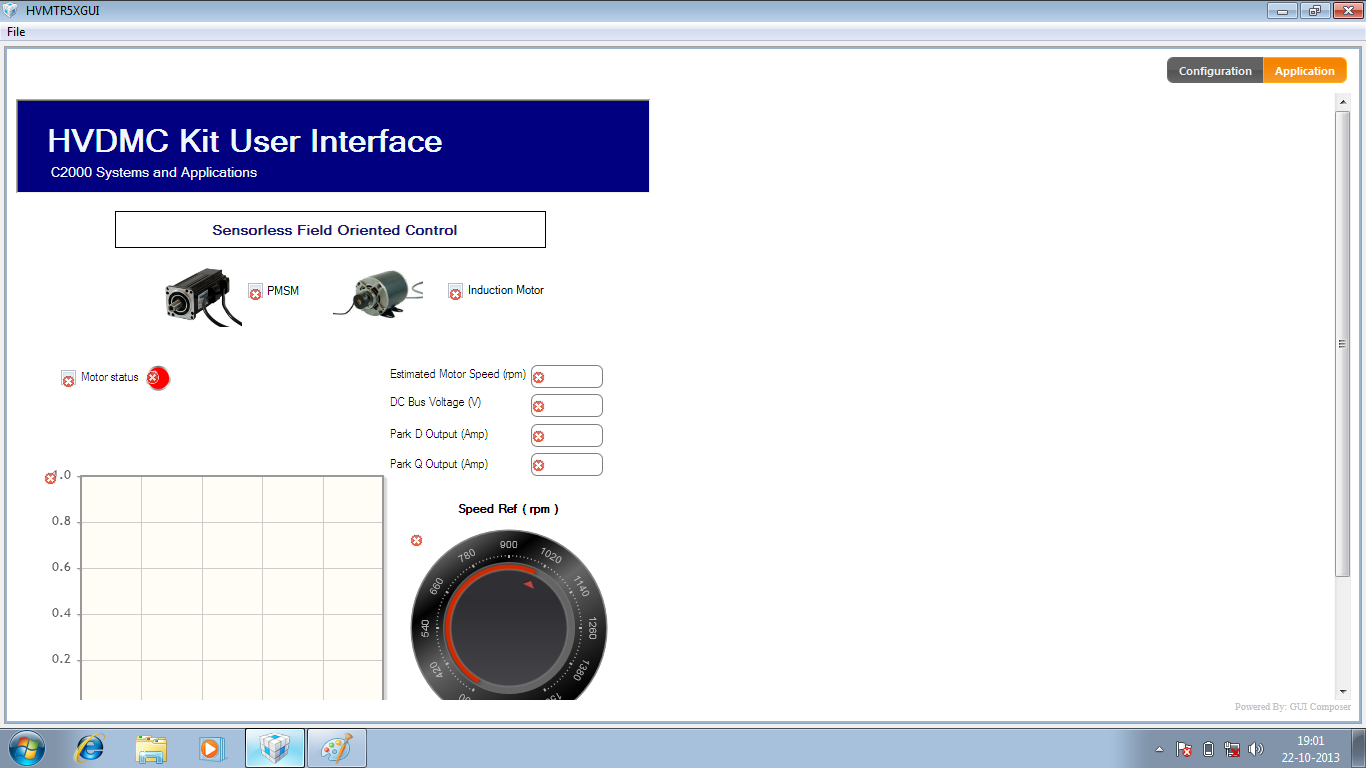
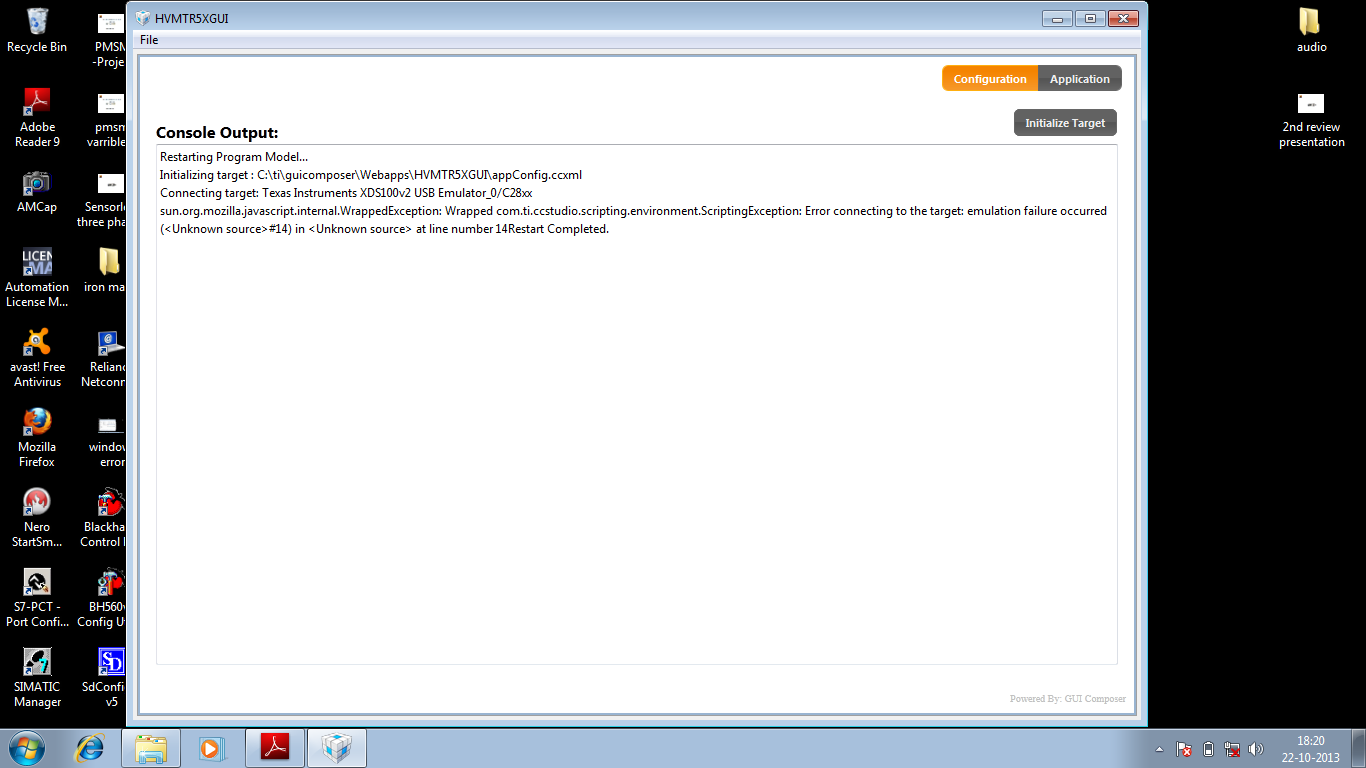
unable to communicate the kit with PMSM motor .error code 14 came

Other Parts Discussed in Thread: TMS320F28055, CCSTUDIO, CONTROLSUITE, MOTORWARE

We cant able piccolo controller f2805x with PMSM motor .error code 14 will appear during the communication .


  • Hi,

    Can you attach a screenshot?

    Regards,

    Gautam

  • Hi,

    Did you try changing the versions of XDS100??

    Regards,

    Gautam

  • you mean emulator connection ? .i tried through  GUi compossor .In this i dont have any option for change the connection setup? ,

    Please explain in detail ..

    Thanks

    Gobinath


  • you don't need to change the emulator connection.

    The error says that you aren't reaching the emulator on the controlCARD, so you need to re-check your settings per the guide.

    - USB connection from PC to controlCARD. Make sure that the USB connection to XDS100 is showing up in your PC Device Manager

    - Power to the controlCARD. This typically comes from the 15V supply, but may come from the high voltage bus depending on your jumper and banana cable settings

  • Thanks for your reply .

    I cross verified the jumper setting as per the user guide .It is in normal ,and also driver is  shows in device manager .

    This is jumper setting and banana cable settings mentioned in guide ,

    Make sure the following jumpers & connector settings are valid:

    a. [Main]-J3, [Main]-J4 & [Main]-J5 are populated.

    b. [Main]-J2 is populated with a jumper between bridge and the middle pin.

    c. [Main]-J9 and [M3]-J5 are not populated.

    d. Banana cable connected between [Main]-BS1 and [Main]-BS5.

    i need to know one thing ,the driver is supporting only any particular  operating system ??

    I am using Window 7 enterprise OS with32 bit .

    The XD100 driver will support or i need to change the OS ? If required means kindly mention with OS should be installed ?

    Thanks

    M.Gobinath

    9791449993

  • Thanks for your reply .

    I cross verified the jumper setting as per the user guide .It is in normal ,and also driver is shows in device manager .

    This is jumper setting and banana cable settings mentioned in guide

      a ., Make sure the following jumpers & connector settings are valid: a. [Main]-J3, [Main]-J4 & [Main]-J5 are populated

    . b. [Main]-J2 is populated with a jumper between bridge and the middle pin

    . c. [Main]-J9 and [M3]-J5 are not populated. d. Banana cable connected between [Main]-BS1 and [Main]-BS5.

     i need to know one thing ,the driver is supporting only any particular operating system ?? I am using Window 7 enterprise OS with32 bit .

    The XD100 driver will support or i need to change the OS ? If required means kindly mention with OS should be installed ?

    And  i am using TMS320F28055 device and Kit name is TMDSHMTRKIT5.

    Can i communicate through CCS 4. or CCS 5. ??

    Please mention which CCS version and XDS version should be used ??


    Thanks ,

    M.Gobinath 9791449993

  • The XDS version of the F28055ISO controlCARD is XDS100v2

    Yes, you can use any CCStudio to connect. I believe the 5x device was only added in CCSv5 though, so I recommend just installing latest CCSv5.5 from the download site.

    In there you can create a Target Configuration for XDS100v2 and TMS320F28055

    You can launch that connection, connect, and try to load

    C:\ti\controlSUITE\development_kits\TMDSHVMTRKIT5X_v1.0\~GUI\HVMTRKIT5XGUI\appProgram.out

    this is the .out that the GUI tries to load when you launch the .exe


    The GUI .exe is just doing the same thing that you manually do in CCS:

    Launch Emulation Configuration
    Connect Target
    Load .out
    Turn on Real-Time emulation
    Run the program

    If you can do these steps in CCS the GUI should be able to do the same thing...

  • Hello,

    gobinath manickam said:
    c. [Main]-J9 and [M3]-J5 are not populated.

    As I know, to use USB JTAG from ControlCard, you should:

    Insert jumper [M3]-J5
    Remove jumper [Main]-J9
    (JTAG connection will occur via USB connector on controlCARD)

    SW4 position 1 of the ControlCard should be ON.

    Please check these setting and try again to open your GUI.

    Good luck!

    Best regards,

    Maria

  • Maria,

    Good catch!


    yes, per all the QSGs (GUI & HVKIT), when using an ISO/JTAG controlCARD you need to POPULATE M3-J5 to turn off the emulation from the HVKIT to the DIMM interface.

    C:\ti\motorware\motorware_1_01_00_10\docs\guis\hvkits_8312s_8301s\instaspin_foc\qsg_gui_instaspin_foc.pdf


  • Hi Maria ,

    Thanks for your reply .

    I  change the Switch SW 4 to On  position  .I kept the jumper J5 and J9 in open position. I take the trail through GUI ,its communicated and motor also running based on the reference value  .

    I dont know this is correct or not .

    Please clarrify ..

    Thanks

    M.Gobinath


  • Hi Maria ,

    Thanks for your reply .

    I  change the Switch SW 4 to On  position  .I kept the jumper J5 and J9 in open position. I take the trail through GUI ,its communicated and motor also running based on the reference value  .I dont know this is correct or not .

    And During running we got some value for Park Q and Park D but we dont get value for Extemated Motor Speed . Ext speed curve always shows Zero .

    Also i need to mention one thing , I runned  the motor for just 3 Minutes in 600 RPM but the motor got exterm high temperature .

     Please support

  • Hello Gobinath,

    I am glad that you finally can connect your device to GUI.

    Can you tell us more detail about your devices - what your kit (i see that you use TMDSHVMTRKIT. Please make sure whether it is TMDSHVMTRPFCKIT R1.1 or TMDHVMTRKIT5X), your controlCard (I see that you use http://www.ti.com/tool/tmdxcncd28055iso, isn't it?), and your motor are (and maybe some description about your device setting (the jumper, the switch) or screenshoot about your connection)?

    Can you tell us what DC Bus Voltage appeared in the GUI?

    Also can you send me the link of this GUI (from where you get this GUI)? (because I could not find it) -> sorry, I found it already :)

    I believe Chris can help you better in this case.

    Good luck!

    Best regards,

    Maria

  • Maria, my kit name is TMDXHVMTRKIT5X .i got the gui software along with kit ang gui name is HVMTR5XGUI. Motor is Pmsm motor and make is estun .EMJ-04APB22. Jumper setting.-main J3 J4 J5 are populated main j2 is populated between bridge and middle pin . dc bus voltage reachrd upto 277. Volt please support .i have only 5 hours .i need to present to my officers . please
  • Hello,

    I think DC Bus Voltage 277 V looks fine.

    Can you send the screenshot of the GUI while your motor is running?

    Best regards,

    Maria

  • Maria,

           Thank you soo much for your great  support . I sucessfully run the Kit based on your input and support .

    I reduced speed reference from 1000 to  600 RPM then the  extemated value graph came  .If the speed reference the increased  above 700 RPM .,the DC bus voltage fault will occure .for that reason only it not shows the extemated value .

    Ones again thanks for all for the supporting ..

    Thanks & Regards,

    M.Gobinath