This thread has been locked.

If you have a related question, please click the "Ask a related question" button in the top right corner. The newly created question will be automatically linked to this question.

Toggle GPIO14

Other Parts Discussed in Thread: TMS320F2808

Hello I am a new user to this forum and to the TMS320F2808


I want to create a simple program where I can create a pulse at the digital output GPIO14/Pin 8


These are the files that I included in my project.

IDSP280x_CodeStartBranch.asm
DSP280x_CpuTimers.c
DSP280x_DefaultIsr.c
DSP280x_Device.h
DSP280x_Examples.h
DSP280x_GlobalVariableDefs.c
DSP280x_Gpio.c
DSP280x_Headers_nonBIOS.cmd
DSP280x_MemCopy.c
DSP280x_PieCtrl.c
DSP280x_PieVect.c
DSP280x_SysCtrl.c
DSP280x_usDelay.asm
F2808.cmd
main.c
TMS320F2808.ccxml


and here is the main program:

/*
 * main.c
 */
#include "DSP280x_Device.h"
#include "DSP280x_Examples.h"
#include <stdio.h>

extern Uint16 RamfuncsLoadStart;
extern Uint16 RamfuncsLoadEnd;
extern Uint16 RamfuncsRunStart;

#pragma CODE_SECTION (InitFlash, "ramfuncs");
#pragma CODE_SECTION (delay, "ramfuncs");
#pragma CODE_SECTION (Gpio_setup, "ramfuncs");
#pragma CODE_SECTION (Toggle_G14, "ramfuncs");

void delay (void);
void Gpio_setup (void);
void Toggle_G14 (void);


unsigned int i;

void main(void)
{
	InitSysCtrl ();

	InitGpio ();

	DINT;

	InitPieCtrl ();

	IER = 0x0000;
	IFR = 0x0000;

	InitPieVectTable ();

	MemCopy(&RamfuncsLoadStart, &RamfuncsLoadEnd, &RamfuncsRunStart);
	InitFlash ();

	//section in here
	Gpio_setup ();

	while (1)
	{
		//Toggle_G14 ();
		GpioDataRegs.GPADAT.bit.GPIO14 = 1;
		delay ();
		//Toggle_G14 ();
		GpioDataRegs.GPADAT.bit.GPIO14 = 0;
		delay ();
	}
}

void delay (void)
{
	i = 0;
	
	for (i = 0; i<50000; i++);
}

void Gpio_setup (void)
{
	//pull up gpapud
	//dir output
	//gpio mux1
	EALLOW;
	GpioCtrlRegs.GPAPUD.bit.GPIO14 = 0;//enable pullup
	GpioCtrlRegs.GPAMUX1.bit.GPIO14 = 0;//GPIO
	GpioCtrlRegs.GPADIR.bit.GPIO14 = 1; //output
	GpioDataRegs.GPASET.bit.GPIO14 = 1;
	EDIS;
}

void Toggle_G14 (void)
{
	EALLOW;
	//GpioDataRegs.GPATOGGLE.bit.GPIO14 = 1;
	//GpioDataRegs.GPATOGGLE.all = 0xFFFFFFFF;
	EDIS;
}

I also included the DSP280x_Headers/include and DSP280x_Common/include

I build it and then debugged it but still no results, the light on the DSP tms320f2808 Control Card is green.


but when I did these modification to my code:

void Gpio_setup (void)
{
	//pull up gpapud
	//dir output
	//gpio mux1
	/*EALLOW;
	GpioCtrlRegs.GPAPUD.bit.GPIO14 = 0;//enable pullup
	GpioCtrlRegs.GPAMUX1.bit.GPIO14 = 0;//GPIO
	GpioCtrlRegs.GPADIR.bit.GPIO14 = 1; //output
	GpioDataRegs.GPASET.bit.GPIO14 = 1;
	EDIS;*/

	EALLOW;
	GpioCtrlRegs.GPAMUX1.all = 0x00000000;
	GpioCtrlRegs.GPADIR.all = 0xFFFFFFFF;
	EDIS;
}

and this in the main function:

while (1)
	{
		//Toggle_G14 ();
		//GpioDataRegs.GPADAT.bit.GPIO14 = 1;
		GpioDataRegs.GPADAT.all = 0xFFFFFFFF;
		delay ();
		//Toggle_G14 ();
		//GpioDataRegs.GPADAT.bit.GPIO14 = 0;
		GpioDataRegs.GPADAT.all = 0x00000000;
		delay ();
	}


and then Build it and Debug it, the code works, I got a green light and a red light flashing in the tms320f2808, and I got a pulse in most of the device's GPIOs.

Can someone please tell me why is this happening, and how can I generate a pulse on one pin only.

Notes:

I am new to this forum, tms320f2808,CCS v5 and C2000 microcontrollers, if I am in the wrong section, or you have any questions, please tell me.


Regards,

Forat 


  • Hello Forat!

    Try thus:

    void Gpio_setup (void)
    {
        
        EALLOW;
        GpioCtrlRegs.GPAMUX1.bit.GPIO14 = 0;//GPIO
        GpioCtrlRegs.GPADIR.bit.GPIO14 = 1; //output
        EDIS;
    }
    Regards,
    Igor
  • I have tried that already that is why I commented it out,


    It seems weird to me that if I addressed whole registers, I can toggle whole registers, but I can't seem to figure how to configure one pin

  • Forat,

    Why have you identified GPIO14 as the one you want to toggle?  The schematics for the control card are available on the F2808 Control Card product page under Technical Documents:

    http://www.ti.com/tool/tmdscncd2808

    According to the schematics, there are 3 LEDs on the board.

    LED1 is green and indicates the power is on.

    LED2 is red and is connected to GPIO31

    LED3 is red and is connected to GPIO34

    So, when you toggle GPIO14, nothing changes on the LEDs.  When you configure/toggle the entire "Registers", you are configuring GPIO31 and therefore you see it blink.

    Regards,

    David

  • Thank you for the clarification about the LEDs, now I understand why the red LEDs gets lit when I toggle all GPIOs.


    GPIO14 was a random pin I have chosen, I have chosen another pin before that but can't remember what it was.


    But still the problem remains the same I don't understand why when I try to toggle one pin, it doesn't work but works when I try to toggle all the pins.

    Bear in mind that the output voltage that I get is 300mV not 3.3 V, is that related to my problem?


    NOTE, I am debugging and programming the microcontroller using the USB, JTAB connector and not from the 5V power supply.


    Regards,

    Forat

  • Forat Hatem said:
    Bear in mind that the output voltage that I get is 300mV not 3.3 V, is that related to my problem?

    Something is wrong with that.  The pin should pretty much drive to VDDIO (3.3V).  Is this your own board or a TI EVM?

    You can run your code, halt CCS, and then manually change the bits in the GpioDataReg so you can twiddle one bit at a time.  It should work.  If it doesn't, something is configured wrong.

    - David

  • No it isn't my own board, it is a TI EVM


    I have a C2000 Microcontroller Card (tms320f2808) , mounted on a Docking Station, and they get their power supply from the USB,....


    I have a Code Studio Composer V5, the C/C++ headers for the DSP280x.......,


    Do I need to install something (like Firmware) before using the Control Card.


    Regards,

    Forat

  • Hi Forat,

    First of all check the voltage levels on the board. Check LDO voltage etc...

    Regards,

    Gautam

  • Hello Forat,

    Which pin that you check that has 300mV?

    Is it the board voltage, the MCU voltage (VDDIO or VDD), or the GPIO pin?


    Can you get LED2 and LED3 just ON (not toggle)?

    You can use the code below for initialization. And do nothing in while loop.

    -------------------------------

    EALLOW;

    GpioCtrlRegs.GPAPUD.bit.GPIO31 = 1;  // Disable pullup on GPIO10
    GpioDataRegs.GPACLEAR.bit.GPIO31 = 1;  // Clear output latch
    GpioCtrlRegs.GPAMUX2.bit.GPIO31 = 0; // GPIO31 = GPIO31
    GpioCtrlRegs.GPADIR.bit.GPIO31 = 1;   // GPIO31 = output

    GpioCtrlRegs.GPBPUD.bit.GPIO34 = 1;  // Disable pullup on GPIO34
    GpioDataRegs.GPBCLEAR.bit.GPIO34 = 1;  // Clear output latch
    GpioCtrlRegs.GPBMUX1.bit.GPIO34 = 0; // GPIO34 = GPIO34
    GpioCtrlRegs.GPBDIR.bit.GPIO34 = 1;   // GPIO34 = output
    EDIS;

    ----------------------------------

    Best regards,

    Maria

  • I did this program to test the voltage output at the pins


    /*
     * main.c
     */
    #include "DSP280x_Device.h"
    #include "DSP280x_Examples.h"
    #include <stdio.h>
    
    extern Uint16 RamfuncsLoadStart;
    extern Uint16 RamfuncsLoadEnd;
    extern Uint16 RamfuncsRunStart;
    
    #pragma CODE_SECTION (InitFlash, "ramfuncs");
    #pragma CODE_SECTION (Gpio_setup, "ramfuncs");
    
    void Gpio_setup (void);
    
    void main(void)
    {
    	InitSysCtrl ();
    
    	InitGpio ();
    
    	DINT;
    
    	InitPieCtrl ();
    
    	IER = 0x0000;
    	IFR = 0x0000;
    
    	InitPieVectTable ();
    
    	MemCopy(&RamfuncsLoadStart, &RamfuncsLoadEnd, &RamfuncsRunStart);
    	InitFlash ();
    
    	Gpio_setup ();
    
    	GpioDataRegs.GPADAT.all = 0xFFFFFFFF;
    	
    	while (1);
    }
    
    void Gpio_setup (void)
    {
    	EALLOW;
    	GpioCtrlRegs.GPAPUD.all = 0x00000000;
    	GpioCtrlRegs.GPAMUX1.all = 0x00000000;
    	GpioCtrlRegs.GPADIR.all = 0xFFFFFFFF;
    	EDIS;
    }


    and I got a 3V at most of them.

  • Hello Maria,


    I put the code, like you did the the 2 red LEDs got lit, I tested the voltage at their back with reference to the ground at the docking station and it was 3.3V

  •  

    Hello I modified the CPU_Timer Code, so that GPIO31 and GPIO14 toggles, and the result is that only the red (LD2) LED lits, and when I tested with an oscilloscope (tested the back of the LED) it does give a pulse.

    While there is nothing at GPIO14 (tested GPIO14/Pin8 from the docking station)


    #include "DSP280x_Device.h"    
    #include "DSP280x_Examples.h" #include <stdio.h> interrupt void cpu_timer0_isr(void); void Gpio_setup (void); void main(void) { // Step 1. Initialize System Control: // PLL, WatchDog, enable Peripheral Clocks // This example function is found in the DSP280x_SysCtrl.c file. InitSysCtrl(); DINT; InitPieCtrl(); IER = 0x0000; IFR = 0x0000; InitPieVectTable(); EALLOW; // This is needed to write to EALLOW protected registers PieVectTable.TINT0 = &cpu_timer0_isr; EDIS; // This is needed to disable write to EALLOW protected registers Gpio_setup (); InitCpuTimers(); // For this example, only initialize the Cpu Timers ConfigCpuTimer(&CpuTimer0, 100, 1000000); StartCpuTimer0(); IER |= M_INT1; PieCtrlRegs.PIEIER1.bit.INTx7 = 1; EINT; // Enable Global interrupt INTM ERTM; // Enable Global realtime interrupt DBGM for(;;); } void Gpio_setup (void) { EALLOW; GpioCtrlRegs.GPAPUD.bit.GPIO31 = 1;//disable pullup GpioCtrlRegs.GPAMUX2.bit.GPIO31 = 0;//GPIO31 = GPIO31 GpioCtrlRegs.GPADIR.bit.GPIO31 = 1;//OUTPUT GpioCtrlRegs.GPAPUD.bit.GPIO14 = 1; GpioCtrlRegs.GPAMUX1.bit.GPIO14 = 0; GpioCtrlRegs.GPADIR.bit.GPIO14 = 1; EDIS; } interrupt void cpu_timer0_isr(void) { CpuTimer0.InterruptCount++; printf("one second\n"); GpioDataRegs.GPATOGGLE.bit.GPIO31 = 1;//toggle output GpioDataRegs.GPATOGGLE.bit.GPIO14 = 1; // Acknowledge this interrupt to receive more interrupts from group 1 PieCtrlRegs.PIEACK.all = PIEACK_GROUP1; }

  • Hello Forat,

    It is good to know that your voltage is fine.

    Is it the docking station that you use for your controlCard? Can you tell me which pin you use to check this GPIO14? I am a little confused about the pins header number mentioned in this docking station. Maybe you also pointed the wrong pin. Can you check using the multimeter (from MCU to the pin that you use)?

    Thanks.

    However, have you try to check directly on DIMM socket? The document said that GPIO14 should be pin number 84 of the DIMM socket.

    Best regards,

    Maria

  • Forat,

    Perhaps you have something wrong with your ControlCard.  Maybe the GPIO14 output buffer is damaged.  Everything works fine for me on my F2808 Control Card.  Attached is a simple CCSv5.5 project that will blink LED 2 and 3 (GPIO31 and 34) and also toggle GPIO14, all at a 2 Hz rate.  You need CCSv5.5 (or later) to load the project into CCS.  Older CCS versions will usually not load newer projects.  If you don't have CCSv5.5, you can always just make a new project and dump my source files into it.

    If it still doesn't work, try a different pin than GPIO14.

    - David


    F2808_example_nonBIOS_flash.zip
  • Maria Todorova said:

    Hello Forat,

    It is good to know that your voltage is fine.

    Is it the docking station that you use for your controlCard? Can you tell me which pin you use to check this GPIO14? I am a little confused about the pins header number mentioned in this docking station. Maybe you also pointed the wrong pin. Can you check using the multimeter (from MCU to the pin that you use)?

    Thanks.

    However, have you try to check directly on DIMM socket? The document said that GPIO14 should be pin number 84 of the DIMM socket.

    Best regards,

    Maria


    Yes that is the docking station I am using.


    I am using testing on Pin 8 because on the tms320f2808 datasheet, pin 8 corresponds to GPIO14, and I thought each pin in the docking station matches the pin in the tms320f2808 Control Card.


    I tested the Voltage value using a digital oscilloscope from the pin of interest (pin 8) with reference to the ground in the docking station.


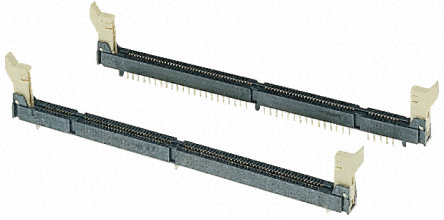
    I presume that what you mean by DIMM socket is the 5V power adapter that comes with. I don't have it, when I bought it online they (rs-components) didn't supply with one. I tried to use another 5V power adapter, but there the green POWER LED is not lit.


    I found out what DIMM socket means


    I tested the pins at the back of the DIMM socket, some of them gave me 3.3 V, some gave me 5V and some gave me 0V, but I don't know which pin on the socket corresponds to which pin/GPIO

    PN: I tried to test the voltage at pin 84 with the same last program I provided and still there are no results

  • Hello Forat,

    You should download this and check your schematic and documentation http://www.ti.com/general/docs/lit/getliterature.tsp?literatureNumber=sprr101b&fileType=zip

    Also in F2808controlCARD-PinOutTable.pdf, it is mentioned the pins table for DIMM socket.

    And in controlCARD_2D00_DIMM100_2D00_PinPositions.ppt, it is mentioned the DIMM pins positions.

    4760.controlCARD-DIMM100-PinPositions.ppt

    2656.F2808controlCARD-PinOutTable.pdf

    If you are sure that you point the correct connection to GPIO14, then maybe your GPIO14 is broken.

    You may use another pin instead of GPIO14 as David said.

    Best regards,

    Maria

  • I did find where the fault is, the docking station are not numbered after the pins, but there is 35 GPIO pins that corresponds to 35 tms320f2808 microprocessor pins.


    Hence GPIO14 corresponds to pin 14.


    So Thank you everyone for your help and support