This thread has been locked.

If you have a related question, please click the "Ask a related question" button in the top right corner. The newly created question will be automatically linked to this question.

GUI COMPOSER

Other Parts Discussed in Thread: MOTORWARE, LAUNCHXL-F28027F, BOOSTXL-DRV8301, LAUNCHXL-F28027

Hi, 

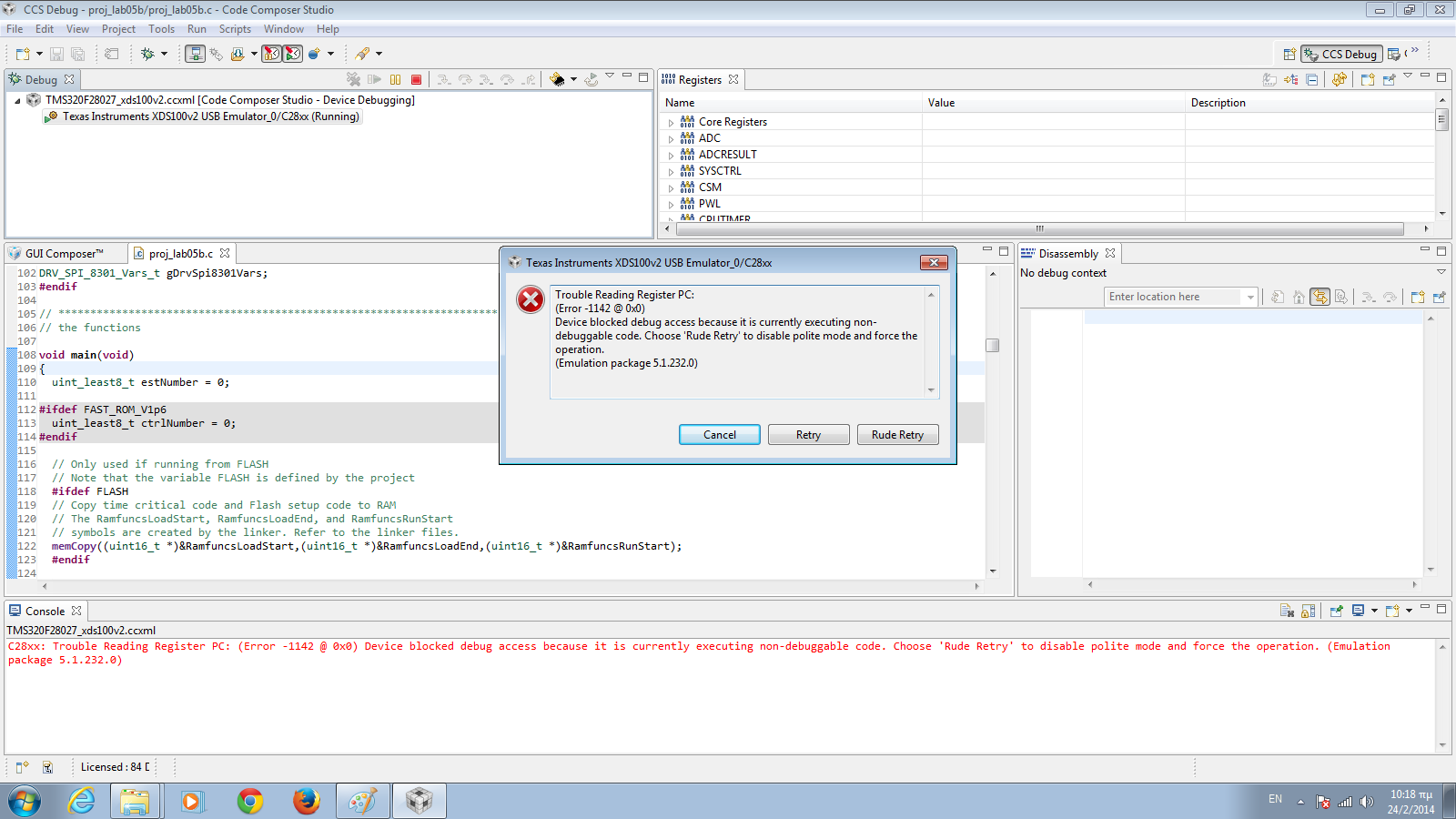
 i installed the GUI composer and I followed all the steps that were described in the "GUI Quick Start Guide InstaSPIN UNIVERSAL". When i run the InstaSPIN_F2802xF_UNIVERSAL exe everything looks to work fine, but after the launching process, the following  error  is appeared. If i select "OK" it is appeared again. 


Also, when i choose the application tab i have a similar error :
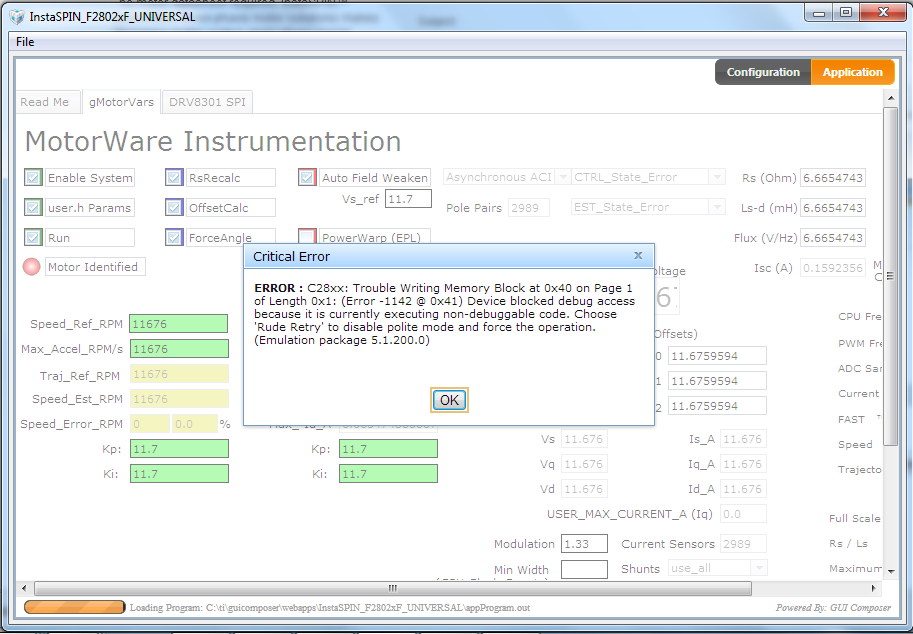
  

Could anybody help me please? Do anybody know what i can do? 

  • Leonidis,

    Where did appProgram.out come from?  Was it a proj_lab##.out that you build in CCS?

    Can you connect to your F2802x controlCARD/LaunchPad through CCS?

    The error looks to me like the .out built is invalid for the processor you are trying to connect to.

  • Hi,

    thank you for reply. First I built the proj_lab5b in CCS5_5 and after i copied the proj_lab5b.out in webapp\InstaSPIN_F2802xF_UNIVERSAL and i renamed it in appProgram.out.

    Also , (i have the C2000 launchpad) i tried to connect through CCS and an error window opened  and the same error was appeared (see below). I press rude retry and it looks running. Why it did not running in standalone mode (outside the CCS)?   

  • will you please check your switch settings on the LaunchPad

    the attached (has been missing) can be added to

    C:\ti\motorware\motorware_1_01_00_11\docs\boards\kits\docs\

    From Page 4 (this is with the BoosterPack attached and power being provided from the Booster Vbus):

    For typical combination use the following settings should be used

    LAUNCHXL-F28027F

    i. Remove Jumpers 1, 2, 3 to isolate USB and power from BOOSTXL-DRV8301

    ii. S1 set to ON-ON-ON to allow JTAG

    iii. S4 set to OFF

    1. The QSG shows S4 set to ON

    a. ON sets the Piccolo I/Os to UART mode, which is not used by default in the example applications (only JTAG connectivity is used)

    b. OFF sets the Piccolo I/Os to GPIO mode, allowing them to drive the Fault LEDs on the BoosterPack

    2. Fault functionality works regardless of LED functionality


    readmefirst_instaspin_launchboost.pdf
  • Leo,

    did you solve this?  my instinct was that the switches had you booting to flash and you were able to connect but not load new code...but looking at the images it looks like you WERE able to load proj_lab5b, and then it gave you the error.  That's really strange.  It make me think there may be a HW issue and you may want to try another LaunchPad.


  • also, can you confirm you are using a LAUNCHXL-F28027F

    with F28027F silicon?


  • Hi Chris,

    first of all thank you for your interest and  your answers. I did not solve the problem yet.

    Yes, i am using LAUNCHXL-F28027F. I checked the hardware, and everything seems to work fine. Is it possible i have problem with the boosterpack? 

    Can i debug the .out file without the boosterpack (and see if it works) ?

  • At this point I lean towards a HW problem. Perhaps the chip is damaged.

    Can you get another LAUNCXL-F28027F kit?