This thread has been locked.

If you have a related question, please click the "Ask a related question" button in the top right corner. The newly created question will be automatically linked to this question.

INERTIA estimation problem

Other Parts Discussed in Thread: MOTORWARE

Hi,

I have some problem to estimate motor inertia in lab5c

**********************************************

#ifndef QEP
#define USER_IQ_FULL_SCALE_FREQ_Hz        (800.0)   // 800 Example with buffer for 8-pole 6 KRPM motor to be run to 10 KRPM with field weakening; Hz =(RPM * Poles) / 120
#else
#define USER_IQ_FULL_SCALE_FREQ_Hz        (500.0)   // 500 Example with buffer for 8-pole 6 KRPM motor to be run to 6 KRPM; Hz =(RPM * Poles) / 120
#endif

****************************************

How can i caclculate this variable. if I calculete with this number (6000*8)/120=400 # differente de 500 in programme.

I have a Baldor Motor 4-poles max.speed=7000rpm, max.current=13A, how can'i calculate these two varibles?

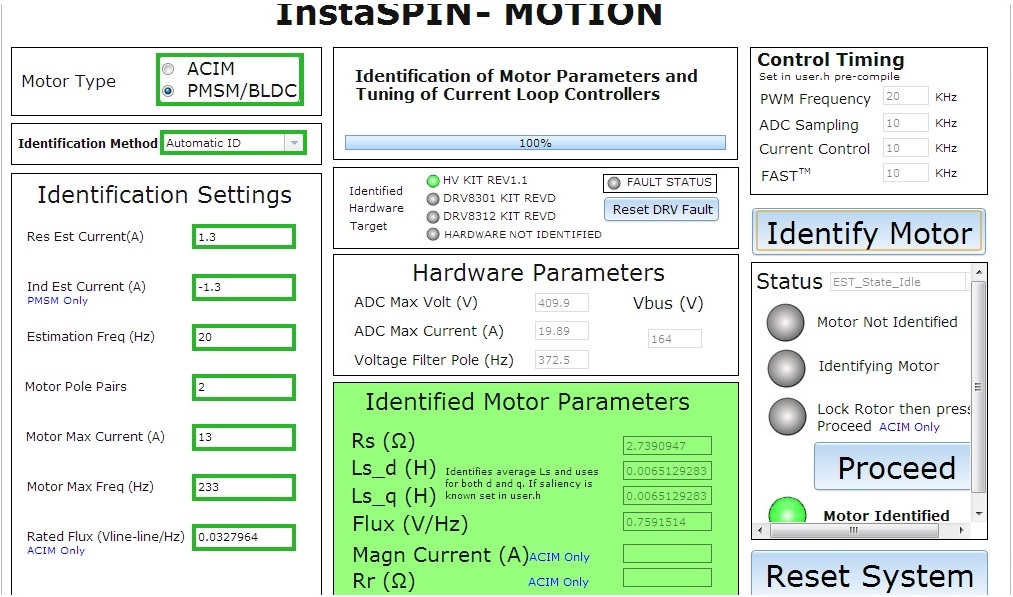
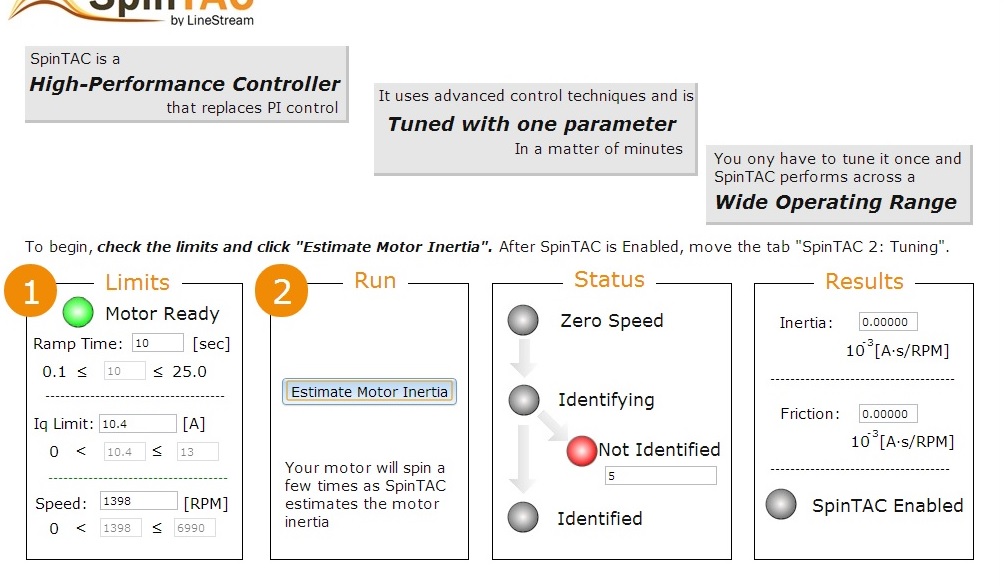
In other way, I tested the motorware to estimate motor inertia with GUI. The motor is identidied and I clique in Estimate Motor Inertia in SpinTAC1:Statup, and then, the statue is not identified=5.

  • Your max Hz is (233.33) = 7000 * 4 / 120

    Placing both at a(500.0) is fine, that gives you room if you want to do field weakening.

    In proj_lab5c the 2nd FULL_SCALE will be used as the first is only used if you are doing sensored feedback in proj_lab12


    I'm not following exactly what you are doing.

    - Can you ID the inertia with InstaSPIN-FOC & -MOTION GUI?

    - What error do you get when you try to ID with proj_lab5c?

    - For both, before you try to ID inertia is the motor running ok at various speeds?


  • Hi

    thank you for your help,

    I have images shows the error in inertia identification with motorware GUI

  • Hanane,

    Error 5 for Inertia Identification means that the Output Maximum is greater than 1.  This is occurring because the maximum current that you placed in the GUI is larger than the kit maximum current of 10.  If you set this maximum current to < 10 when you start the GUI you will not see this issue.