This thread has been locked.

If you have a related question, please click the "Ask a related question" button in the top right corner. The newly created question will be automatically linked to this question.

DRV8301 Lab 01 tutorial CCS can't launch project

Other Parts Discussed in Thread: BOOSTXL-DRV8301, MOTORWARE, TMS320F28027
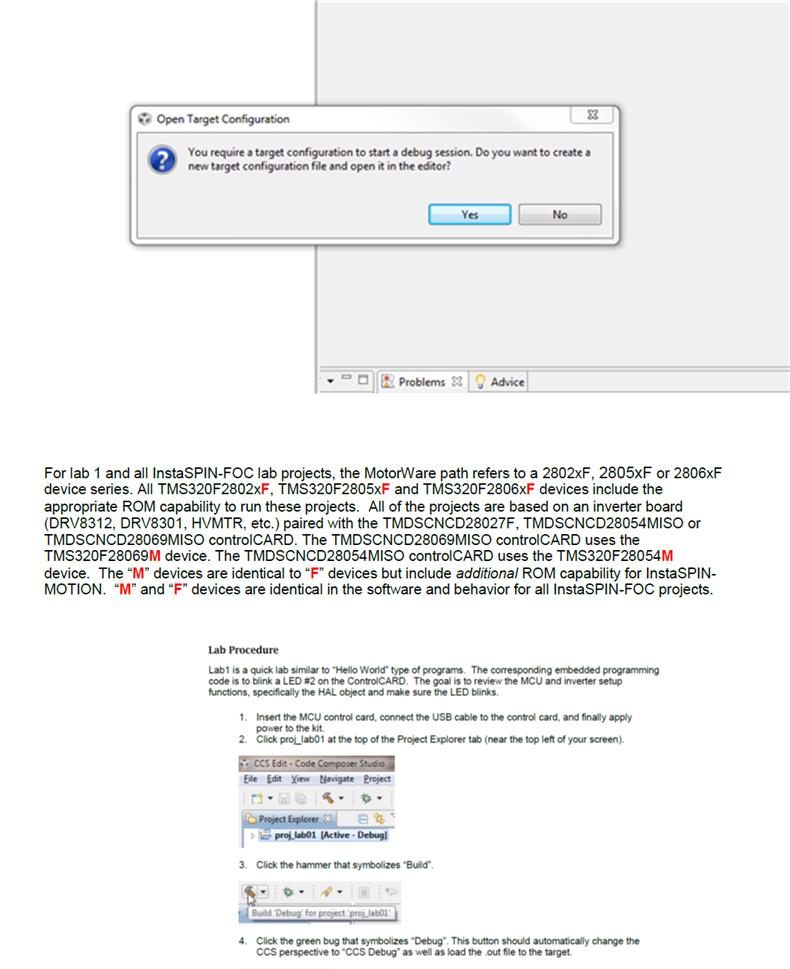
I am trying to work through lab01 of the "InstaSPIN Projects and Labs User’s Guide". When I get to step 4, shown in the bottom screen shot,  I get the error message shown at the top. I am using the BOOSTXL-DRV8301 in conjunction with a C2000 Launchpad XL. I got here by working through watching the Getting Started with the Motor Driver BoosterPack, so I assume that even though the C2000 Launchpad XL is not listed in second screenshot, it will still work with this lab. Is this correct?

I am using CCS  Version: 5.5.0.00077 .  I have updated it. 

Please help.

Chuck

  • that's strange. The error is saying you don't have a target configuration file (.ccxml) which is included in every MotorWare project. Are you sure you imported the files from a default C:\ti\motorware directory? and did NOT check the import or copy projects box?

    just click the green bug and it should build the .out, launch the debugger, connect to the target, and flash the .out to the device.

  • Hello Chris,

    I do not have the file TMS320F28027_xds100v2.ccxml. I did import the project files as you instructed. However I have motorware in the following location: C:\motorwaredownload\motorware_1_01_00_13. Could this be the problem? I will install it exactly the way you describe and see.

    Thanks Chris.