This thread has been locked.

If you have a related question, please click the "Ask a related question" button in the top right corner. The newly created question will be automatically linked to this question.

GUI Composer with proj_lab09

Other Parts Discussed in Thread: LAUNCHXL-F28027F, TMS320F28027F

Dear all,

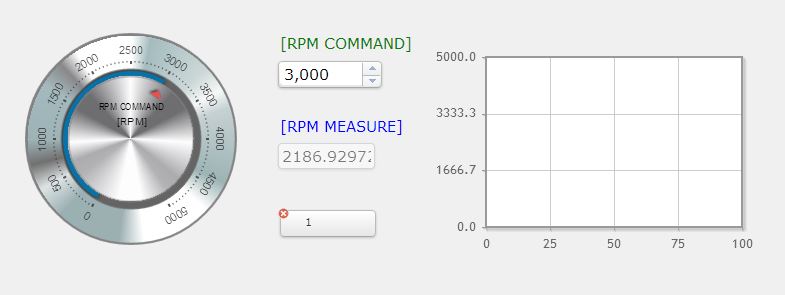
I'm testing a GUI Composer with proj_lab09 to make a simple UI.

I finished  binding "gMotorVars.SpeedRef_krpm" / "gMotorVars.Speed_krpm" with some widgets, but I don't know a way to using line graph with "gMotorVars.Speed_krpm".

Is there any tips for my situation? 
Sincerely,

Eui-heon

  • In the InstaSPIN-MOTION GUI we use these graphs. Unfortunately we don't release the project source code, but here is a snippet that deals with the graphing. You essentially need to write the data to a buffer.

    Gui.gRecordBuffersIsrCnt++;

    if(Gui.gRecordBuffersIsrCnt >= 1000)
    {
    Gui.gRecordBuffersIsrCnt = 0;
    if(Gui.gRecordBuffers)
    {
    if(Gui.gRecordBuffersIndex < DATA_BUFFER_SIZE)
    {
    f(Gui.gUseSpinTAC == TRUE)
    {
    Gui.SpeedRef_krpm_Buffer[Gui.gRecordBuffersIndex] = _IQmpy(STVELMOVE_getVelocityReference(st_obj.velMoveHandle), Speed_krpm_sf);
    }
    else
    {
    Gui.SpeedRef_krpm_Buffer[Gui.gRecordBuffersIndex] = _IQmpy(CTRL_getSpd_int_ref_pu(ctrlHandle), Speed_krpm_sf);
    }
    Gui.SpeedEst_krpm_Buffer[Gui.gRecordBuffersIndex] = EST_getSpeed_krpm(obj->estHandle);

    Gui.gRecordBuffersIndex++;
    }
    else
    {
    Gui.gRecordBuffers = TRUE;
    Gui.gRecordBuffersIndex = 0;
    }
    }
    else
    {
    Gui.gRecordBuffersIndex = 0;
    }
    }
  • Dear Chris,

    Thank you for your reply.

    I have one more question for export gui composer project.

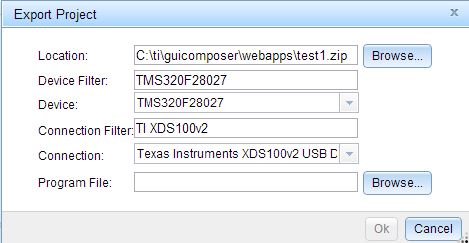
    For the TI XDS100v2 USB Debug probe, what's the correct selection?

    When I test the TI XDS100v2 USB Debug probe and UART connection in GUI COMPOSER run-time environment, there exist a connection error

    Sincerely,

    Eui-heon

  • assuming you are using LAUNCHXL-F28027F you have the correct settings.
    do you have the correct jumper & power setting to insure you have an actual connection? I assume that you are running projects in CCS so you should...

    It may be that you are already connected to the target when it tries the test. I would try to export and see if it works.

    I'll also send this to the GUI Composer team.
  • Hi  Eui-Heon,

    Make sure that your application and GUI app work within CCS with UART connection, than export your GUI app using the UART connection type.

    If everything works under CCS and you still get an error in the RUNTIME, than you can you attach your exported app here? I'll take a look at your exported app.

    Regards,
    Patrick

  • Dear Chris and Patrick,

    Thank you for your reply.

    Currently, I'm using customized TMS320F28027F target board and customized XDS100v2 interface board.

    I found out reason of an error.When I compare exported project folder with working folder such as "root\ti\guicomposer\webapps\InstaSPIN_FOC_F2806xM"

    I found out the "appConfig.ccxml" file was omitted in exported project folder. I copied appConfig.ccxml from ....\InstaSPIN_FOC_F2806xM folder and change the

    text "28069" to "28027" @ "appConfig.ccxml". After that, everything is OK. 

    Installed version of S/W

    CCS version 6.1.0.00104 

    GUI Composer version 6.0.0.0

    Sincerely,

    Eui-heon

  • nice debugging!

    maybe Patrick can look into why it isn't exporting correctly