This thread has been locked.

If you have a related question, please click the "Ask a related question" button in the top right corner. The newly created question will be automatically linked to this question.

Problem to load appProgram.out to C:\ti\guicomposer\webapps\InstaSPIN_F2802xF_UNIVERSAL\InstaSPIN_UNIVERSAL


Hi,

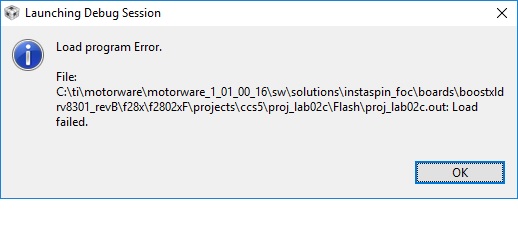
When trying to use this execute I get errors:

telling me that device might be locked

Can someone test my output file on

C2000 launchpad with DVR8301 just to make sure that my file is loading OK ?

The file is attached here

Thanks,

RoeeappProgram.zip

  • yes it loads fine for me

    you should see if you can connect to your Launchpad through CCS. if you get a similar error than you may have damaged/locked your Launchpad and need to replace it.

    if you can connect in CCS you should uninstall and reinstall the GUI
  • Do you mean guicomposer ?
    Thanks!
    Roee
  • use CCS to see if you can connect to the Launchpad and load the code.

    per the instructions - once powered - select your project and hit the BUG icon.

    it should build, connect, and load.
  • I was sure the way to run this is via Webaaplication directly ?

    Thanks,

    Roee

  • per our direct messaging discussion, you didn't remove the jumpers on the Launchpad per the instructions
  • Sure I did remove -> zoom in the picture
    Jumper is on one pin -> therefore disconnected
    I don't want to loose them
    Thanks,
    Roee
  • now put on the boosterpack and provide power to the boost. it will power the launch.

    that's how you run the projects and you should be able to connect to the target in CCS.
  • Thanks,
    Will continue tomorrow
    I am 99.9% that the board is damaged by the LOCK
    I have another board somewhere in my house I will search for it tomorrow
    And will update -> but I am almost convinst that the board is damaged
    BR,
    Roee
  • I was right!

    Took the new board and everything is working!!!!

    This was all about the board - and I have no idea how it come broken ??

    Chris, after compiling and .out file is working however - I have configured to 6 poles, and when WEB application is opened it shows only 4 POLES in gray why ??

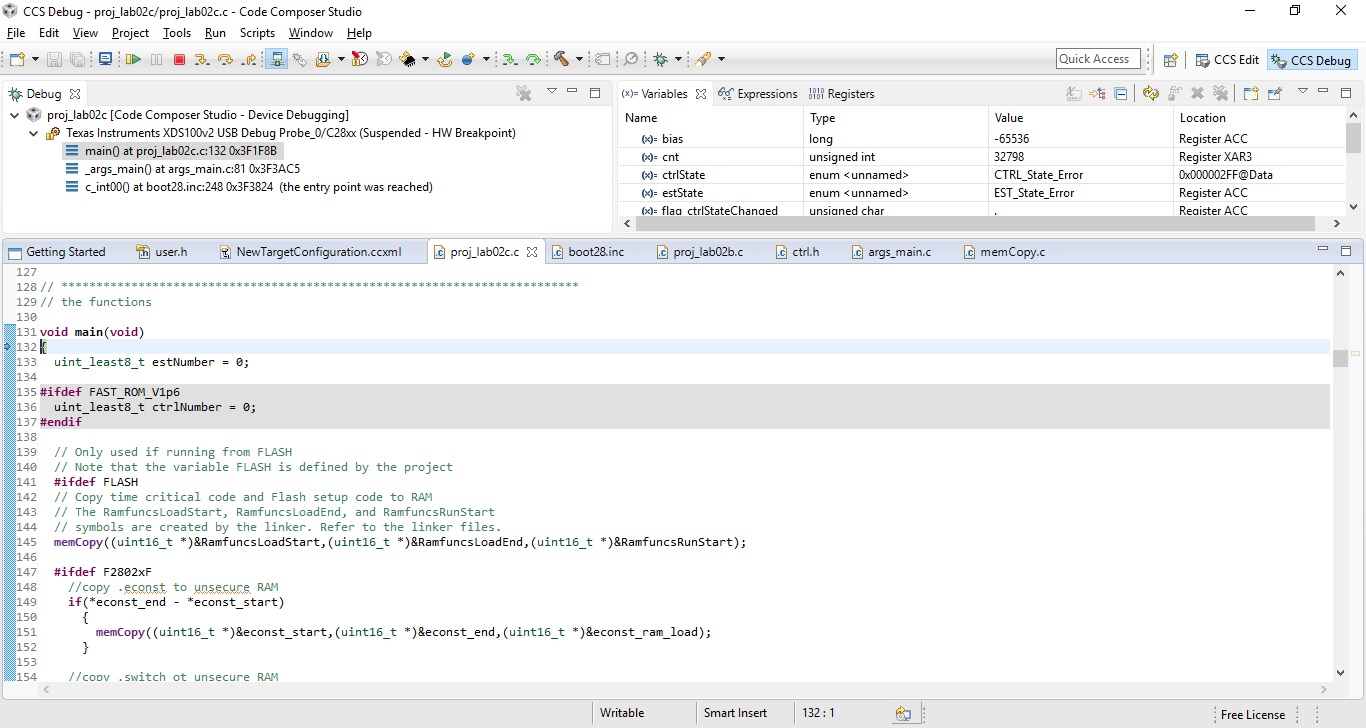
    Also when running from- CCS and loading - it is OK now but it jumps to start of the program and the motor is not spinning (not from GUI composer webapplication).

    Where is the point in SW that it should start - and how do I control it via Debug screen ?

    When using the Webpplication from GUI composer:

    The motor is not running smooth, after choosing "Enable" and "RUN" it wait for few seconds, and then doing some stuff, and spinning but not as I expected.

    Now I know that the SW should measure the motor automatically ??

    Motor Identifier should be BLDC ?

    Thanks,

    Roee

  • Chris,

    I am almost there .......

    But few more questions to make it all run properly for me.

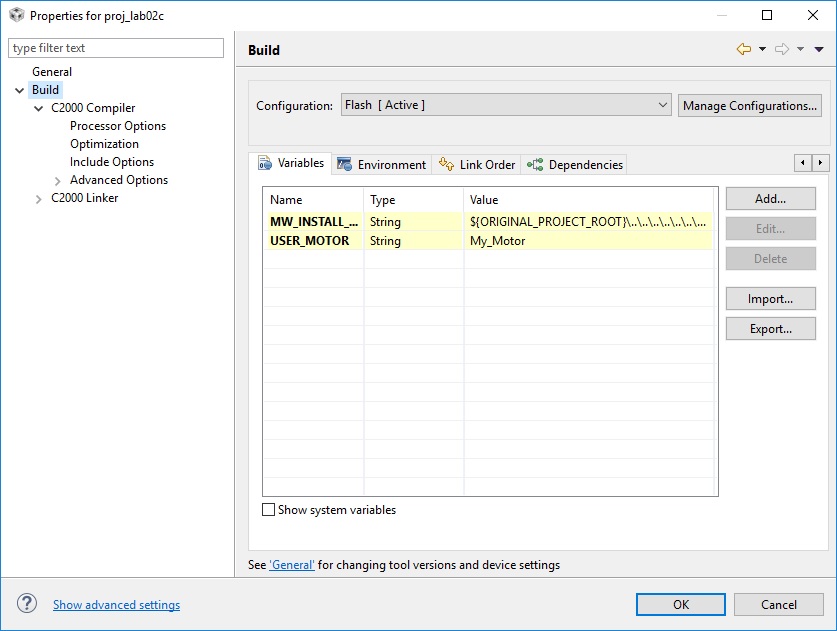
    If I am on my project and choose:

    show build settings

    on build variables I have added:

    variable:

    USER_MOTOR

    name: My_Motor

    In order that it will be compiled with my settings on:

    user.h file

    The settings that I have chosen are:

    #elif (USER_MOTOR == My_Motor)

    #define USER_MOTOR_TYPE                 BLDC

    #define USER_MOTOR_NUM_POLE_PAIRS       (3)

    #define USER_MOTOR_Rr                   (NULL)

    #define USER_MOTOR_Rs                   (0.3918252)

    #define USER_MOTOR_Ls_d                 (0.00023495)

    #define USER_MOTOR_Ls_q                 (0.00023495)

    #define USER_MOTOR_RATED_FLUX           (0.03955824)

    #define USER_MOTOR_MAGNETIZING_CURRENT  (NULL)

    #define USER_MOTOR_RES_EST_CURRENT      (10)

    #define USER_MOTOR_IND_EST_CURRENT      (3)

    #define USER_MOTOR_MAX_CURRENT          (20.0)

    #define USER_MOTOR_FLUX_EST_FREQ_Hz     (100.0)

    BTW this is Segway  3 phase Motor

    Now if I am copiling it will create FLASH (.out) file with my settings is this correct?

    I am asking this because I don't see major changes when changing parameters of (My_Motor)

    I am working on this right now with the Webbaplication only

    And not though the BUG window -> because I don't know yet how to make it run the motor (Although when using the Bug the program does flash now ok and I am in debug window - > on main -> and debugger waits for my commands

    (I guess that on real time I can change parameters vaules)

    So basically it run the same just without GUI - is this correct?

    Now how to find my correct motor variables to spin OK ??

    My motor has 6 winding -> but it is 3 phases - > so my variable:

    USER_MOTOR_NUM_POLE_PAIRS  should set to 3 correct ??

    The motor is about 600 RPM

    Current is up to 20A

    I can measure coils inductance if needed (but this will give me 2 coils in series inductance)

    what other parameters I need to make it run properly ?

    Thanks!!! -> I knew that it must be board problem- because there is no reason that it will not work

    cheers,

    Roee

  • "on build variables I have added:

    variable:

    USER_MOTOR
    "


    WHY?? Where in the documentation does it EVER tell you to do this?

    I can't help you if you won't follow the directions.
  • I have read it
    I see now this on user.h
    so In order to make it work I need to add this line:

    #define USER_MOTOR My_Motor

    correct?

    and BTW all the GUI are vaules that are taken from the compiled SW - meaning variable from TI SW that I can control in real time ?

    Thanks,
    R
  • yes, like the instructions say you must define which USER_MOTOR is active.

    yes, GUI variables are just variables in code that you can either change or are reported

    you sent me a video of the motor running, so it seems you have passed the motor ID, have good parameters, and know how to load those values into the controller directly, bypassing motor ID. Well on your way.

    good luck.
  • OK So if I have done this:

    //! \brief Uncomment the motor which should be included at compile
    //! \brief These motor ID settings and motor parameters are then available to be used by the control system
    //! \brief Once your ideal settings and parameters are identified update the motor section here so it is available in the binary code
    //#define USER_MOTOR Estun_EMJ_04APB22
    //#define USER_MOTOR Anaheim_BLY172S
    //#define USER_MOTOR hobby_3p5T
    //#define USER_MOTOR hobby_4p5T
    #define USER_MOTOR My_Motor
    //#define USER_MOTOR small_hobby
    //#define USER_MOTOR Belt_Drive_Washer_IPM
    //#define USER_MOTOR Marathon_5K33GN2A
    //#define USER_MOTOR teknic_2310P
    //#define USER_MOTOR hobbywing_ezrun_8p5T
    //#define USER_MOTOR eflite_helicopter_420
    //#define USER_MOTOR Bodine_34B3FEBL
    //#define USER_MOTOR Pittman_elcom_5233B599
    //#define USER_MOTOR medical_instrument
    //#define USER_MOTOR Kinetek_YDQ1p3_4
    //#define USER_MOTOR LPKF_CAD_CAM

    so Now I am on My_Motor only

    How can I run the motor without the GUI, I have seen how to start where is the Enable System and Run command in code?
    The GUI run the motor only for few seconds and stop - is this also set in code and where ?
    Thanks!
    Br,
    Roee
  • as mentioned in direct message
    you will have to update the software to set the flags as appropriate once it's running

    however, to change a speed you will need to have some way to communicate with your motor controller. this would require having an analog input from a pot, GPIO from push buttons, or serial communications from another processor, terminal, etc.

    Meaning you have to write SW for these purposes, and write SW for all of your system tasks. The InstaSPIN enabled Launchpad is not a motor driver PRODUCT. It is a development platform to build YOUR PRODUCT. There is still much work left to be done.

    Good luck!