This thread has been locked.

If you have a related question, please click the "Ask a related question" button in the top right corner. The newly created question will be automatically linked to this question.

Blackhawk USB200 Settings transitioned from USB2000

I have a functional setup using a Blackhawk USB2000 with the following settings:
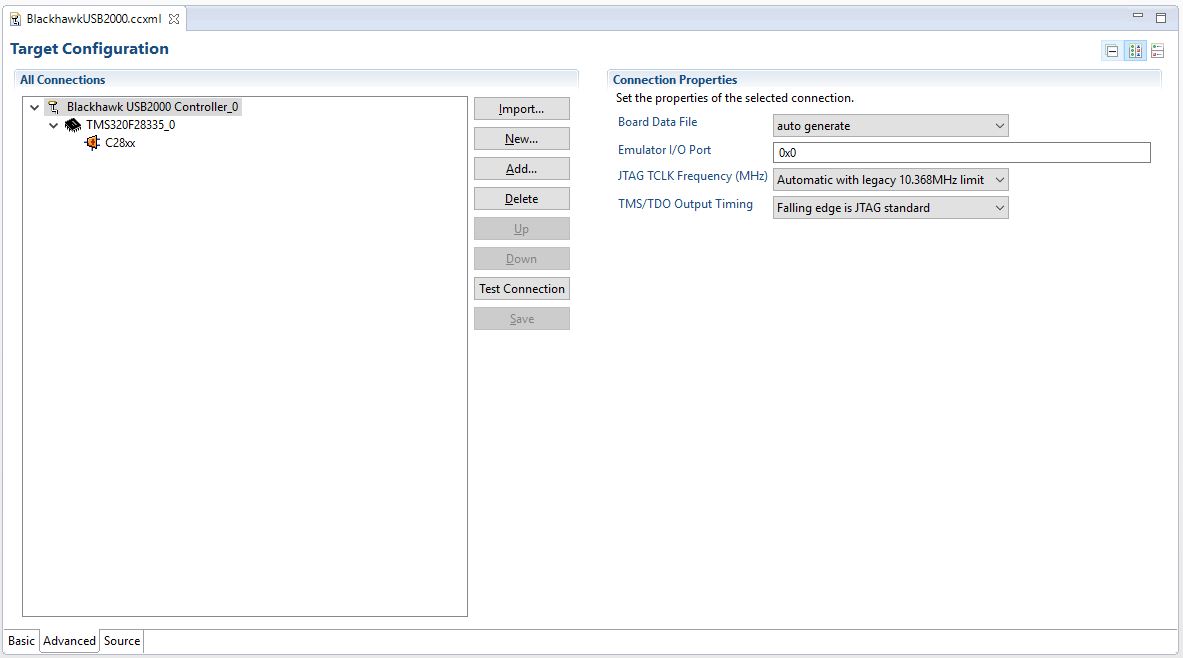
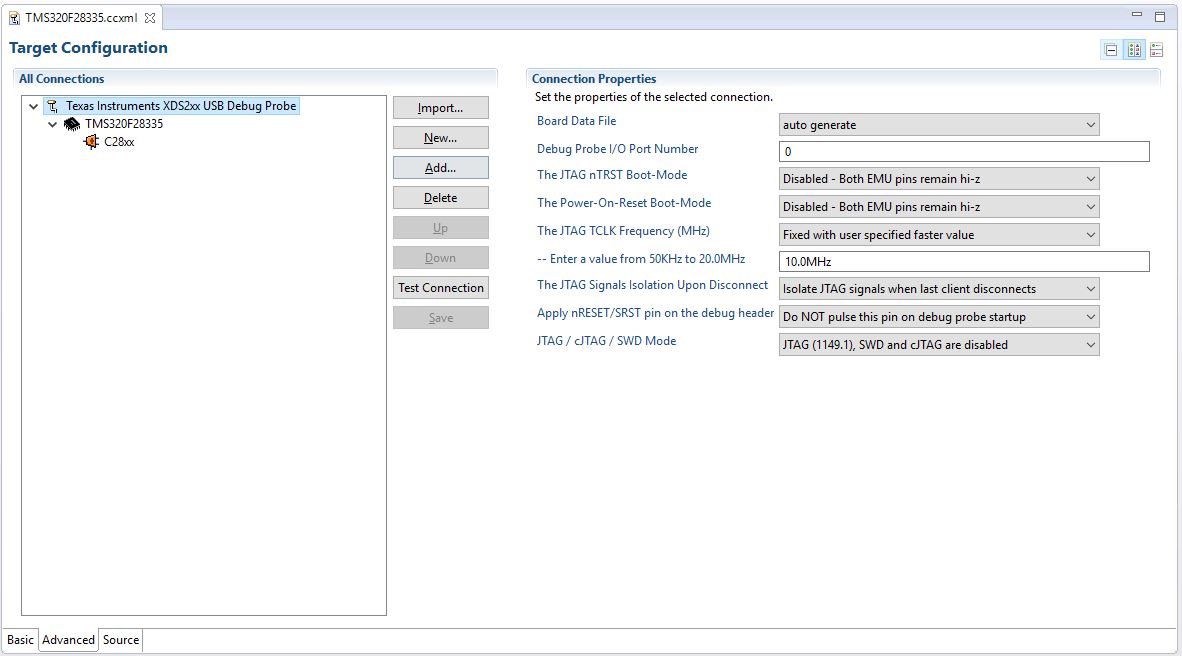
I recently procured a Blackhawk USB200,  and I'm having difficulty connecting to my target because the settings don't seem to be identical in the *.ccxml file.  Any ideas on how to correctly set the USB200?  I've specified the connection as "Texas Instruments XDS2xx USB Debug Probe".
Thanks!

-Tim

  • A quick note, the above setup functions when I change the "JTAG TCLK Frequency (MHz)" drop-down to "Adaptive with user specified limit" and the value below it from 10.0MHz to 10.368MHz.
    -Tim
  • The default settings by the connection file are always recommended.

    However on target connection issues the following steps can be taken to correct them.

    1. Run the Test Connection and review the TCK JTAG test results that are specific to the environment been tested.

    2. Modify the TCK to match the step 1 results for best performance or stability, (Recommended to used adaptive if connecting to ARM targets)

    3. Highly recommend reviewing the TI Wiki page below for checklist in new designs, verifying correct header signals, board design, expected JTAG timing

    http:// processors.wiki.ti.com/index.php/XDS_Target_Connection_Guide 

    Regards Blackhawk Team,