This thread has been locked.

If you have a related question, please click the "Ask a related question" button in the top right corner. The newly created question will be automatically linked to this question.

F28377S Error in running example projects

Other Parts Discussed in Thread: CONTROLSUITE

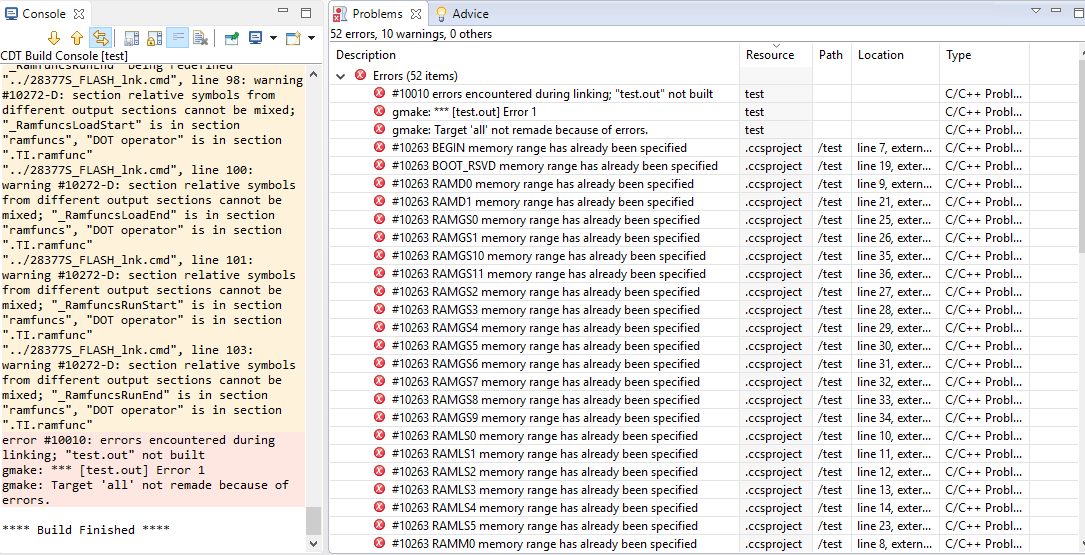
I am using code composer studio version 6.1.3.00034 and I am trying to run epwm_updowm_aq_cpu01 example project from v190 F2837xS_examples of control suite. I am getting errors #10263 and #10264 in both files F2837xS_Headers_nonBIOS,cmd and 2837xS_Generic_RAM_Ink.cmd 

I am also getting errors in other example projects and not able to run any code.

Please suggest how to rectify this problem.

  • Abishek,

    If you haven’t already, I recommend reading Chapter 2 of the User Guide found at:
    controlSUITE\device_support\F2837xS\v200\doc\F2837xS-FRM-EX-UG.pdf

    This will help get started with creating and running the controlSUITE example projects.

    Elizabeth
  • As suggested by you, I had gone through Chapter 2 of the User Guide found at: controlSUITE\device_support\F2837xS\v200\doc\F2837xS-FRM-EX-UG.pdf

    I created a new project, follows the same procedure mentioned in the chapter and tried running the code given on page 21.

    Still I am getting errors and not able to solve it.

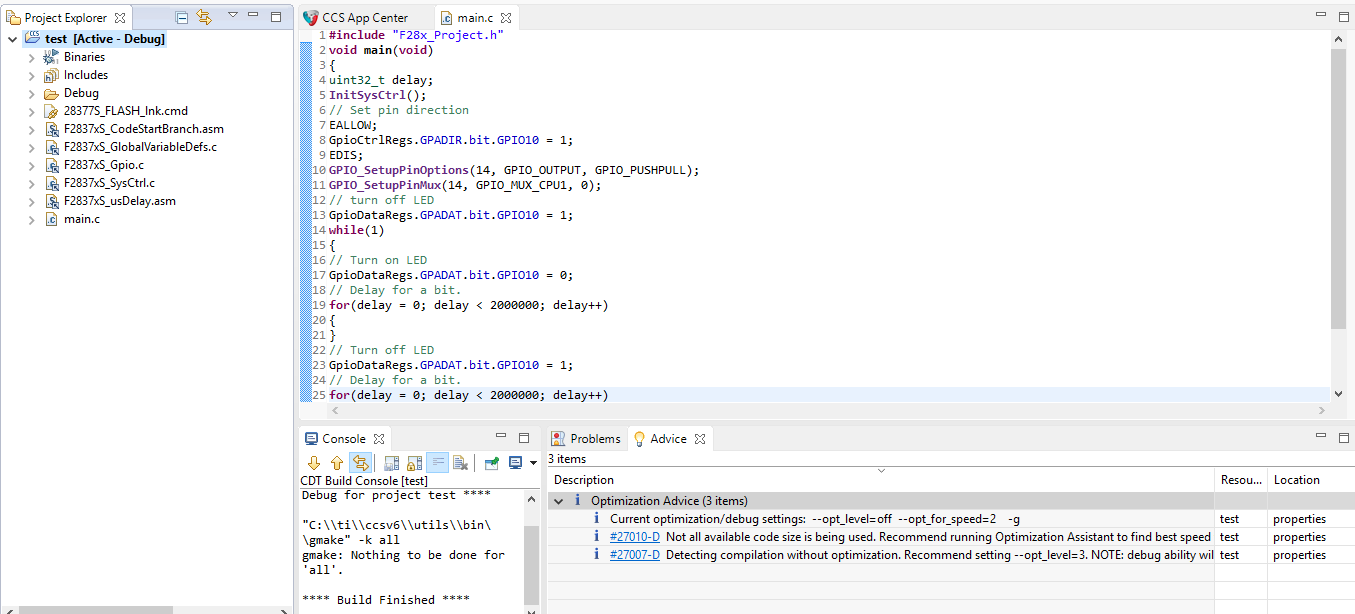
  • It seems you've multiple linker files. Can you take a snap of the Project window with attached linker files to it?
  • Because of multiple linker files, I removed include library file 2837x_Generic_RAM_lnk.cmd from Properties/Build/C2000 Linker/File Search Path. 

    Also in Properties/Build/C2000 Linker/Advanced Options/Symbol Management, I had to replace program entry point for output module to "_c_int00" from "code_start".

    Then after building the project, I got three optimization advices. Please suggest how to solve this problem. Please find attached the snapshot.