This thread has been locked.

If you have a related question, please click the "Ask a related question" button in the top right corner. The newly created question will be automatically linked to this question.

TMS320F28027F: Low power mode

Part Number: TMS320F28027F


Hello, 

I was trying to program the flash of this device and I was able to upload the example code on it Example_28027_Flash, this was with external power. I decided to then switch from external power to USB power and upload the code. When I tried to do this, the device seems to have gone into low power mode?
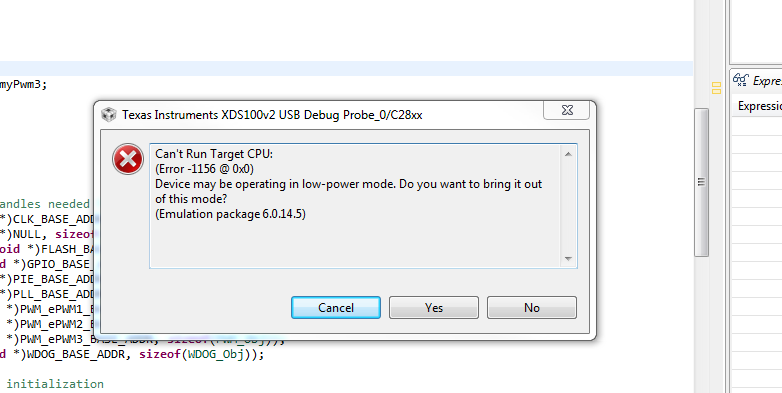
When I do press yes, to take it out  of Low power mode, my console shows me this:

How do I get this device out of Low power mode? What happend to this device? It was working perfectly fine before I uploaded the flash exmplae code and there were no power disturbance of any source. 

Please advise.

Thank you, 

Rajan Joshi

  • I may have to adjust the switches to boot to Flash, by putting s1 to ON-ON-OFF ?

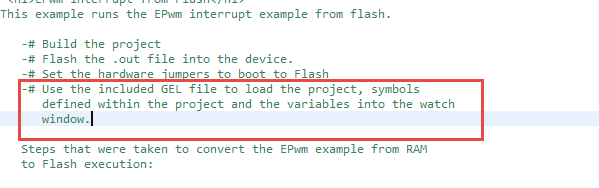
    Also it mentions that I should use the GEL file to load the project? Can some one explain what this means and how i actually do that? These instructionsa rein the 28027 Flash example project.

    Thank you, 

    Rajan Joshi

  • Hi Rajan,

    We do not recommend using the USB to power the device while erasing and programming the flash.

    Aditionally, you will need to configure the boot pins to boot to flash. Hopefully, this should resolve your issue.

    If you are using a target configuration file, then it is likely already using a GEL file. I do not think you have to worry about a GEL file.

    sal