Other Parts Discussed in Thread: C2000WARE
Hi,
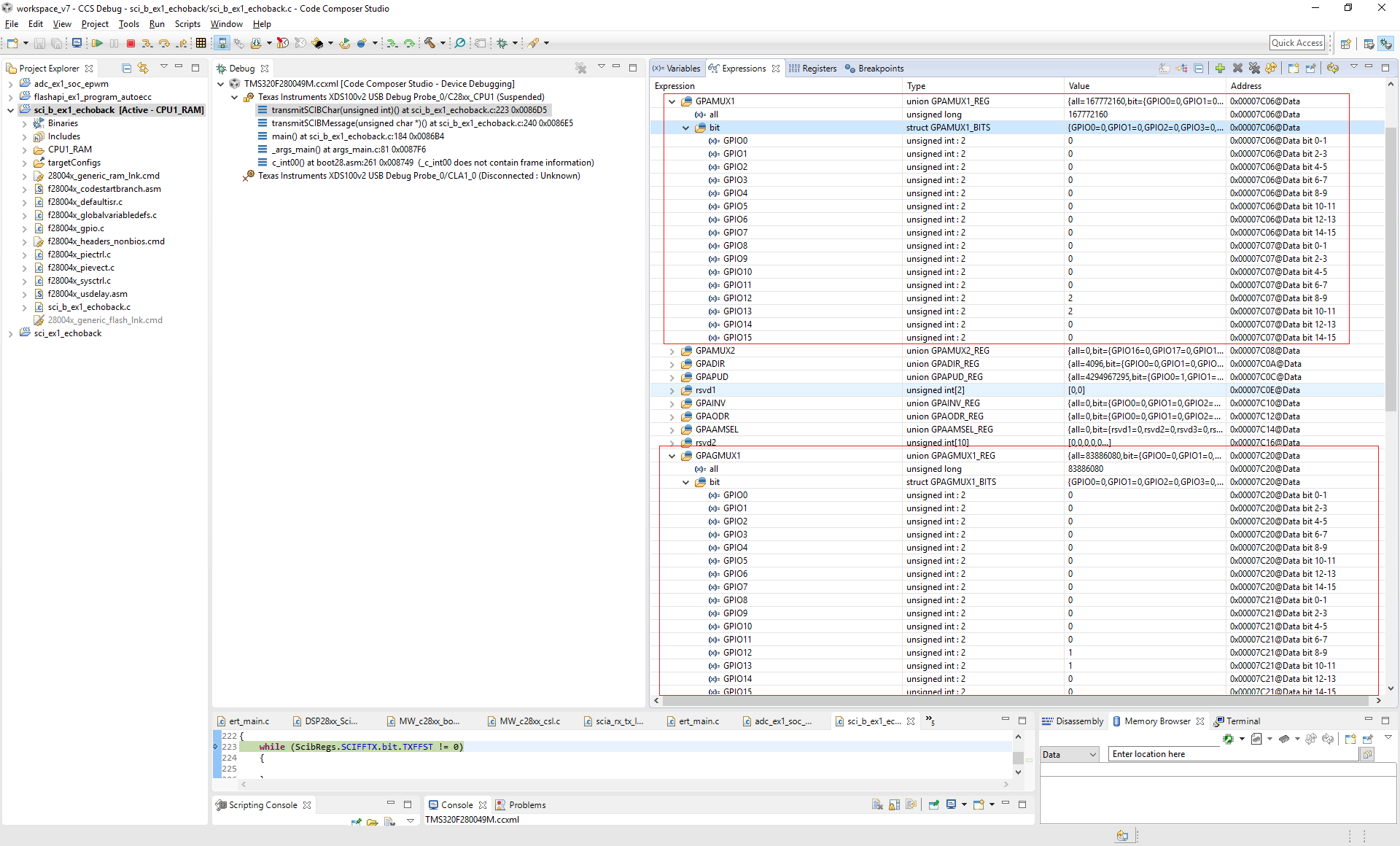
I have tried the SCI echo-back example for F280049M processor provided and modified the example to SCI - B module and tried to run the example for different GPIO configurations possible for SCI-B. I am not able to get it working properly. I tried to connect Rx and Tx pin to oscilloscope and only for GPIO40 as Tx I can see the data but I cannot see the data for the other Tx and Rx pins. I also tried a simple logic with software loopback enable and it is working fine. Hence the problem looks like it is present in GPIO configuration.
Here is the code I am using. Please let me know what needs to be done for this.
//#############################################################################
//
// FILE: sci_b_ex1_echoback.c
//
// TITLE: SCI Echoback Example.
//
//! \addtogroup bitfield_example_list
//! <h1>SCI Echoback</h1>
//!
//! This test receives and echo-backs data through the SCI-B port.
//!
//! A terminal such as 'putty' can be used to view the data from
//! the SCI and to send information to the SCI. Characters received
//! by the SCI port are sent back to the host.
//!
//! \b Running \b the \b Application
//! Open a COM port with the following settings using a terminal:
//! - Find correct COM port
//! - Bits per second = 9600
//! - Data Bits = 8
//! - Parity = None
//! - Stop Bits = 1
//! - Hardware Control = None
//!
//! The program will print out a greeting and then ask you to
//! enter a character which it will echo back to the terminal.
//!
//! \b Watch \b Variables \n
//! - loopCounter - the number of characters sent
//!
//! \b External \b Connections \n
//! Connect the SCI-B port to a PC via a transceiver and cable.
//! - GPIO is SCI_B-RXD (Connect to Pin, PC-TX, of serial DB9 cable)
//! - GPIO is SCI_B-TXD (Connect to Pin, PC-RX, of serial DB9 cable)
//#############################################################################
//
//
// Included Files
//
#include "F28x_Project.h"
//
// Defines
//
// Define AUTOBAUD to use the autobaud lock feature
//#define AUTOBAUD
//
// Globals
//
uint16_t loopCounter = 0;
//
// Function Prototypes
//
void initSCIBEchoback(void);
void transmitSCIBChar(uint16_t a);
void transmitSCIBMessage(unsigned char * msg);
void initSCIBFIFO(void);
//
// Main
//
void main(void)
{
uint16_t ReceivedChar;
unsigned char *msg;
//
// Initialize device clock and peripherals
//
InitSysCtrl();
//
// Initialize GPIO
//
InitGpio();
//
// For this example, only init the pins for the SCI-B port.
// GPIO_SetupPinMux() - Sets the GPxMUX1/2 and GPyMUX1/2 register bits
// GPIO_SetupPinOptions() - Sets the direction and configuration of GPIOs
// These functions are found in the F28X7x_Gpio.c file.
//
GPIO_SetupPinMux(13, 0, 6);
GPIO_SetupPinOptions(13, GPIO_INPUT, GPIO_PUSHPULL);
GPIO_SetupPinMux(12, 0, 6);
GPIO_SetupPinOptions(12, GPIO_OUTPUT, GPIO_ASYNC);
//
// Disable CPU interrupts
//
DINT;
//
// Initialize the PIE control registers to their default state.
// The default state is all PIE interrupts disabled and flags
// are cleared.
//
InitPieCtrl();
//
// Disable CPU interrupts and clear all CPU interrupt flags
//
IER = 0x0000;
IFR = 0x0000;
//
// Initialize the PIE vector table with pointers to the shell Interrupt
// Service Routines (ISR)
//
InitPieVectTable();
loopCounter = 0;
initSCIBFIFO(); // Initialize the SCI FIFO
initSCIBEchoback(); // Initialize SCI for echoback
msg = "\r\n\n\nHello World!\0";
transmitSCIBMessage(msg);
msg = "\r\nYou will enter a character, and the DSP will echo it back! \n\0";
transmitSCIBMessage(msg);
for(;;)
{
msg = "\r\nEnter a character: \0";
transmitSCIBMessage(msg);
//
// Wait for character
//
while(ScibRegs.SCIFFRX.bit.RXFFST == 0)
{
transmitSCIBMessage(msg);
} // wait for empty state
//
// Get character
//
ReceivedChar = ScibRegs.SCIRXBUF.all;
//
// Echo character back
//
msg = " You sent: \0";
transmitSCIBMessage(msg);
transmitSCIBChar(ReceivedChar);
loopCounter++;
}
}
//
// initSCIBEchoback - Initialize SCI-B for echoback
//
void initSCIBEchoback(void)
{
//
// Note: Clocks were turned on to the SCIB peripheral
// in the InitSysCtrl() function
//
ScibRegs.SCICCR.all = 0x0007; // 1 stop bit, No loopback
// No parity, 8 char bits,
// async mode, idle-line protocol
ScibRegs.SCICTL1.all = 0x0003; // enable TX, RX, internal SCICLK,
// Disable RX ERR, SLEEP, TXWAKE
ScibRegs.SCICTL2.all = 0x0003;
ScibRegs.SCICTL2.bit.TXINTENA = 1;
ScibRegs.SCICTL2.bit.RXBKINTENA = 1;
//
// SCIB at 9600 baud
// @LSPCLK = 25 MHz (100 MHz SYSCLK) HBAUD = 0x01 and LBAUD = 0x44.
//
ScibRegs.SCIHBAUD.all = 0x0001;
ScibRegs.SCILBAUD.all = 0x0044;
ScibRegs.SCICTL1.all = 0x0023; // Relinquish SCI from Reset
}
//
// transmitSCIBChar - Transmit a character from the SCI
//
void transmitSCIBChar(uint16_t a)
{
while (ScibRegs.SCIFFTX.bit.TXFFST != 0)
{
}
ScibRegs.SCITXBUF.all = a;
}
//
// transmitSCIBMessage - Transmit message via SCIB
//
void transmitSCIBMessage(unsigned char * msg)
{
int i;
i = 0;
while(msg[i] != '\0')
{
transmitSCIBChar(msg[i]);
i++;
}
}
//
// initSCIBFIFO - Initialize the SCI FIFO
//
void initSCIBFIFO(void)
{
ScibRegs.SCIFFTX.all = 0xE040;
ScibRegs.SCIFFRX.all = 0x2044;
ScibRegs.SCIFFCT.all = 0x0;
}
//
// End of file
//
Thanks,
Aditya