Part Number: TMS320F28377D
Tool/software: Code Composer Studio
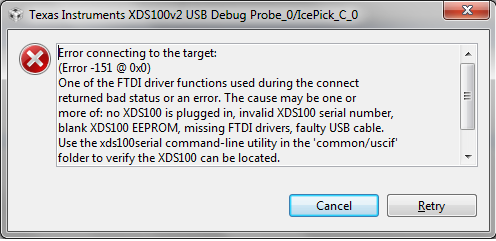
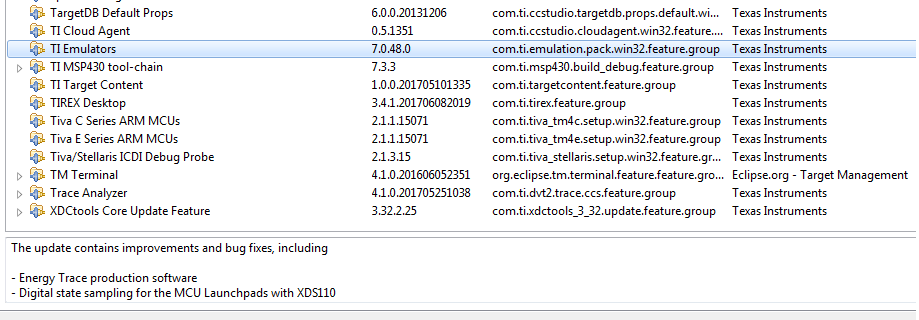
Untill few days earlier i was using Windows 10 to run CCS v7, and it was working fine. Recently i had to change the OS and now I am using a fresh copy of Windows 7 Ultimate SP1. I have downloaded CCS v7 on windows 7, and since then I am unable to debug the program (builds successfully). I am attaching a screenshot below for the installed software from TI.
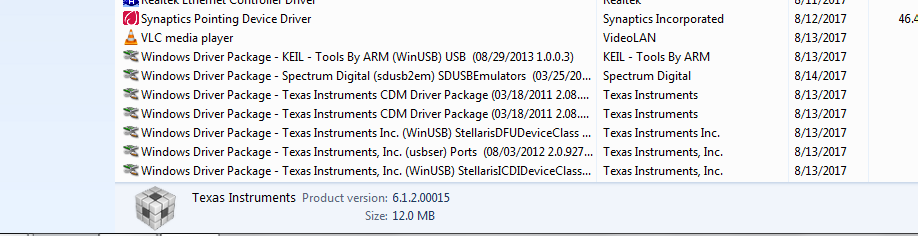
Do I need to Install some softwares for this to work? I didnt notice the softwares installed in windows 10 earlier. Kindly suggest some resolution.
--------------------------------------------------------------------------------------------------------------------------------------------------------------------------------------------------------------------------------------------
Also I have noticed 2 Texas Instrument's Devices being corrupt (i guess) in device manager. I am attaching the screenshot of this as well for anyone to refer.

Kindly suggest what & how to do?
--------------------------------------------------------------------------------------------------------------------------------------------------------------------------------------------------------------------------------------------
There was a warning regarding a windows update while installation. Does that make any difference?
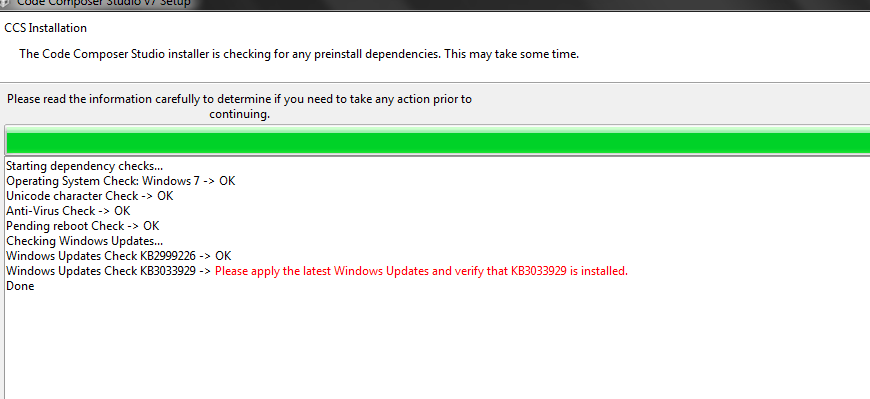
I assume it is a security update so I don't think it can cause this.