This thread has been locked.

If you have a related question, please click the "Ask a related question" button in the top right corner. The newly created question will be automatically linked to this question.

TMS320F28027: how does Emulation Boot Mode is configured?

Part Number: TMS320F28027


Hi, I'm using F28027 launchpad and a USB cable and FTDI on board as an emulator. So when I connect the board to computer with a USB cable, the pin TRST will be pulled high, and it will be in Emulation boot mode, the boot mode is determined by "EMU_BOOTCTRL: EMU_KEY and EMU_BMODE"

1. these two registers are in RAM, so when I connect the launchpad and my computer through the USB cable, these two registers are always reset to the default value, what's the default value? Is it true that I can only enter the emulation boot mode configured by myself through reset other than power on reset?(Because the RAM information will be lost when I power down and then power on)

2. I did not find any example to configure these two registers. Some of the material says that the GEL file can configure these registers, but I can't find the GEL file with CCS6.2.0, it's not under TOOLS-GEL.

  • Hello,
    I am writing to let you know that a C2000 team member has been assigned to this post and should be answering shortly.

    Regards
    Baskaran
  • Hi Zou,

    1. these two registers are in RAM, so when I connect the launchpad and my computer through the USB cable, these two registers are always reset to the default value, what's the default value? Is it true that I can only enter the emulation boot mode configured by myself through reset other than power on reset?(Because the RAM information will be lost when I power down and then power on)

    Yes, emulation boot can be used only after device is connected to emulator. On power on reset emulator will be disconnected hence can not use emulation boot. This is PIE vector table hence default value depends on initialization but that should not matter because after reset one need to write correct value after CCS connected and then issue debug reset and run using selected emulation boot.

    2. I did not find any example to configure these two registers. Some of the material says that the GEL file can configure these registers, but I can't find the GEL file with CCS6.2.0, it's not under TOOLS-GEL.

    This are not used in software hence no example but Gel file (ccsv6\ccs_base\emulation\gel\f28027.gel) have following code for reference -

    /********************************************************************/
    /* EMU Boot Mode - Set Boot Mode During Debug                       */
    /********************************************************************/
    menuitem "EMU Boot Mode Select"
    hotmenu EMU_BOOT_SARAM()
    {
        *0xD00 =  0x55AA;  /* EMU_KEY = 0x 55AA */
        *0xD01 =  0x000A;  /* Boot to SARAM     */
    }
    hotmenu EMU_BOOT_FLASH()
    {
        *0xD00 =  0x55AA;  /* EMU_KEY = 0x 55AA */
        *0xD01 =  0x000B;  /* Boot to FLASH     */
    }

    /********************************************************************/

    EMU_BOOT_SARAM() function (or any other user made function can be called inside OnReset() function.

    Regards,

    Vivek Singh

  • Vivek, thank you for your reply.

    1. Is it possible that the emulator is kept connected(TRST=1) but I power down and power on the device?

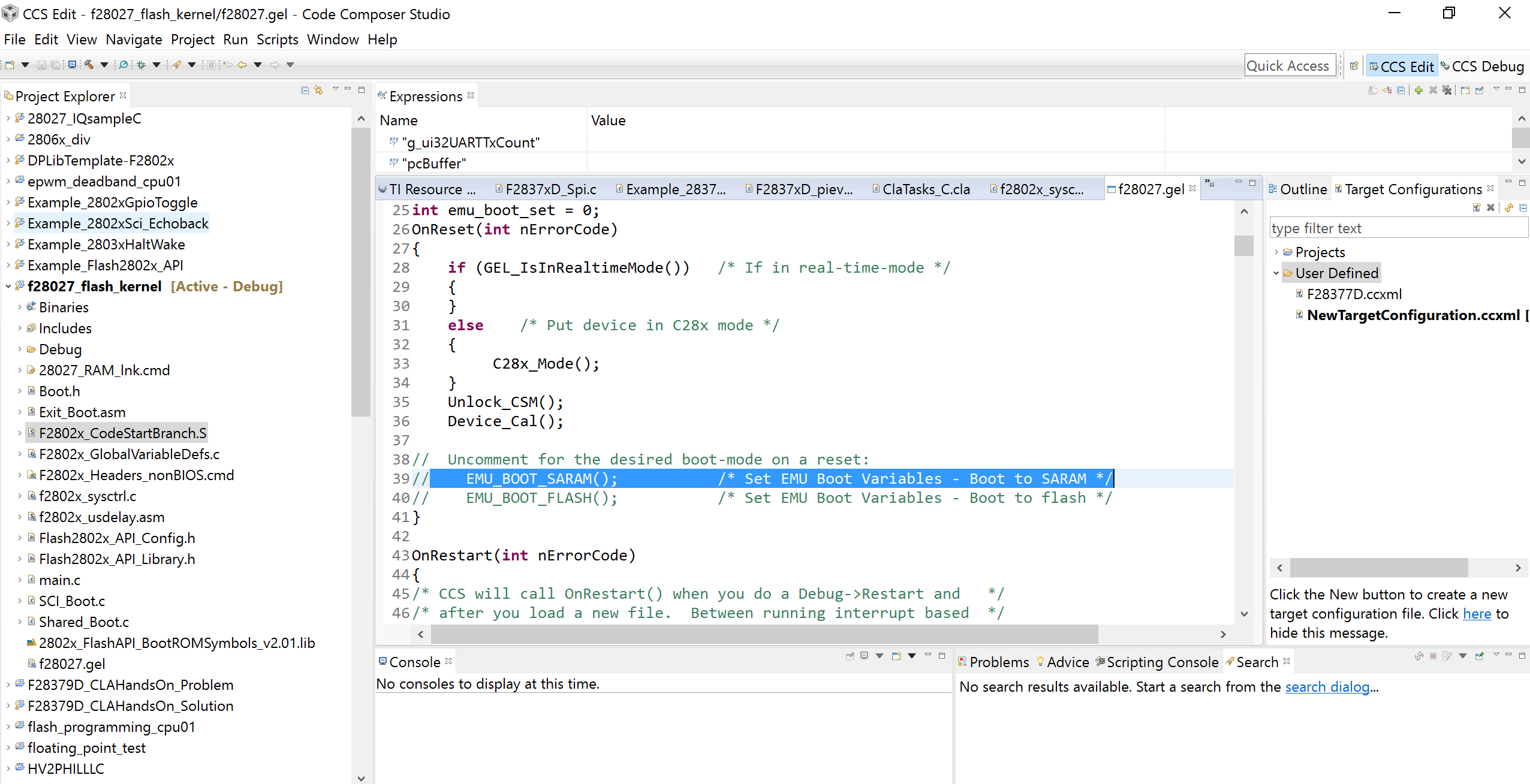
    2. You mean I can change the emulation boot mode by changing the code in gel file(like the picture below), and then reset the device by clicking "RUN-RESET" in the menu bar, and then it will execute the desired emulation boot mode? Can I directly change the emulation boot mode through the menu bar of CCS?

  • Looking forward to your answer, thanks.
  • Hi Zou,

    1. Is it possible that the emulator is kept connected(TRST=1) but I power down and power on the device?

    On power on reset all the logic in device gets reset including debug logic hence JTAG gets disconnected. So even though you have emulator connected to board (physically) device boots in normal boot mode and not in emulation.

    2. You mean I can change the emulation boot mode by changing the code in gel file(like the picture below), and then reset the device by clicking "RUN-RESET" in the menu bar, and then it will execute the desired emulation boot mode?

    Yes, that is correct.

    Can I directly change the emulation boot mode through the menu bar of CCS?

    Yes, you can add the function in CCS menu bar by adding statement like below (e.g. if function name is "Emulation Boot") then -

    hotmenu Emulation Boot ()

    {

    ---

    --

    }

    And this will add the command "Emulation Boot" under "Scripts" which you can click every time you want to execute that function.

    Regards,

    Vivek Singh