Part Number: DRV8312-C2-KIT
Other Parts Discussed in Thread: CONTROLSUITE, INSTASPIN-BLDC
Hi team,
I am working with the DRV8312-C2-KIT (with the stock F28035 control card). I am currently having an issue with the GUI, but I will walk through some other issues and solutions that I have encountered so far to provide more context to my situation:
- After doing a complete install of controlSUITE, I was having trouble with the XDS100 driver and couldn't get the device to connect to the GUI.
- I attempted to fix this by updating the driver while pointing the updater to C:\ti\controlSUITE\development_kits\~Utilities\XDS100 Drivers v1.0. That did not work.
- This problem was fixed by installing the drivers directly from the website (http://www.ftdichip.com/Drivers/VCP.htm
- I can control the motor using the DRV8312-EVM without any problem.
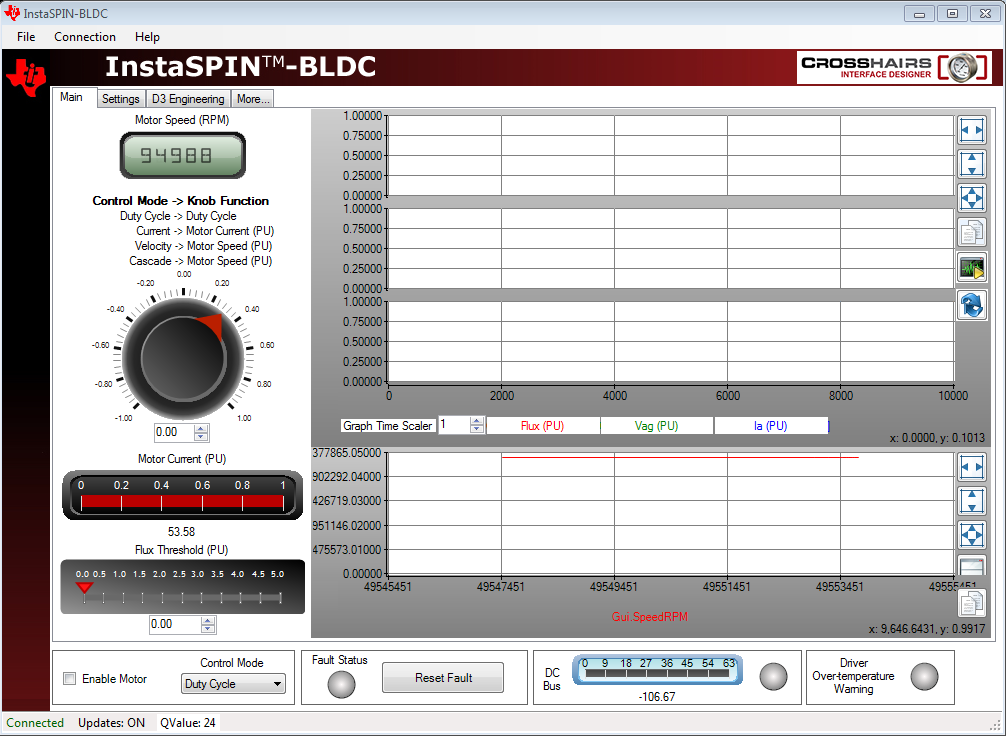
- However, when I run InstaSPIN-BLDC GUI, even though it shows that the kit is connected, I can't read the DC signal or give any commands to the motor--this is my current issue.
Thank you,
Brian Angiel