This thread has been locked.

If you have a related question, please click the "Ask a related question" button in the top right corner. The newly created question will be automatically linked to this question.

TMS320F28335: Load Program Error

Part Number: TMS320F28335
Other Parts Discussed in Thread: C2000WARE

Hi,

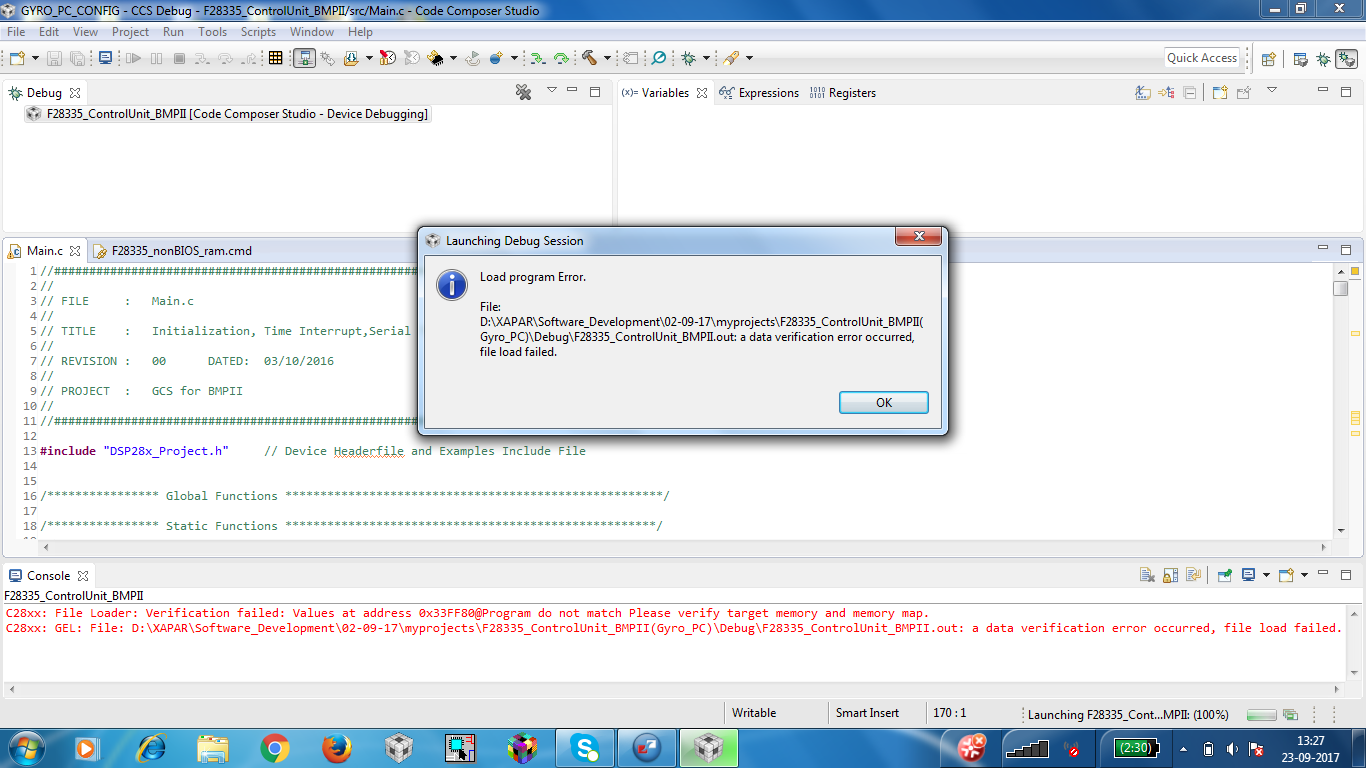
There is a load program error and the error is as per the image attached below. the memory location is csm password start address. Is the chip corrupted? My .cmd file has ext SRAM also. Any other test code from TI library there is no issue. KIndly clarify.
Regards,

Phaniendra Kundeti

  • Hi,

    Have you programed any password?

    Regards,
    Gautam
  • Hi Gowtham,

    Nope its default. Once passwords .asm file is excluded from build then this issue got resolved. Can you explain on this?? as the nothing was touched they are all factory defaults of 0xFFFF.

    Regards,
    Phaniendra Kundeti
  • Can you share the .asm file with us?
  • So, you are able to program other sectors of the flash normally, but having a problem only with the password locations? Is your device unsecure to begin with? Have you verified that the password locations have 0xFFFF in the CCS memory window?

  • Hi Hareesh,

    Actually I am trying to Debug using XDS100V3 debugger. There is problem when passwords.asm is included.

    1. Program load failure as indicated in the Image attached.
    2. There is a problem accessing external memory interface if this file is included in the build ( Read operation ).

    Now is it this chip specific error ?? because other board didnt cause any issues of this type.

    I have no plans of changing the Passwords, is it better to exclude that file from build for both debug from ram and flashing??

    Regards,
    Phaniendra Kundeti.
  • Phaniendra,

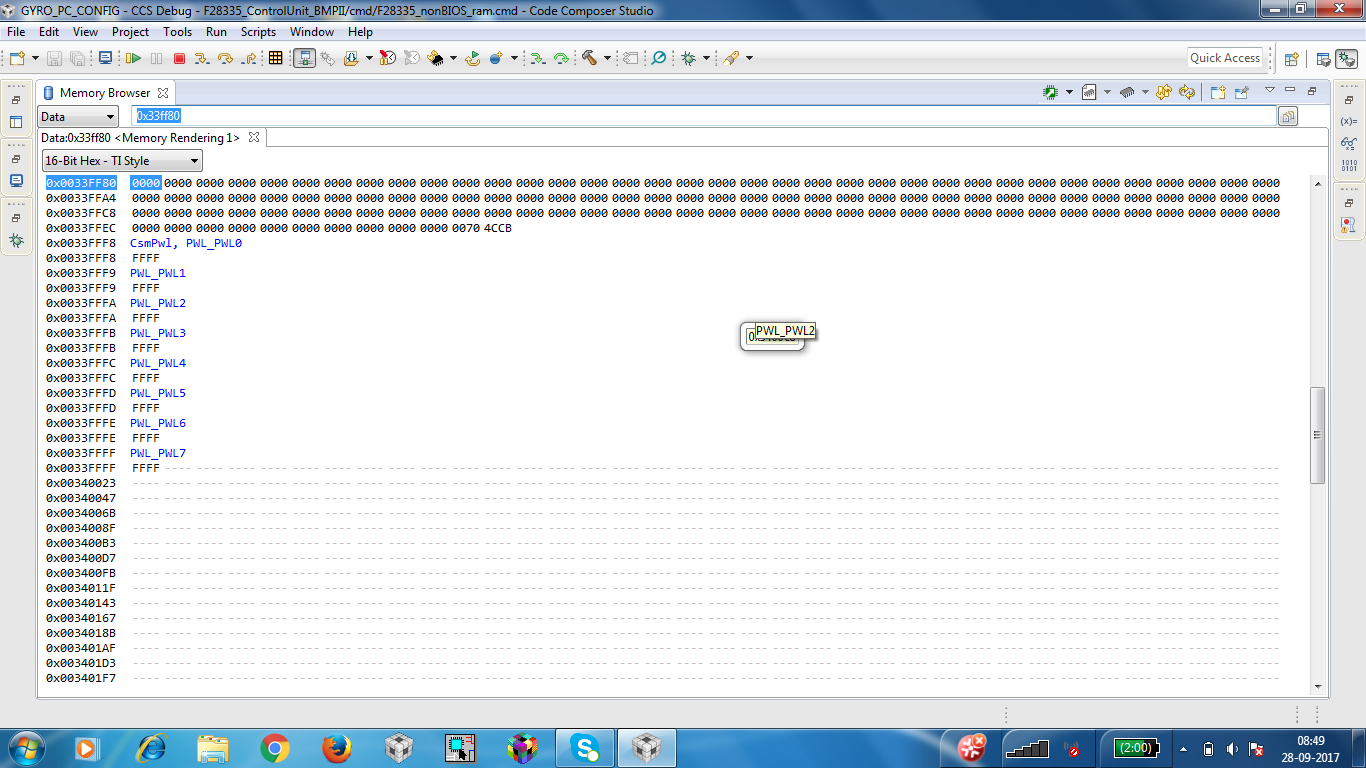
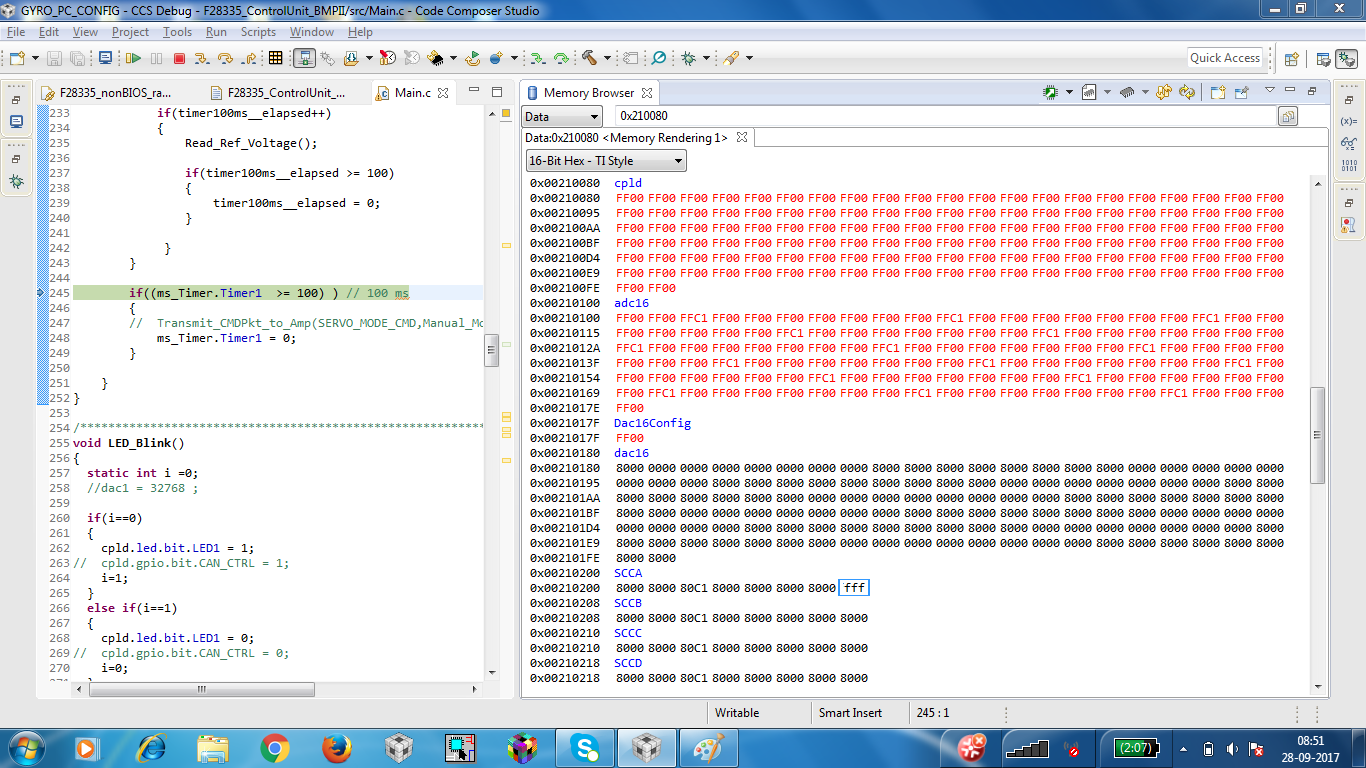
    Could you provide a snapshot of the CCS memory window showing the password locations on the failing device?

    Thanks and regards,
    Vamsi
  • Phaniendra,

    Also, please provide a snapshot of the CCS memory window showing the address 0x33FF80 - This is the address at which Flash Plugin verification is failing as per your snapshot.

    Hope you are doing an erase of the full flash bank before loading the code.

    Thanks and regards,
    Vamsi
  • Phaniendra,

         You have not answered my questions. Please re-read my post

  • Hi Hareesh,

    I am not trying to flash, I am loading in RAM. Password locations in memory window show 0xFFFF only.

    Regards,
    Phaniendra
  • Sir,

    Does failing to load proper password, prevent from doing memory access ( READ )

    Regards,
    Phaniendra Kundeti
  • ***********************************************************************
    * File: Passwords.asm
    * Devices: TMS320F2833x
    * Author: David M. Alter, Texas Instruments Inc.
    * History:
    *   12/18/07 - original (D. Alter)
    * Notes:
    *  1) The section "passwords" contains the actual CSM passwords that get
    *     linked to the CSM password locations in flash.  The user must know
    *     what these passwords are in order to unlock the CSM.
    *  2) Link the section "passwords" to the memory PASSWORDS on page 0.
    *  3) It is recommended that all passwords be left as 0xFFFF during code
    *     development.  Passwords of 0xFFFF are dummy passwords, and do not
    *     lock the code security module (Dummy reads of CSM PWL registers
    *     will unlock the CSM).  When code development is complete, the user
    *     can modify the passwords to activate the code security module.
    *  4) The section "csm_rsvd" is required when using code security.
    *     Failure to program addresses 0x33FF80 through 0x33FFF5 in the
    *     flash to all 0x0000 can compromise security.  This is documented
    *     in the F2833x datasheet, SPRS439.
    *  5) Link the section "csm_rsvd" to the memory CSM_RSVD on page 0.
    ***********************************************************************
     
        .sect "passwords"
     
        .int    0xFFFF        ;PWL0 (LSW of 128-bit password)
        .int    0xFFFF        ;PWL1
        .int    0xFFFF        ;PWL2
        .int    0xFFFF        ;PWL3
        .int    0xFFFF        ;PWL4
        .int    0xFFFF        ;PWL5
        .int    0xFFFF        ;PWL6
        .int    0xFFFF        ;PWL7 (MSW of 128-bit password)
        
    ***********************************************************************
     
        .sect "csm_rsvd"
        .loop (33FFF5h - 33FF80h + 1)
            .int 0x0000
        .endloop
     
    ***********************************************************************
     
        .end
    ; end of file Passwords.asm

  • Phaniendra,

    If you don't want to change the password and leave it at all 0xFFFFs, then make sure you have "TYPE = DSECT" in the linker command files for csm_rsvd and csmpasswds sections as shown below.

    csm_rsvd : > CSM_RSVD PAGE = 0, TYPE = DSECT
    csmpasswds : > CSM_PWL PAGE = 0, TYPE = DSECT

    I do not suggest to remove the passwords asm file and instead suggest above method. Above will make sure that these password memory locations are not used by any other sections and at the same time, these sections of DSECT type will not make it to the output file. This way you can eliminate programming unknown values in to password locations and keep them as all 0xFFFFs (unsecured).

    Check 28335_RAM_lnk.cmd file from C2000Ware_1_00_01_00\device_support\f2833x\common\cmd folder.

    Thanks and regards,
    Vamsi