This thread has been locked.

If you have a related question, please click the "Ask a related question" button in the top right corner. The newly created question will be automatically linked to this question.

DRV8312-69M-KIT: InstaSPIN Motion GUI is not working

Part Number: DRV8312-69M-KIT
Other Parts Discussed in Thread: MOTORWARE, DRV8312

Hello,

I have the DRV8312-69M-Kit and I use the BLDC motor which is included in the kit. I have installed CCSv7.3 and I have MotorWare.

The problem I encounter is that I can start up the InstaSPIN-MOTION GUI but after several seconds, a Critical Error occurs and the GUI cannot be used.
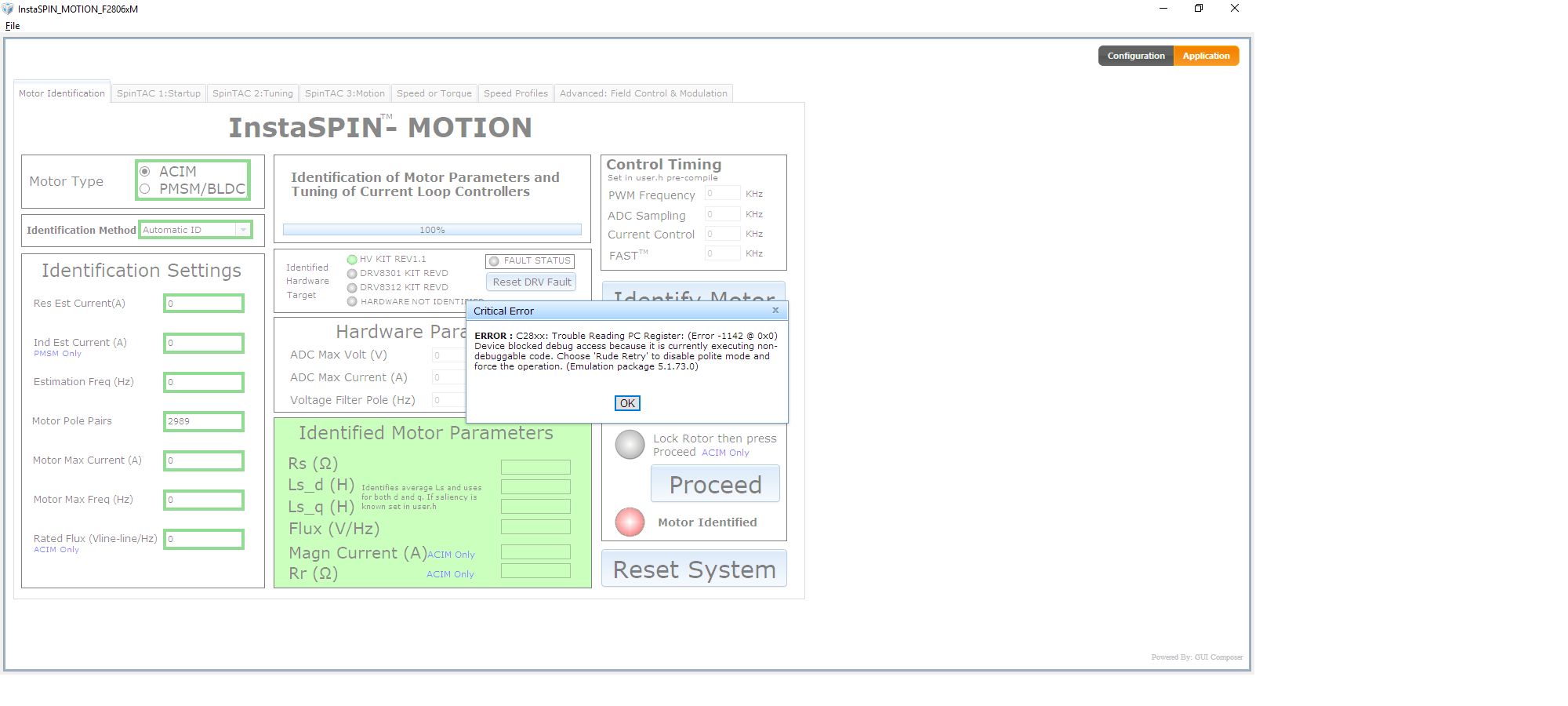
It is basically the same problem like in this post:

https://e2e.ti.com/support/microcontrollers/c2000/f/902/t/353481#pi316717=1

I have not clue what I can do about it.

Please help me.

Kind regards,

Dave

  • Just to confirm, this is using the default .out and target files included with the GUI, on the DRV8312 kit? I ask about the kit because it looks like the GUI has identified the high voltage kit instead of the DRV8312 kit. Did that value ever chance?

    Also, are you able to run Motorware 18 project lab5c using the CCS expressions window, outside of the GUI? I'm wondering if it's a device or GUI issue.

    You may want to try to re-install the GUI and try again with the default target configuration files.

    Sean
  • Hello Sean,

    Thank you for the quick response.

    Yes, I am using the default.out file on the DRV8312 kit. When the GUI is starting up, the DRV8312 kit is automatically recognized by the system. Also the BLDC option is automatically hosen. When the error ocurs, the settings are automatically changed to ACIM motor and the HV KIT REV1.1 kit.

    The MotorWare lab5c compiles without an error, but the motor is not spinning when clicking on RUN. (I did not have the time to follow all the labs yet because I wanted to do some measurements first.) The only thing wich the progrm seems to do is turning on one red LED permanently and one is switching on and off repeatedly.

    After re-installing the GUI, the same error occurs. (Of course I checked all the switch positions on the Piccolo card.)

    Kind regards,
    Dave
  • Hello,

    I have ben doing all the labs from lab1 to lab 5c and with every lab I encounter the problem that I run into undebuggable code. The controller simply stops working and I can't do anything but stopping the program and reload it to the microcontroller.

    After about a minute, this occurs. Somtimes I get an error message, sometimes I don't.

    Please help me.