This thread has been locked.

If you have a related question, please click the "Ask a related question" button in the top right corner. The newly created question will be automatically linked to this question.

CCS/TMS320F28069M: LAUNCHXL-F28069: Cannot rebuild and reload Demo from Code Composer v6

Part Number: TMS320F28069M
Other Parts Discussed in Thread: CONTROLSUITE, C2000WARE, LAUNCHXL-F28069M

Tool/software: Code Composer Studio

I am trying to reload the Demo Temperature Application for the LAUNCHXL-F28069.

when I try to Build the file in Code Composer I receive the error below.


**** Clean-only build of configuration Debug for project Example_2806xLaunchPad ****


"C:\\ti\\ccsv6\\utils\\bin\\gmake" -k clean

DEL /F "Example_2806xLaunchPad.out"

DEL /F "Example_F2806xLaunchPadDemo.d" "F2806x_Adc.d" "F2806x_CpuTimers.d" "F2806x_DefaultIsr.d" "F2806x_GlobalVariableDefs.d" "F2806x_PieCtrl.d" "F2806x_PieVect.d" "F2806x_Sci.d" "F2806x_SysCtrl.d" "F2806x_TempSensorConv.d" "sci_io.d"

DEL /F "Example_F2806xLaunchPadDemo.obj" "F2806x_Adc.obj" "F2806x_CodeStartBranch.obj" "F2806x_CpuTimers.obj" "F2806x_DefaultIsr.obj" "F2806x_GlobalVariableDefs.obj" "F2806x_PieCtrl.obj" "F2806x_PieVect.obj" "F2806x_Sci.obj" "F2806x_SysCtrl.obj" "F2806x_TempSensorConv.obj" "F2806x_usDelay.obj" "sci_io.obj"

DEL /F "F2806x_CodeStartBranch.d" "F2806x_usDelay.d"

Could Not Find C:\JohnT\workspace_v6_2\Example_2806xLaunchPad\Debug\Example_2806xLaunchPad.out

Could Not Find C:\JohnT\workspace_v6_2\Example_2806xLaunchPad\Debug\Example_F2806xLaunchPadDemo.d

Could Not Find C:\JohnT\workspace_v6_2\Example_2806xLaunchPad\Debug\Example_F2806xLaunchPadDemo.obj

Could Not Find C:\JohnT\workspace_v6_2\Example_2806xLaunchPad\Debug\F2806x_CodeStartBranch.d

'Finished clean'

' '


**** Build Finished ****

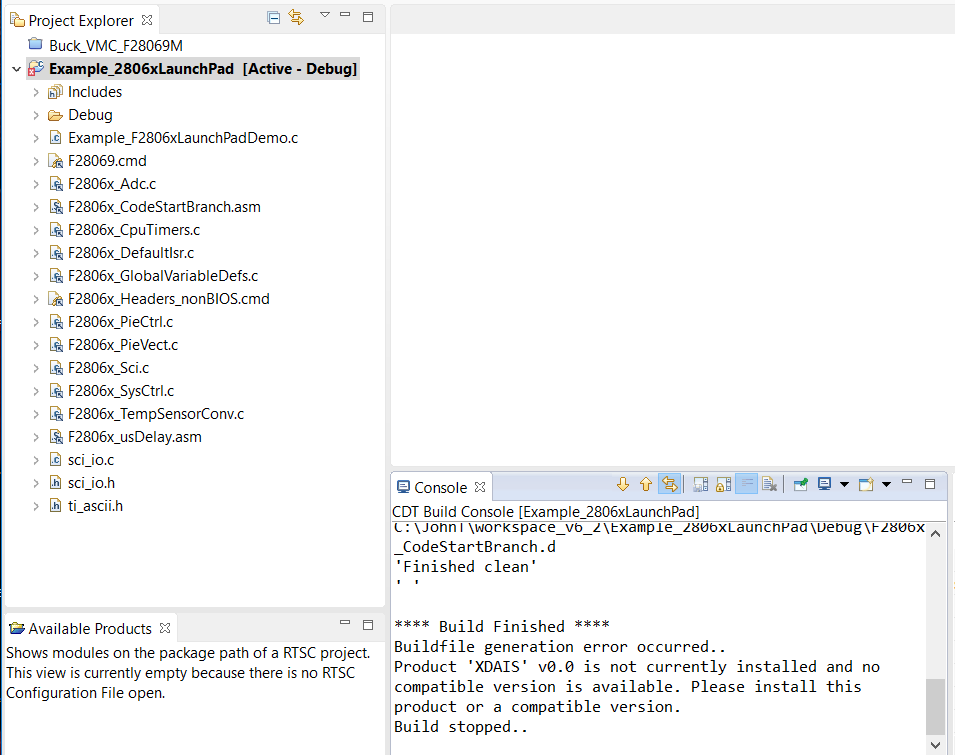
Buildfile generation error occurred..

Product 'XDAIS' v0.0 is not currently installed and no compatible version is available. Please install this product or a compatible version.

Build stopped..
  • Hello

    Refer to these threads to resolve your issue:
    e2e.ti.com/.../543009
    e2e.ti.com/.../2008927

    Best regards
    Chris
  • Unchecking the XDAIS in the Properties Window. Removed the XDAIS error but there is a new error when the project bulds.

    It is:

    C28xx: GEL: Encountered a problem loading file: C:\JohnT\workspace_v6_2\Example_2806xLaunchPad\Debug\Example_2806xLaunchPad.out Could not open file

  • What build errors are there in the console output? This is where you will find details of what is going on.

    Best regards
    Chris
  • The Build errors in the console are as follows:

    'Building target: Example_2806xLaunchPad.out'
    'Invoking: C2000 Linker'
    "C:/ti/ccsv6/tools/compiler/ti-cgt-c2000_15.12.6.LTS/bin/cl2000" -v28 -ml -mt --cla_support=cla0 --vcu_support=vcu0 --float_support=fpu32 -g --define="_DEBUG" --define=_FLASH --define="LARGE_MODEL" --quiet --diag_warning=225 --verbose_diagnostics --issue_remarks --cdebug_asm_data --output_all_syms -z -m"Example_2806xLaunchPad.map" --stack_size=0x200 --warn_sections -i"C:/ti/ccsv6/tools/compiler/ti-cgt-c2000_15.12.6.LTS/lib" -i"C:/ti/ccsv6/tools/compiler/ti-cgt-c2000_15.12.6.LTS/include" -i"C:/ti/controlSUITE/device_support/f2806x/v140/F2806x_common/lib" -i"C:/ti/controlSUITE/libs/math/IQmath/v160/lib" -i"C:/ti/controlSUITE/libs/math/FPUfastRTS/V100/lib" --priority --reread_libs --issue_remarks --verbose_diagnostics --xml_link_info="Example_2806xSci_Echoback_linkInfo.xml" --entry_point=code_start --rom_model -o "Example_2806xLaunchPad.out" -lrts2800_fpu32_fast_supplement.lib -lrts2800_fpu32.lib "./Example_F2806xLaunchPadDemo.obj" "./F2806x_Adc.obj" "./F2806x_CodeStartBranch.obj" "./F2806x_CpuTimers.obj" "./F2806x_DefaultIsr.obj" "./F2806x_GlobalVariableDefs.obj" "./F2806x_PieCtrl.obj" "./F2806x_PieVect.obj" "./F2806x_Sci.obj" "./F2806x_SysCtrl.obj" "./F2806x_TempSensorConv.obj" "./F2806x_usDelay.obj" "./sci_io.obj" "C:/ti/controlSUITE/device_support/f2806x/v140/F2806x_common/cmd/F28069.cmd" "C:/ti/controlSUITE/device_support/f2806x/v140/F2806x_headers/cmd/F2806x_Headers_nonBIOS.cmd" -lIQmath_fpu32.lib

    >> Compilation failure
    makefile:155: recipe for target 'Example_2806xLaunchPad.out' failed
    warning: creating output section ".cio" without a SECTIONS specification
    warning: creating ".esysmem" section with default size of 0x400; use the -heap
    option to change the default size
    "C:/ti/controlSUITE/device_support/f2806x/v140/F2806x_common/cmd/F28069.cmd", line 141: error:
    program will not fit into available memory. run placement with
    alignment/blocking fails for section ".ebss" size 0x225 page 1. Available
    memory ranges:
    RAML2 size: 0x400 unused: 0x0 max hole: 0x0
    .ebss : > RAML2, PAGE = 1
    warning: entry-point symbol other than "_c_int00" specified: "code_start"
    error: errors encountered during linking; "Example_2806xLaunchPad.out" not
    built
    gmake: *** [Example_2806xLaunchPad.out] Error 1
    gmake: Target 'all' not remade because of errors.

    **** Build Finished ****
  • You are encountering a linker error. You need to allocate .ebss to a larger memory section in the linker command file.

    processors.wiki.ti.com/.../C28x_Compiler_-_Understanding_Linking
    processors.wiki.ti.com/.../Linker_Command_File_Primer

    Best regards
    Chris
  • I think the problem is more fundamental that just the linker error.

    I did not modify the Demo file but imported it directly from the latest version of controlSuite and the file does not build.

    I tried uninstalling and reinstalling controlSuite form both the .zip offline installer and the online installer.

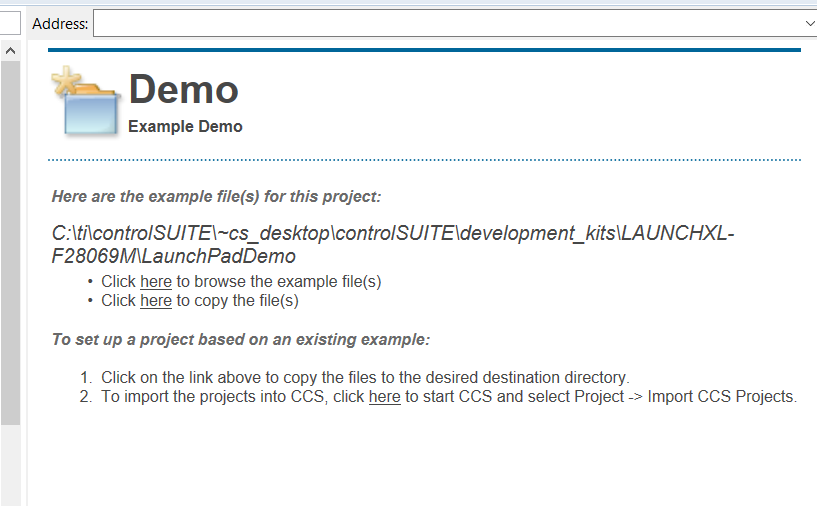
    I also noticed a problem with the file in controlSuite it would not load from the location in Resource Explorer as should below.

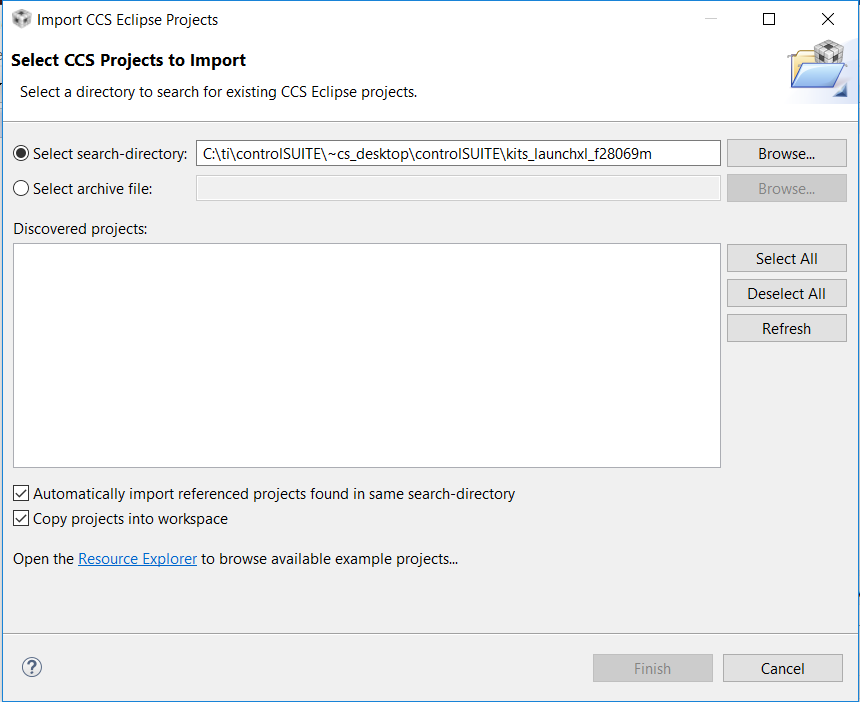
    And the CCSv6 Import window also could not find it there.

    I had to go to the controlSuite directory and I found it under the demo files for the F28066m as shown below:

    These are the files I imported and are giving me the build errors.

  • I apologize for the inconvenience. You shouldn't be seeing such issues.

    You are getting issues when you import it because "Copy projects into workspace" is selected. With that unchecked, then you only have the linker issue. You should follow this philosophy for all the examples.

    Additionally, the latest version of this example in our newest package C2000Ware. Located at \device_support\f2806x\examples\c28\launchxl-f28069m. This version is fixed. I highly recommend moving to C2000Ware from controlSUITE.

    Best regards
    Chris
  • I installed c2000ware but I do not see the c2000ware GUI show up in resource explorer inside CCSv6.2.0

    1)  Is there another step in the install to have the c200ware GUI  show up in CCS?

    2) Also I tried the online Resource Explorer at http://dev.ti.com/tirex/#/?link=Software%2FC2000Ware%2FEnglishbut I cannot find the files \device_support\f2806x\examples\c28\launchxl-f28069m, can these only be found by navigating through Resource Explorer or can they only be found by going directly to the directory on the hard drive?


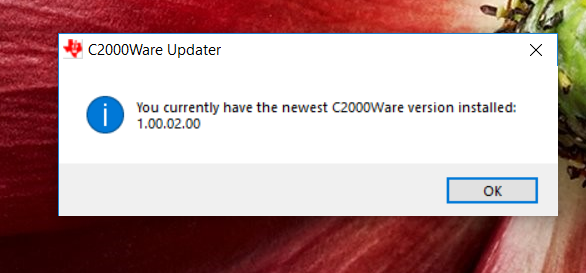
    Below is version of c200ware installed and a view of the My resource Explore inside CCSv6.2.0 after the install. after several reboots and re-launches of CCS.

  • To view the GUI in CCS, you need CCS v7.0 or newer. You may see documentation that says otherwise, but that is an error and is being fixed.

    Everything can be found in the installed C2000Ware package. The GUI is there to help navigate or reference files without downloading the package.
    In the default installation, the example is at:
    C:\ti\c2000\C2000Ware_1_00_02_00\device_support\f2806x\examples\c28\launchxl-f28069m

    Best regards
    Chris
  • Does C2000Ware have the code examples for the C2000 Digital Power Booster Pack?

    If so where are the files located? One of the files is called Buck_VMC_F28069M?

    Thanks

    John

  • John

    This isn't in C2000Ware. You have to refer to controlSUITE (under development kits) for now as we continue our transition process.

    Thanks.

    Best regards
    Chris