Part Number: TMS320F28069M
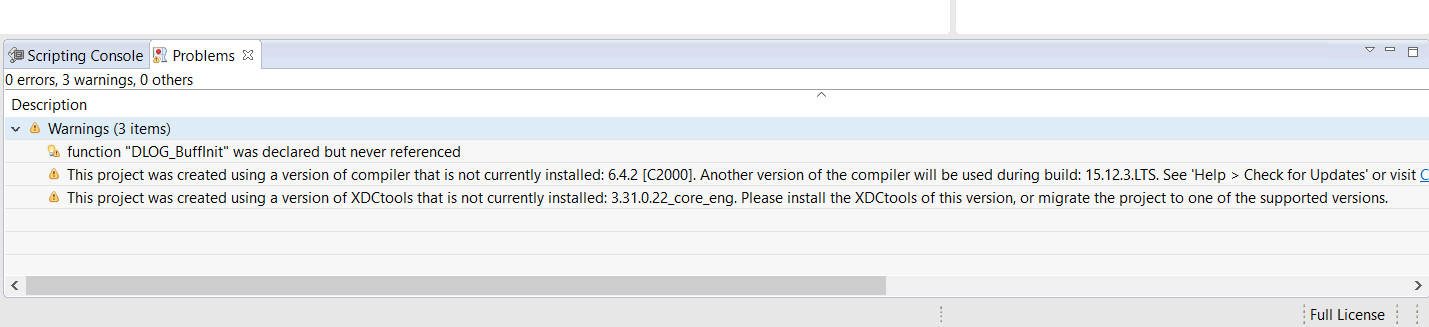
When I build the BUCK_VMC_F28069M file I receive the following warnings.
This project was created using a version of compiler that is not currently installed: 6.4.2 [C2000]. Another version of the compiler will be used during build: 15.12.3.LTS. See 'Help > Check for Updates' or visit <a href="liveaction:OpenAppCenter">CCS App Center</a> to get the latest compilers. See 'Help > Install New Software...' to install older compilers. Alternatively, migrate the project to one of the available compiler versions by adjusting project properties.
This project was created using a version of XDCtools that is not currently installed: 3.31.0.22_core_eng. Please install the XDCtools of this version, or migrate the project to one of the supported versions.
Do these warnings need to be corrected for future programming?
If so how do I migrate the project to a different compiler and how do I change the XDCtools version?