


Other Parts Discussed in Thread: CONTROLSUITE, C2000WARE
Hi everyone,
I am new to USB bootloader. There is no idea what I should do as a machine. The purpose is to have the device bootloader process running with the USB protocol. I want to use bootloader functionality in Project with TMS320F28069 MCU.
I've benefited from ControlSuite v151.
First of all , I have loaded the sample program in ControlSuite which has the path as follow:
C:\ti\controlSUITE\device_support\f2806x\v151\F2806x_examples_ccsv5\bl_app
By running the sample program in CCS, I see the device as a DFU mode in Device Manager.
Then I ran the Visual Studio application in the path f2806x \ v151 \ MWare \ tools \ dfuprog in ControlSuite. However, the device does not appear in the output of dfuprog.exe and is not in DFU mode.
What do I need to do to see my device in DFU mode and to be able to process dfuprog.exe?
1) Are there any settings that need to be made in the dfuprog project or in the boot loader code?
2) Is there any procedural documentation on how to use dfuprog.exe with the boot loader code?
Please help me.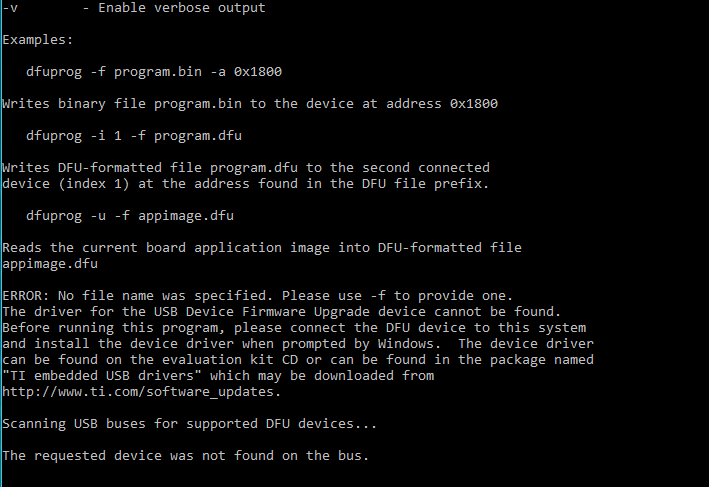
Good wishes to work.
