This thread has been locked.

If you have a related question, please click the "Ask a related question" button in the top right corner. The newly created question will be automatically linked to this question.

TMS320F28075: Serial Communication

Part Number: TMS320F28075
Other Parts Discussed in Thread: C2000WARE,

Hi teams:

I'm currently working on the Serial Communication for the device. I'm trying to use the sample codes for "Example_2807xSci_Echoback.c" as a basis. I've manage to send messages but the sample code seemed to be looping within this line:

while(SciaRegs.SCIFFRX.bit.RXFFST == 0) { }

I've tried inputting the characters from hyperterminal but the code doesn't seem to progress beyond this. I've tested that the sample code works without this line but obviously that is not the ideal (should wait for user input before processing the RX buffer).
Any comments on possible cause of the error? Also may I check if can use RXFFST to configured/specify the input data length(eg only input stream of x words will be accepted)

Best regards

K.K

  • Hi K.K,

    Have you scoped the pin to ensure that the signal from the PC is arriving at the desired SCI RX pin and that the voltage levels are correct? (not sure if you are using a virtual COM port or a physical RS-232 or similar serial interface)

    As far as rejecting packets if they don't meet the specified number of words, I think you need to do this after the data has been received; I don't think the HW can do this for you.
  • Hi,

    First, make sure you have the FIFO enabled when using RXFFST register to see if data has been received.

    Second, it appears your device is not receiving the data via SCI. You need to make sure you are connecting to the proper pins for SCI communication. You can use an oscilloscope to confirm this.

    Hope this helps.

    sal
  • Thank you on the information. I’m using a UART-USB cable to do the testing and the signals are being transmitted as intended. The current issue I’m having is based on the documentation, the code below is intended to act as a buffer/wait that exits the loop only when there is an incoming signal/message:

    while(SciaRegs.SCIFFRX.bit.RXFFST == 0) { }

    However, when the sample code was run, the program will be unable to exit the loop. By removing this line of code, I had verified that the TX and RX registers can transmit and receive messages properly. I’m intending to use the above code as per recommended in documentation so any information on possible cause of the error would be much appreciated.

    For rejecting the package, I will do the implementation after received as suggested.


    Best regards

    K.K
  • If you have enabled the FIFO as the example does, then this line of code should work fine.

    Additionally, I tested the example and it works fine as it is in C2000Ware.

    I am not sure what your issue is.

    sal
  • Dear Sal Pezzino:

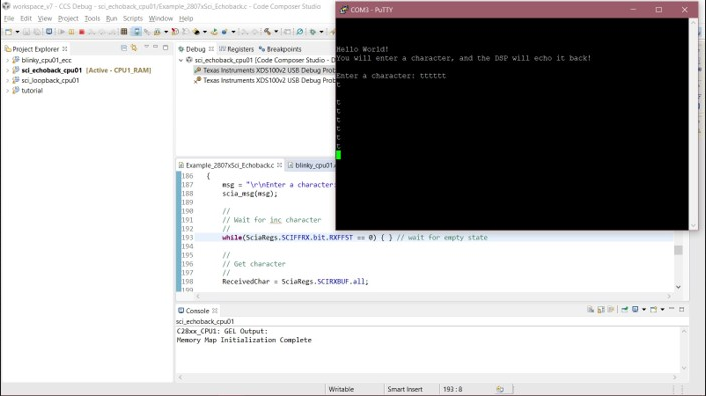
    I have attached a screenshot of the error as below:

    As you can see, I have tried giving an input character “t”, but there is no returning echo from the microcontroller (returning echo supposedly prints "  You sent:" together with echoback, based on my understanding of the code).

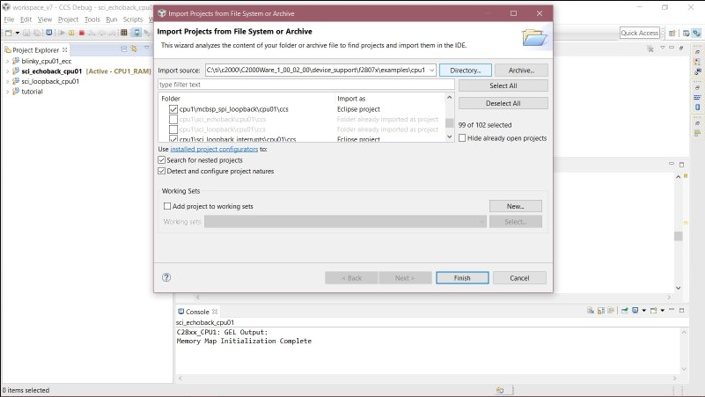
    This code was imported from C2000Ware examples, as shown below:

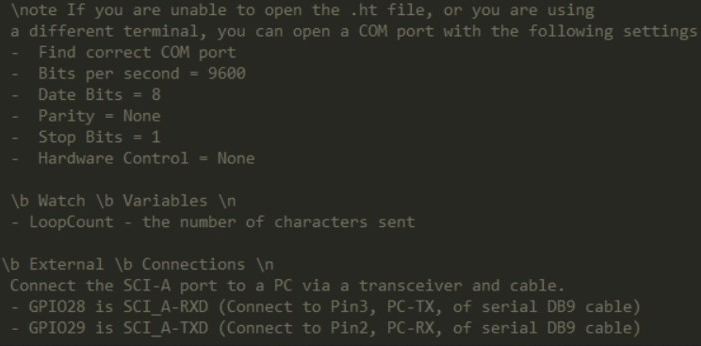
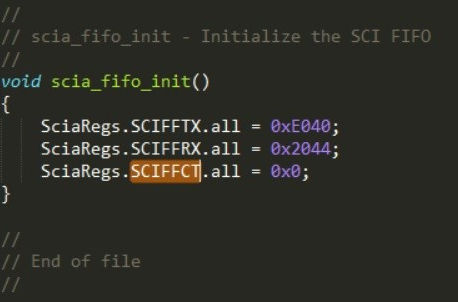
    Following screenshots are the configuration I have followed from the example:

    Is there any further configuration required apart from the details commented/mentioned in the example C file?

    Thank you, and your assistance in this issue is much appreciated.


    Regards

  • Are you using the controlCARD?

    I am not seeing this issue. You need to use a oscilliscope to ensure that the device is seeing the character which is being transmitted to it. You may have a problem with your RX pin.

    You are able to transmit from the device. But not receive properly.

    Are you seeing any data in the SCIRXBUF register?

    sal
  • Dear Sir,

    Thank you for the insight. The issue was indeed caused by error in transmission from computer to the RX pin.

    I’ve noticed that the Code Composer Studio also has a “terminal” plugin. Can the plugin be used to input UART messages? (I’ve tried configuring the requested COM port settings, but unsure how to enable input on the terminal screen)

    Thank you once again for your continuous assistance.
  • The plugin can be used to send UART messages.

    Hope this helps.

    sal

  • Dear Sir,

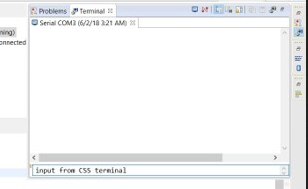
    I’ve tried using the terminal, but still having issue with UART whereby the board does not receive input. Attached are screenshots illustrating my tests:

    I connected the UART cable to TMS320F28075 via the controlCARD (pin 76 and 78 on the docking station), the RX pin still does not receive any messages. Note that the board is running the echoback example code in our previous discussion.

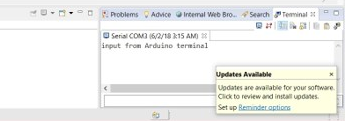
    However, when I tried the same configuration with an Arduino acting as relay/intermediate such that PC->Arduino->TMS->PC, the message can be received correctly as shown below. (RX pin received messages from Arduino)

    It seems like both the RX pin on the control board and the UART-USB cable are functional, but I somehow can’t send the message to the board whenever I connect it directly from my PC.

    Any suggestion and insight on troubleshooting this issue is much appreciated. Thank you.

  • Hi,

    I suggest using a scope to ensure that the data is being transmitted to the controCard. Also, make sure you have configured the correct GPIO pins which you are using for SCI communication.

    sal