Part Number: TMS320F28377D
Other Parts Discussed in Thread: CONTROLSUITE, C2000WARE
Tool/software: TI C/C++ Compiler
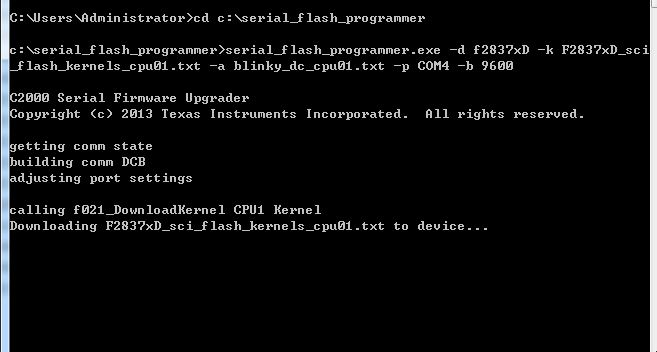
When I used TI serial_flash_programmer.exe to test , it show unable open file, Why? And how can I do?
This thread has been locked.
If you have a related question, please click the "Ask a related question" button in the top right corner. The newly created question will be automatically linked to this question.
Part Number: TMS320F28377D
Other Parts Discussed in Thread: CONTROLSUITE, C2000WARE
Tool/software: TI C/C++ Compiler
When I used TI serial_flash_programmer.exe to test , it show unable open file, Why? And how can I do?
Think you for your help. Now, I can donwload one .txt successfully. But donwload two .txt failed.
my command likethis: serial_flash_programmer.exe -d f2837xD -k application.txt -a crp_485DownLoad_V1.0_DSP1cpu1_Flash.txt -m F2837xD_sci_flash_kernels_cpu02.txt -n crp_485DownLoad_V1.0_DSP1cpu2_Flash.txt -p COM6 -b 9600
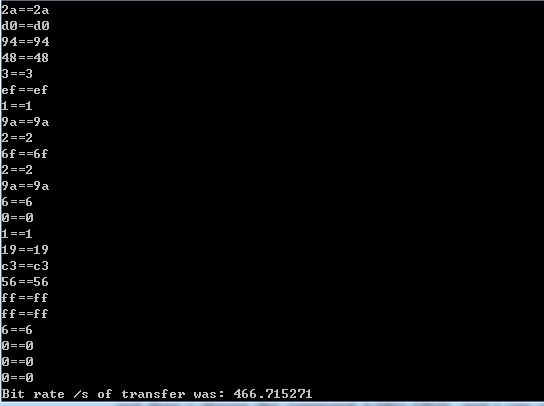
And then will appear
In order to realize donwload two .txt successful.. Can you tell me the ture steps?
When I download two .txt like this:
serial_flash_programmer.exe -d f2837xD -k F2837xD_sci_flash_kernels_cpu01.txt -a led_flash_cpu01.txt -m F2837xD_sci_flash_kernels_cpu02.txt -n led_flash_cpu02.txt -p COM10 -b 9600
the led_flash_cpu01.txt and led_flash_cpu02.txt are download successfully.
The F2837xD_sci_flash_kernels_cpu01.txt and F2837xD_sci_flash_kernels_cpu02.txt are located ti\controlSUITE\device_support \~Utilities serial_flash_programmer\f2837xD_fw_upgrade_example.
But when I used the F2837xD_sci_flash_kernels_cpu02.txt flie which produce by example which produce by example F2837xD_sci_flash_kernels_cpu02 from controlSUITE.
Also the command like this: serial_flash_programmer.exe -d f2837xD -k F2837xD_sci_flash_kernels_cpu01.txt -a led_flash_cpu01.txt -m F2837xD_sci_flash_kernels_cpu02.txt -n led_flash_cpu02.txt -p COM10 -b 9600
But failed. I can see the process, download F2837xD_sci_flash_kernels_cpu01.txt successful, and then I choose the command 1-DFU CPU1, and I can see download led_flash_cpu01.txt successful.when I choose the command 14-Reset CPU1 and Boot CPU2, I can see download date, in the end, the will come like this,
The only difference is the F2837xD_sci_flash_kernels_cpu02 from the project example F2837xD_sci_flash_kernels_cpu02.
This is why?