This thread has been locked.

If you have a related question, please click the "Ask a related question" button in the top right corner. The newly created question will be automatically linked to this question.

CCS/TMS320F28234: C2000Ware

Part Number: TMS320F28234
Other Parts Discussed in Thread: C2000WARE, TMS320F28334

Tool/software: Code Composer Studio

Hi Sal & john,

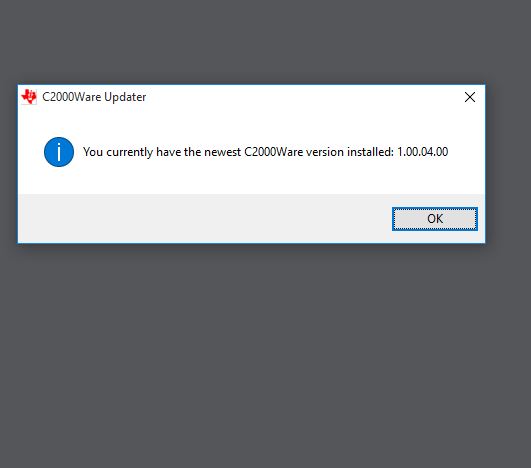
I tried with your suggestions by installing C2000Ware ,after installing ,i tried to open that it was showing pop up window with this message '! You currently have the newest C2000Ware version installed:1.00.04.00'. if i click ok means window disappear and nothing it was showing,what went wrong,how can i go head,am sharing the screen shot,please find the attachment

Iam waiting for your kind reply 

Thanks& Regards

Gangadhararao G
  • After that ,how can i do for flashing .out file into TMS320F28334 controller using usb uart cable from PC

    Thanks & Regards
    Gangadhararo G
  • You have installed C2000Ware.

    For use of the serial flash programmer please see: www.ti.com/.../sprabv4b.pdf

    The serial flash programmer is located here: C:\ti\c2000\C2000Ware_1_00_04_00\utilities\flash_programmers\serial_flash_programmer

    The SCI kernel is here: C:\ti\c2000\C2000Ware_1_00_04_00\device_support\f2833x\examples\f28335_flash_kernel

    Regards,
    sal

  • Ok so you are asking me to place my .out file at this location by opening through CCS and run or i tried by going to that path and tried to run serial flash programmer.exe ,the window is disappear and nothing is showing ,so how can i do for flashing .out file into TMS320F28334 controller using usb uart cable from PC

    Waiting for your kind reply

    Thanks & Regards
    Gangadhararao G
  • Hi,

    There are numerous E2E threads pointing to the serial flash programmer as a solution. And the Application Report was written to help you get started. Please read the Application Report and browse the E2E forum for more help.

    If you have specific questions or issues, please post them here. The Application Report was written to aid in your use of the tool/example.

    sal
  • Hi sal,

    Can i put my .out file in following CCS location C:\ti\c2000\C2000Ware_1_00_04_00\utilities\flash_programmers\serial_flash_programmer and run ..? so that my controller will going to flash the code

    Thanks Regards
    Gangadhararao G
  • No. You need to convert the .out to a hex file like the Application Report says and the examples demonstrate.

    sal
  • I will convert into hex file and place in this location C:\ti\c2000\C2000Ware_1_00_04_00\utilities\flash_programmers\serial_flash_programmer,and after that i need to select the flash option in top window for flashing into controller ?? and i have created my python GUI how can i import this .out file from python GUI and flash into controller,am sharing my python GUI code please find it,if we open that .py file it will automatically ask for the file location which we are going to insert

    Thanks Regards
    Gangadhararao G
  • Have you figured out how to use the serial flash programmer and the hex2000 utility to convert the .out to the hex file?

    sal
  • Hi Sal,

    Its a long back blog,i have resolved that issue and informed to you also, i can able to flash into controller using C2000Ware,

    I have interfaced this command prompt with My python GUI ,It is working fine now.

    I would like to embed / attach "C2000Ware" installation package as zip file, that should work without installation file. 

    Please suggest

    Iam waiting for your kind reply

    Thanks& Regards

    Gangadhararao G

  • I am not sure what you are asking here... Where do you want to embedd / attach C2000Ware installation package? C2000Ware isn't meant to be downloaded into the device.

    Regards,
    sal