This thread has been locked.

If you have a related question, please click the "Ask a related question" button in the top right corner. The newly created question will be automatically linked to this question.

TMS320F28379D: \examples_Cpu1\can_loopback\cpu01\can_loopback.c

Part Number: TMS320F28379D
Other Parts Discussed in Thread: C2000WARE

Hi

I am trying to transmit CAN messages, however I have been unable to actually get any activity on CAN_TX pin (gpio pin 31) outside of test mode. If I compile can_loopback.c with no modifications I can see on the digital scope a CAN message got transmitted however if I comment out the following line 137 and 138

    //
    // Enable test mode and select external loopback
    //
    HWREG(CANA_BASE + CAN_O_CTL) |= CAN_CTL_TEST;
    HWREG(CANA_BASE + CAN_O_TEST) = CAN_TEST_EXL;

So the CAN module is no longer in external loop back mode, I cant see anything on gpio pin 31, why does this happen I should still see the first CAN message being transmitted from gpio pin 31? Do I need to configure extra registers outside of test mode to actually see / send CAN messages ?

best regards

steve


  • Steve,

                Please download the latest version of C2000ware from www.ti.com and run the example can_external_transmit under the

    C:\ti\c2000\C2000Ware_1_00_05_00\device_support\f2837xd\examples\cpu1 directory. This is a tested example.


    Does your board have a CAN transceiver? That is a must.

  • ok downloaded

    ti\c2000\C2000Ware_1_00_05_00\device_support\f2837xd\examples\cpu1\can_external_transmit\cpu01

    example and the first time it run correctly and I could see the CAN tx gpio 31 transmit data but after the first time I cant get the board to transmit anything again. If I add the following two lines of code to can_external_transmit.c example at line numbers 256 and 257 (before CAN is enabled)

    HWREG(CANA_BASE + CAN_O_CTL) |= CAN_CTL_TEST; // enable test mode
    HWREG(CANA_BASE + CAN_O_TEST) = CAN_TEST_EXL; // enable external loop back mode

    It works perfectly, so I am going to ask the same question again, Do I need to configure extra registers outside of test mode to actually see / send CAN messages ?
  • No, but you need a transceiver connected. Do you have one?
  • Hi

    It don't matter if I have a CAN transceiver connected or not I should still be able to see with a digital scope data being transmitted from gpio pin 31 at least one (it will stop after that as the example requires a RX msg reception). To answer your question yes I do have a CAN transceiver connected and at the risk of repeating myself it 'works perfectly' with test mode enabled ie I can send data from the micro through the CAN transceiver to the pc. Currently I am doing this as a test

    //
    // Transmit Message
    //
    HWREG(CANA_BASE + CAN_O_CTL) |= CAN_CTL_TEST; //enable test mode
    HWREG(CANA_BASE + CAN_O_TEST) = CAN_TEST_LBACK; //enable loop back
    CANMessageSet(CANA_BASE, TX_MSG_OBJ_ID, &sTXCANMessage, MSG_OBJ_TYPE_TX); //send msg

    DELAY_US(100);

    //
    // Receive Message
    //
    HWREG(CANA_BASE + CAN_O_CTL) &= ~CAN_CTL_TEST; //disable callback
    CANMessageGet(CANA_BASE, RX_MSG_OBJ_ID, &sRXCANMessage, true); //get messge

    and it works I can send / receive messages from my PC but as you can see TX requires the test mode to be set. Its interesting that only the TX message requires the test mode RX works without the test mode enabled.

    Can someone at T1 with a Delfino F28379D controlCard run example can_external_transmit.c and measure gpio pin 31 (pin 82 on the edge connector J1) with a digital scope and confirm if they see any output. I don't see anything constant high 3.3V unless I have the test mode enabled, then the pin comes to life and I see a message being transmitted.
  • Could you please provide more details on your hardware setup? Are you running the example on your own hardware or the ControlCARD? The ControlCARD and the docking station do not natively support a CAN transceiver. I presume you have wired up a CAN transceiver external to the board? Could you please provide a wiring diagram of your setup?
  • Hi

    This should be quite easy for TI to test as I can get it to go wrong without any external hardware, this is my setup

    Hardware

    Delfino F28379D controlCard

    Note: No docking station

    Software

    ti\c2000\C2000Ware_1_00_05_00\device_support\f2837xd\examples\cpu1\can_external_transmit\cpu01\can_external_transmit.c

    Compile and download the example first time the for loop runs it executes the CANMessageSet function at this point I measure gpio pin 31 (pin 82 on the edge connector J1) with a digital scope and it always high ie nothing is being sent out of the micro.

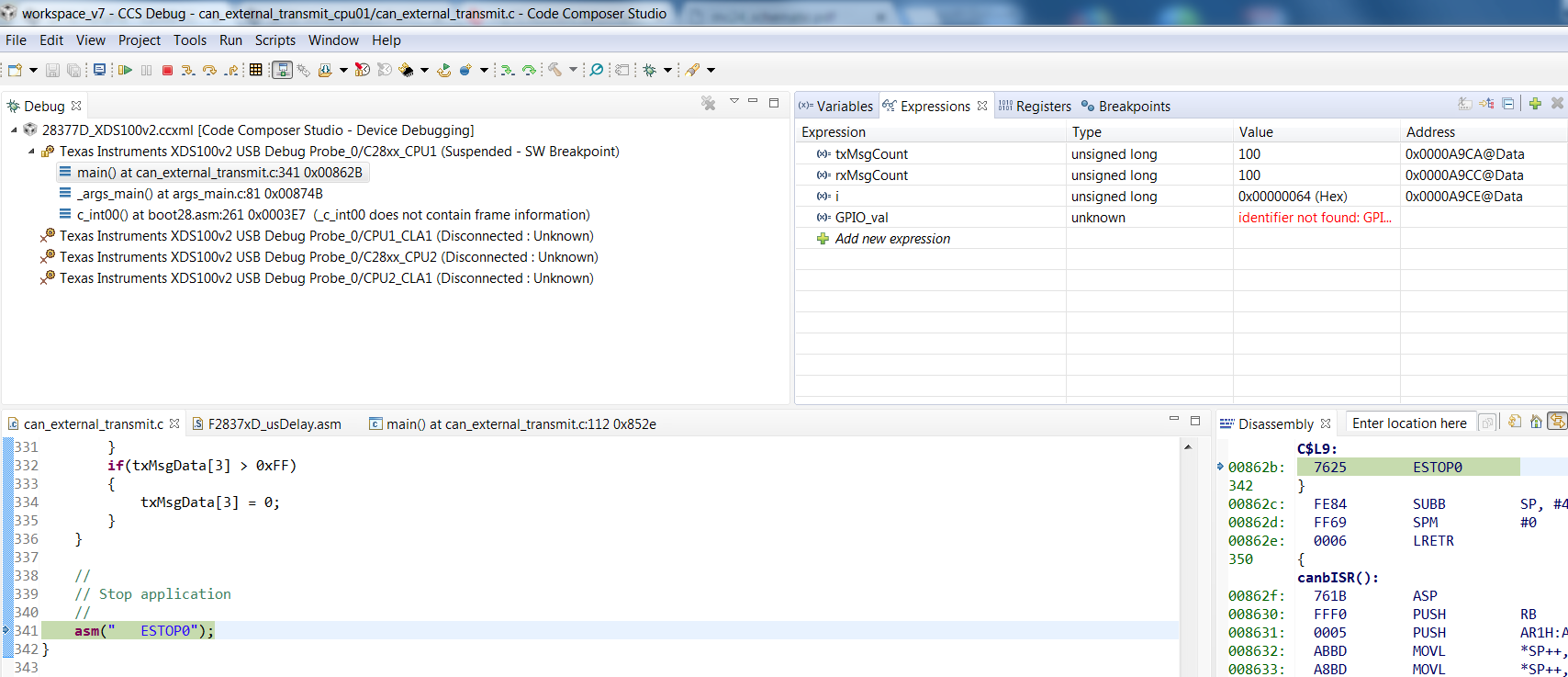
    Then if you dont have a CAN transceiver connected which as you said is the normal user case function CANMessageGet don't receive a message and you end up in the error trap asm(" ESTOP0");. My point is every time you run this example you should see one TX message from io port pin 31 and I don't say anything unless I enable loop back test mode.

    Actually once when I first download the example to the board it worked one time but after running it the second time it didn't work. The only reliable why for me to send a tx message on my setup is to enable look back test mode before I send. It works every time like that in fact its not a big deal I think the code can stay like that, its just odd that I have to enable a test mode to get it to work 100% of the time.
  • I just ran the example in C:\ti\c2000\C2000Ware_1_00_05_00\device_support\f2837xd\examples\cpu1\can_external_transmit\cpu01 (on a ControlCARD with an external PCB hosting the transceivers) “as is” and it ran perfectly fine. Attached is the screenshot after completion.


  • Hi

    interesting can you try running the example waiting for it to halt in asm(" ESTOP0") then pressing the red stop button. Then after that re-running the example run->debug does it work the second time round ? if it does maybe I need to have the board in some kind of docking station.

    thanks for testing it

    best regards

    steve
  • Steve,

    I tried that and it works fine. Note that there is no need to press that red button. You could simply reload your code and run it again. Regardless, it works fine.  


    That example needs CAN-A & CAN-B modules to be connected to each other through transceivers, as the comments in the beginning of the file clearly indicate. Even to see a waveform (on the CANTX pin) until the ACK phase, you need a CAN transceiver connected. This is the reason I was asking about the transceiver from the beginning. On one post you mentioned that you have a transceiver and even saw the frames on the PC and on another post, you say you don’t have a docking station; reason I asked you for the wiring diagram of your setup.