Part Number: TMS320F28027F
My customer is seeing the below issue when trying to use the SCI boot mode in the ROM
-
The target board already programmed with application and which toggle couple of LED’s continuously.
-
In our application project, with the needed GPIO settings to select mode 1(SCI boot) with emulator connected, we just powered on the board.
-
Application not ran due to GPIO SCI boot settings. Our assumption is, micro went to boot mode and waiting for auto baud character. Tried to send character ‘A’ from PC utility (“serial_flash_programmer.sln”) to detect auto baud lock. Micro is not responding for some reason.
FYI: if we just remove needed GPIO settings (GPIO 34 and 37) and power off and on the board, application is running and LED’s are blinking (So we confirmed that, micro is going to boot mode).
-
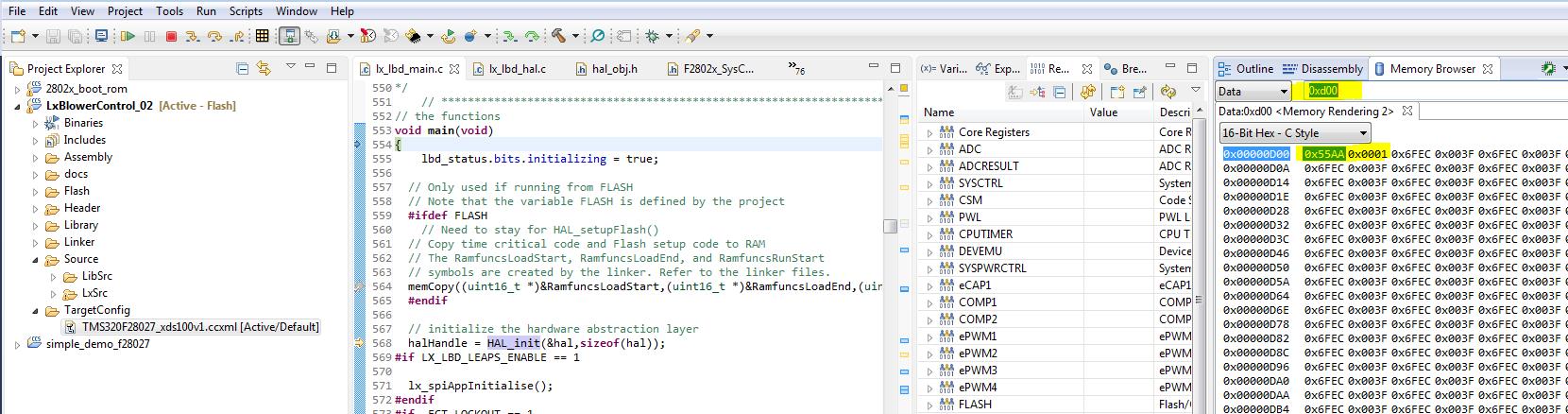
With the needed GPIO settings to select mode 1(SCI boot) and we tried to load our application once again through debugger and tried to see the 0xd00 and 0xd01 registers in emulation mode and looks like Micro is went to SCI boot mode(please see the attached image).
-
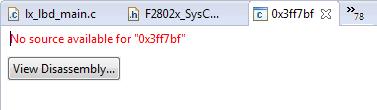
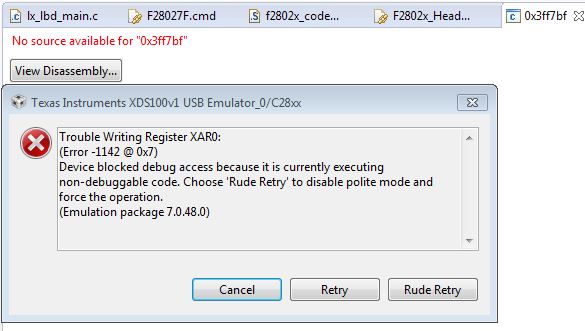
After this, we tried Scripts->Realtime Emulation Control->Run_Realtime_with_Reset. On doing this we got, No source available for 0x3ff7bf (~which is boot rom address location). Tried to send character ‘A’ from PC utility (“serial_flash_programmer.sln”) to detect auto baud lock. No response here also.
Please let us know, is our assumptions are correct and also, please help us to solve this issue.