This thread has been locked.

If you have a related question, please click the "Ask a related question" button in the top right corner. The newly created question will be automatically linked to this question.

Compiler/TMS320F28069F: Code composer (CCSV8) does not install / detect C2000 compiler

Part Number: TMS320F28069F
Other Parts Discussed in Thread: MOTORWARE, CC2640

Tool/software: TI C/C++ Compiler

Hi,

I'm working on a project that i took over from a colleague,

When adding support for CC2000 devices with the ''CCS"->help/install new software C2000 device support, code composer does not give any errors (neither after the automatically restart).

Taking a look at the CCS->help/install new software, C2000 device support displays: All items are installed.

Next up, import a project (ti motorware):

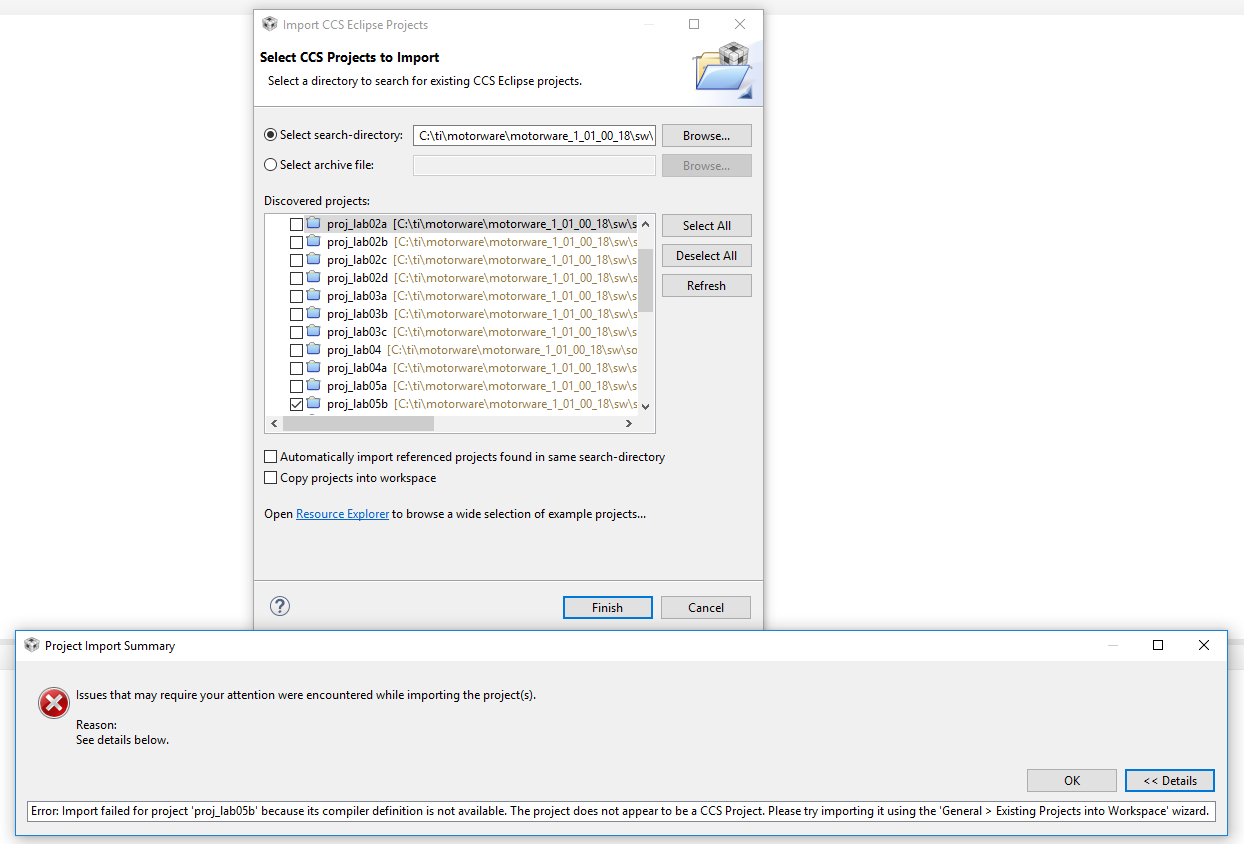
Import CCS projects,

C:\ti\motorware\motorware_1_01_00_18\sw\solutions\instaspin_foc\boards\drv8301kit_revD\f28x\f2806xF

Import: proj_lab05b parses error:

See details below.
  Error: Import failed for project 'proj_lab05b' because its compiler definition is not available. The project does not appear to be a CCS Project. Please try importing it using the 'General > Existing Projects into Workspace' wizard.

I took a look in my compiler installation directory: c:/ti/ccsv8/tools/compiler

This only shows me some arm compilers.

I've copied my colleagues compilers from his 'ccsv8/tools/compiler' directory to mine, however my workspace still does not detect it.

Is there any possible way, except from reinstalling all of CCS, to add the compiler manually?

Regards,

Daan

  • Hi Daan

    Can you try this: In CCS, go to Help -> Install Code Generation Compiler Tools... In the pop-up window, under TI Compiler Updates, do you see options for C2800 Compiler Tools? If so, select one and select Next and follow the prompts to install the compiler

    Sean
  • Hi Sean, thanks for helping out here.

    Before I executed the actions you've asked me to do, I've decided to remove the folders I have copied myself into the ccsv8/tools/compiler from my ccsv8.

    Installing the compiler did exactly what i expected it to do: it downloaded the compiler with the folder 'ti-cgt-c2000_18.1.3.LTS' to the compiler folder.

    However, I'm still receiving the following error with one of the example projects from the motorware_1_01_00_18 SDK.

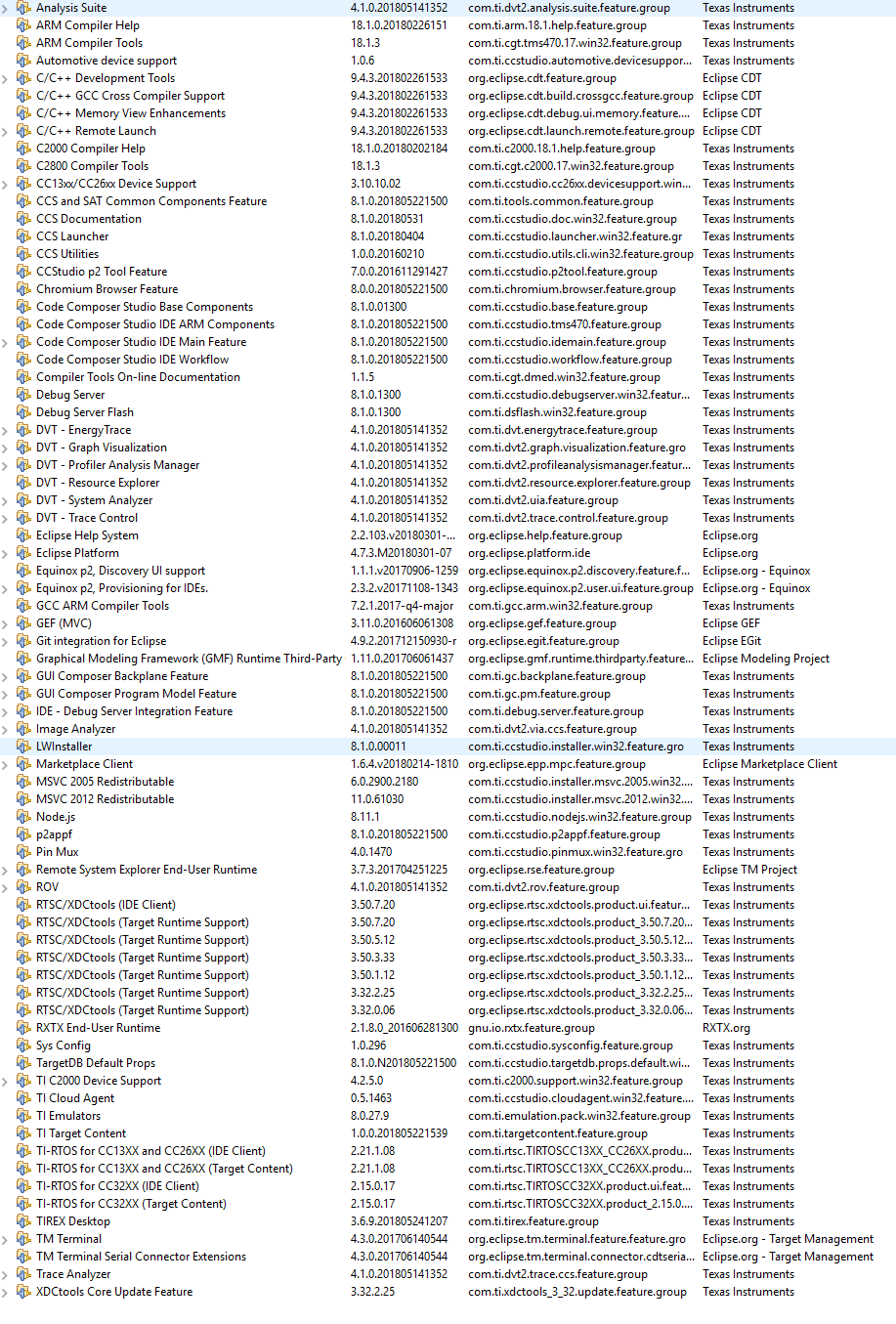
    Opening the project as an existing project tells me to import it using 'Import CCS projects', below an import using CCS project and my list of installed software

  • Hi Daan

    To test this out, I created a new workspace in CCSv8 and attempted to import the same lab you've shown above, and was able to do so successfully. Here is a picture of my ../ccsv8/tools/compiler/ subdirectory:

    Have you tried creating a fresh workspace? Have you previously imported any other MW18 projects into your CCSv8 workspace you're experiencing the current issue with? 

    I may need to loop someone in from the CCS team to get more help here as this goes a bit beyond the Motorware 18 side of things

    Sean

  • Hi Sean, I've tried the new workspace without any luck.

    Have you previously imported any other MW18 projects into your CCSv8 workspace you're experiencing the current issue with?

    This is the first time I've started using MW18, before I have used the CCS studio for Bluetooth Low Energy applications (CC2640, CC2640R2) and lately I have been experimenting with the CC26X2 chip ( openthread ).

    I may need to loop someone in from the CCS team to get more help here as this goes a bit beyond the Motorware 18 side of things


    I think this will be a good idea - we have experienced issues before with importing new toolchains but allways we were able to come up with a simple sollution.

  • Hi Sean,

    Any progress?

  • Daan,

    It appears that you may be missing basic C2000 device support, which comes as part of the initial CCS installation. You can add support for just the C2000 devices without having to go through the whole CCS installation again. Take a look at the steps under item 3 of this troubleshooting page

    Let us know if that resolves the issue.

  • Thanks, resolved, will keep it in mind for the next time I'll be starting with a new processor arch!