This thread has been locked.

If you have a related question, please click the "Ask a related question" button in the top right corner. The newly created question will be automatically linked to this question.

LAUNCHXL-F28379D: how to save the incoming SCI data as an integer ?

Part Number: LAUNCHXL-F28379D

Hi, 

I am trying to read  the receiver data of SCIB  as an integer.

while(ScibRegs.SCIFFRX.bit.RXFFST == 0) { } // wait for empty state

                //
                // Get character
                //
                while (SciaRegs.SCIFFTX.bit.TXFFST != 0) {}
                SciaRegs.SCITXBUF.all =ScibRegs.SCIRXBUF.all;;

The above code displays the output at SCIA (GPIO 43 and 42) on the terminal. I am able to see the output clearly. However, when i try to compare the buffer value to a constant value, there is no output. So, I wanted to know how I can compare this with  an integer and get an output without issues.

  • Hi Silsio,

    You want to send the result of the comparison via SCI, or you want to do something else with it?

    I think one possible issue is that the received character will be in ASCII and if you want to do numeric comparisons you should turn it into a numeric first (by subtracting 48)?

    ascii '0' = 48 decimal, '1' = 49, etc.

    and then when you have a numeric result you want to send (or a bool 1 or 0) you need to add 48, otherwise you will get the characters at the start of the ascii definition?

    0 decimal = 'null' character, 1 decimal = 'heading', etc.
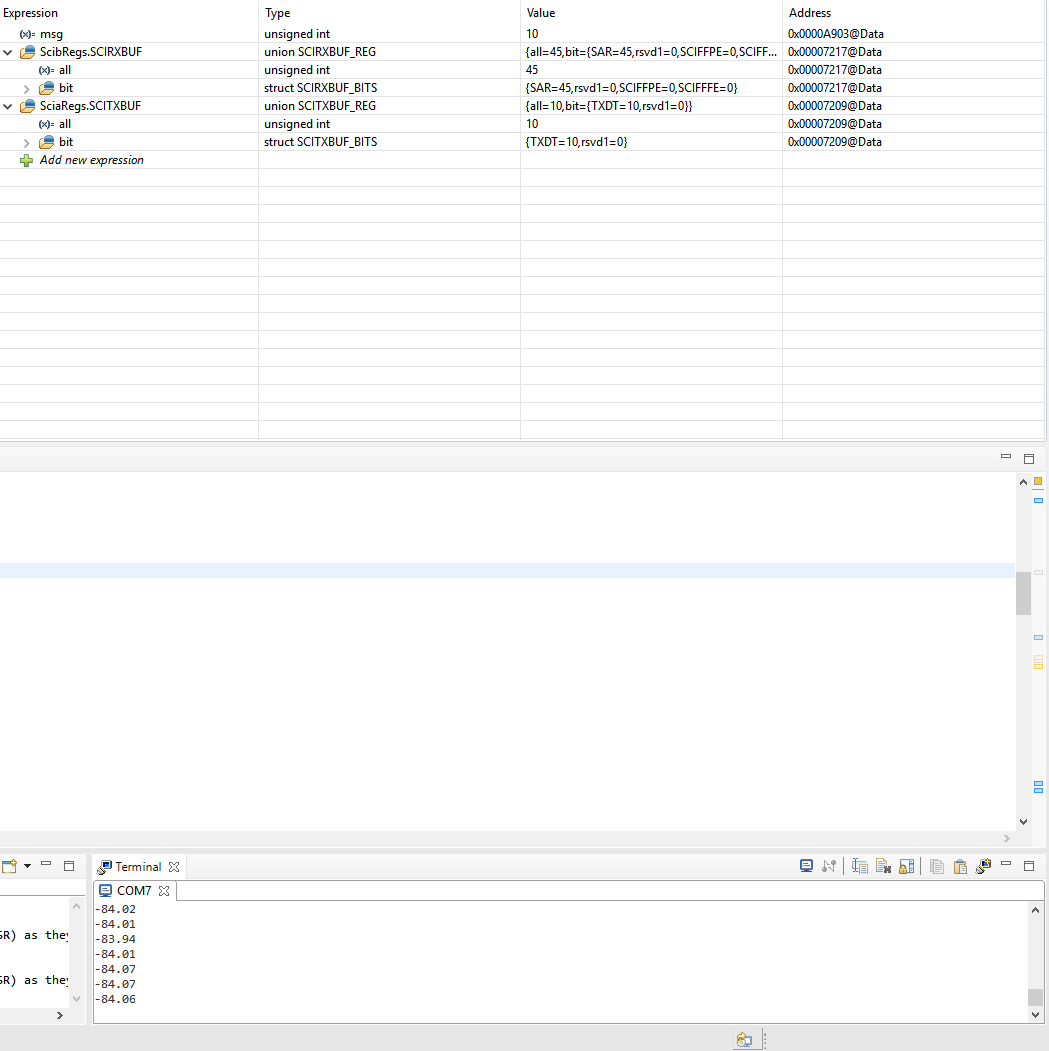
  • I'm receiving data from a inertial sensor. I want to use this data to manipulate another part of the code. So, in order to do that, I need the incoming values to be as integers that i can compare. I tried using uint16 and see how the output reads as:

    SCIBREGS' SAR value is 45 which means that it is '-' equivalent in decimals. 

    It can be seen that the output on the comport is pretty accurate. However, I am not able to use it to compare. 

    I hope this is much clear now.

  • Hi silso,

    So a reading from the sensor in this case will be 6 char's received as 6 separate SCI words?

    Before compare you'd want to write a function that turns the character string into a float. Probably there is an in-built C function that you can use, or you'd do something like:

    (char[1] - 48)*10 + (char[2] - 48)*1 + (char[4] - 48)*0.1 + char[5] - 48)*0.01

    (But you'd need to make it robust to work for different signs and possibly different lengths)
  • Hi, I'm trying to print it out in char array but it prints out proper values for some time but goes back to garbage values and stops printing. Here is my logic:

           for(;;)
           {
               //sprintf(msg,"%d",ScibRegs.SCIRXBUF.all);/ wait for empty state
    
                    //
                    // Get character
                    //
               while(ScibRegs.SCIFFRX.bit.RXFFST == 0) { }
               int i;
               i = 0;
               msg[i]=ScibRegs.SCIRXBUF.all;
               while(msg[i] != '\n')
               {
                       scia_xmit(msg[i]);
                       i++;
                   }
           }
    void scia_xmit(Uint16 a)
    {
        while (SciaRegs.SCIFFTX.bit.TXFFST != 0) {}
        SciaRegs.SCITXBUF.all =a;
    }
    

    What might be issue?

  • Hi Silsio,

    Are you sure that all your messages will end with a '\n'? If not, maybe a message just keeps printing past the end of the buffer?
  • Hi Devin, thank you for your quick response. yes, there is '\n'. Here is the part of code in arduino: LOG_PORT.print(TO_DEG(yaw));LOG_PORT.println();

    Also, I used logic analyzer to verify if the packets have '\n' and it showed it at the end of the packet.
  • Got it working. Thanks.