This thread has been locked.

If you have a related question, please click the "Ask a related question" button in the top right corner. The newly created question will be automatically linked to this question.

TMS320F28377D: Upgrading TMS320F28377D through USB

Part Number: TMS320F28377D

Hello Everyone,

I am trying to use usb_fash_programmer.exe application to upgrade the firmware in CPU1 and CPU2, working on CCS and JTAG emulator XDS200 with some problems.The command line I use is: 

usb_flash_programmer.exe F2837xD_usb_flash_kernels_cpu01.dat blinky_dc_cpu01.dat F2837xD_usb_flash_kernels_cpu02.dat blinky_dc_cpu02.dat

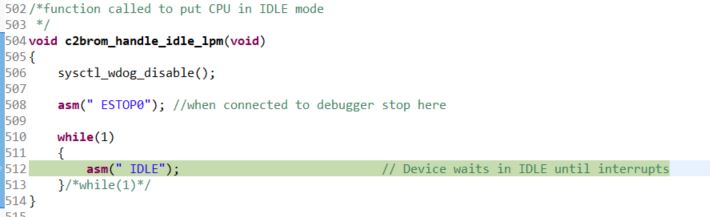
1) Sometimes I can successfully send the first three files but when sending the fourth, CPU2 execution stops at instruction asm("   ESTOP0") in function c2Brrom_handle_idle_lpm:
Then, if I, quickly, resume CPU2 execution, I can also send the fourth file, so the upgrading is successful:
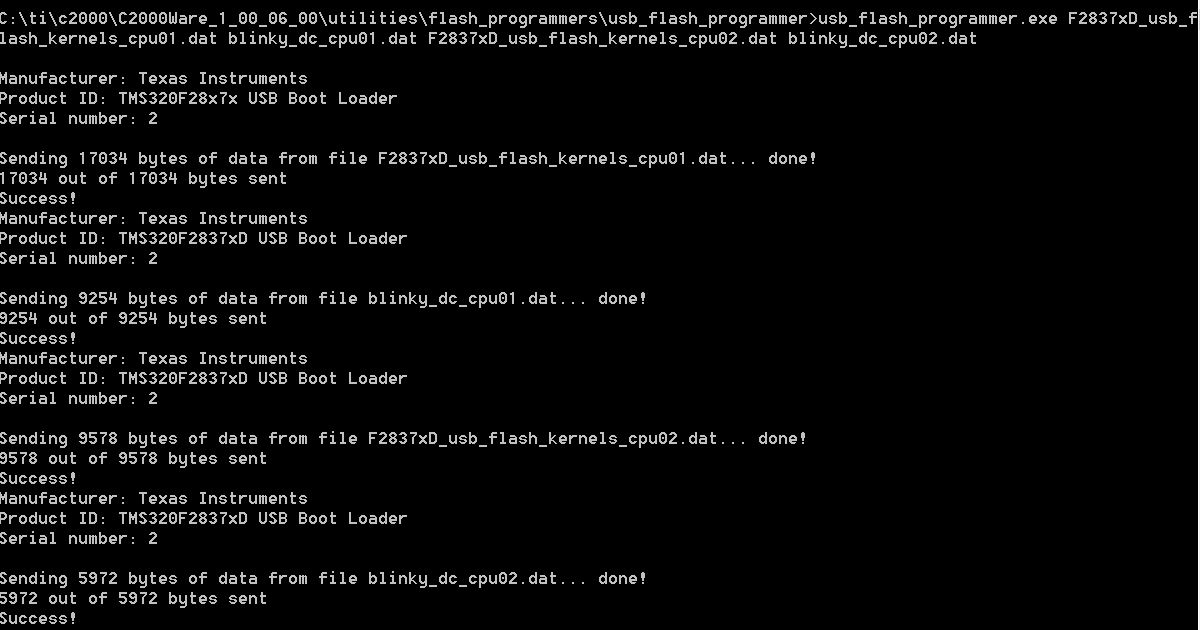
I can also see that CPU1 blinky and CPU2 blinky applications are running, because of the LEDs in the F2837x controlCARD R1.3 blinking.

2) Sometimes I can just send the first file, and then the Error enumerating device interface appears:

Then, if I stop CPU1 and CPU2 execution I can see the following in CCS:
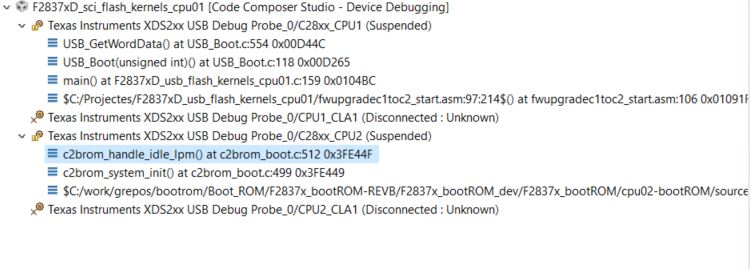
CPU1 execution is stopped at while (g_UsbRxBuffer == 0) {;} in kernel function USB_GetWordData:
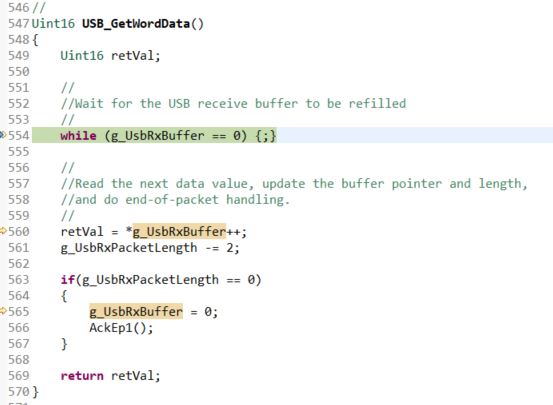
As it seems to me taht it is waiting for the USB buffer to be filled, I unplug the USB connector and plug it again. Then I try to resume upgrading by executing the usb_fash_programmer.exe application again:

usb_flash_programmer.exe F2837xD_usb_flash_kernels_cpu01.dat blinky_dc_cpu01.dat F2837xD_usb_flash_kernels_cpu02.dat blinky_dc_cpu02.dat

Then, the operation fails:

and I can see that CPU1 execution is stopped at Example_Error function in the Kernel:

Can anybody help me with these issues?

Many Thanks in advance,

Andreu

  • Andreu,

    Please see if this helps: e2e.ti.com/.../1671181

    Thanks and regards,
    Vamsi
  • Hello Vamsi,

    Many thanks for your quick answer.

    I have already read that post and I think that I am following the main steps. Do you think I have missed an important issue? Which one?

    To me, it looks like the post was not closed because last Shef's message was never answered.

    Best regards,

    Andreu

  • Andreu,

    Did you traverse through all the 6 pages of the post? (You can traverse by using the forward '>' button at the bottom of the page).
    If not, please look at page 4 (e2e.ti.com/.../1671181
    Shef mentioned that he changed the wait time - Did you do anything similar?

    Looking at your description, I felt this has to do with some sort of timeout and hence suggested this post.
    Let me know if it does not help.

    Thanks and regards,
    Vamsi
  • Hello Vamsi,

    I am sorry. I did not realize there were more pages and I could see them by using the forward button.

    After reading page 4, as you said, I managed to build the usb_flash_programmer.exe application again, with an increased value of USB_TIMEOUT_MS constant.

    I can successfully send the files now, but when sending the fourth, CPU2 execution keeps stopping at instruction asm("   ESTOP0") in function c2Brrom_handle_idle_lpm.Then, I quickly resume CPU2 execution, I can also send the fourth file, so the upgrading is successful. I guess it is stopping at the ESTOP0 instruction because the emulator is connected. Am I right?

    Anyway, I am not very sure if that it is the solution because I have made several tests, value of USB_TIMEOUT_MS constant even lower than the original one (5000 ms) and it works the same, without error now. Maybe, it is also related to my computer hardware or its workload. This calls for more tests on my side.

    On the other hand, I have other questions about USB Firmware upgrading: with the serial_flash_programming application it is possible to lock/unlock the DCSM zones Z1 and Z2. It is possible to do the same through USB?

    Many thanks in advance,

    Andreu

  • Hi,

    If you do not have emulator connected, then the ESTOP will have not effect. The CPU would continue to run.

    You can add functionality to the kernel to do what you want. We provide the source code of the kernel and the usb flash programmer for this reason. Feel free to modify the source code to suit your needs.

    sal