This thread has been locked.

If you have a related question, please click the "Ask a related question" button in the top right corner. The newly created question will be automatically linked to this question.

TMS320F28069M: TMDSHVMTRINSPIN

Part Number: TMS320F28069M
Other Parts Discussed in Thread: TMDSHVMTRINSPIN

hello, i need your help please i just replaced my card F2806x on the kit TMDSHVMTRINSPIN and when i open instaFOC it go through the USB connection no issue there then it goes to the application tap and then it  

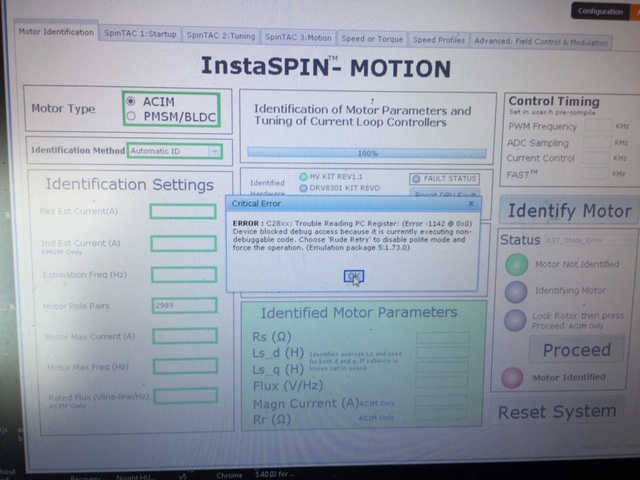
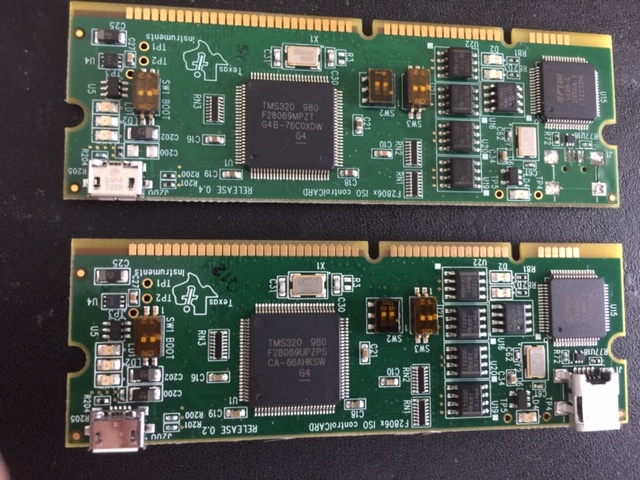
give me error see pic attached , please help what do i need to do ?? are these 2 cards are the same ? 
  • Please refer to the following two links to check if there are any connection problems on the embedded emulation on the controlCard. And make sure that you need to populate [M3]-J5 to put the onboard JTAG chip in reset on TMDSHVMTRINSPIN board.

    processors.wiki.ti.com/.../Debugging_JTAG_Connectivity_Problems
    processors.wiki.ti.com/.../XDS100
  • @

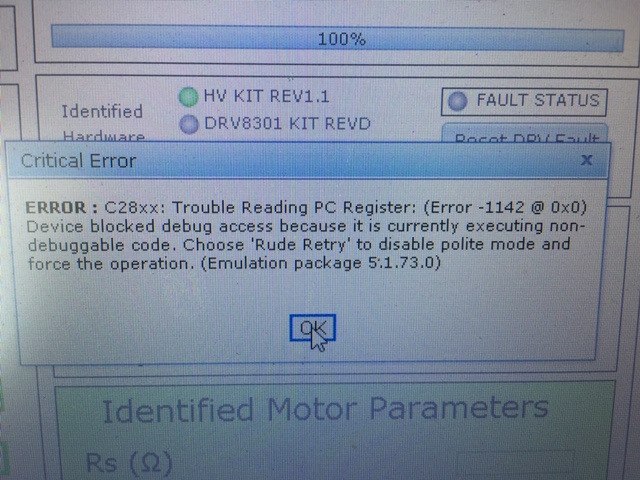
    Please see the screen shot the error is -1142  please I need real help here what is the issue

    can this card which have this chip F28069MPTZ do the same function as this card which have this chip on it F28069UP ? 

    this is the issue i have please tell me what do i need to do and if the 

    F28069MPTZ do the same function as this card which have this chip on it F28069UP ? 

    Device blocked

    This error means the device is free running and the JTAG debugger lost control of its core and status. Both a disconnect and power cycle will be required, but there is a possibility the running firmware on the device may be preventing the JTAG debugger from properly connecting (if the device has flash memory). In these cases, consult the documentation of your device to find out how to unlock it.


        Trouble Reading Register PC: (Error -1142 @ 0x0)
        Device blocked debug access because it is currently executing non-debuggable code.
        Choose 'Rude Retry' to disable polite mode and force the operation.


  • 1. Only F28069M controlCard can support instaSPIN-FOC and instaSPIN-motion, F28069UP is a generic controller, not an instaSPIN enabled device.
    2. Change the controlCard or device on the card if you have used the two links above to test the on-chip emulation, but failed to connect and program again.
  • i did what you said and it works , thanks a lot