


Part Number: TMS320F28335
Other Parts Discussed in Thread: C2000WARE
Tool/software: Code Composer Studio
Hi my question is about “how to load application to FLASH RAM without emulator by SCI Boot loader.”
The documents I have referred are “Serial Flash Programming of C2000™ Microcontrollers “and “TMS320x2833x, 2823x Boot ROM Reference Guide “.
I’ve already checked hardware system I set for SCI communication with SCI echoback example code by TI. SCI communication goes well with my F28335 so it doesn’t seems to be have any issues on the hardware setting.
My F28335 communicates with PC host through RS232 protocol.
The photo below is the issue I have faced and i am unable to solve it out.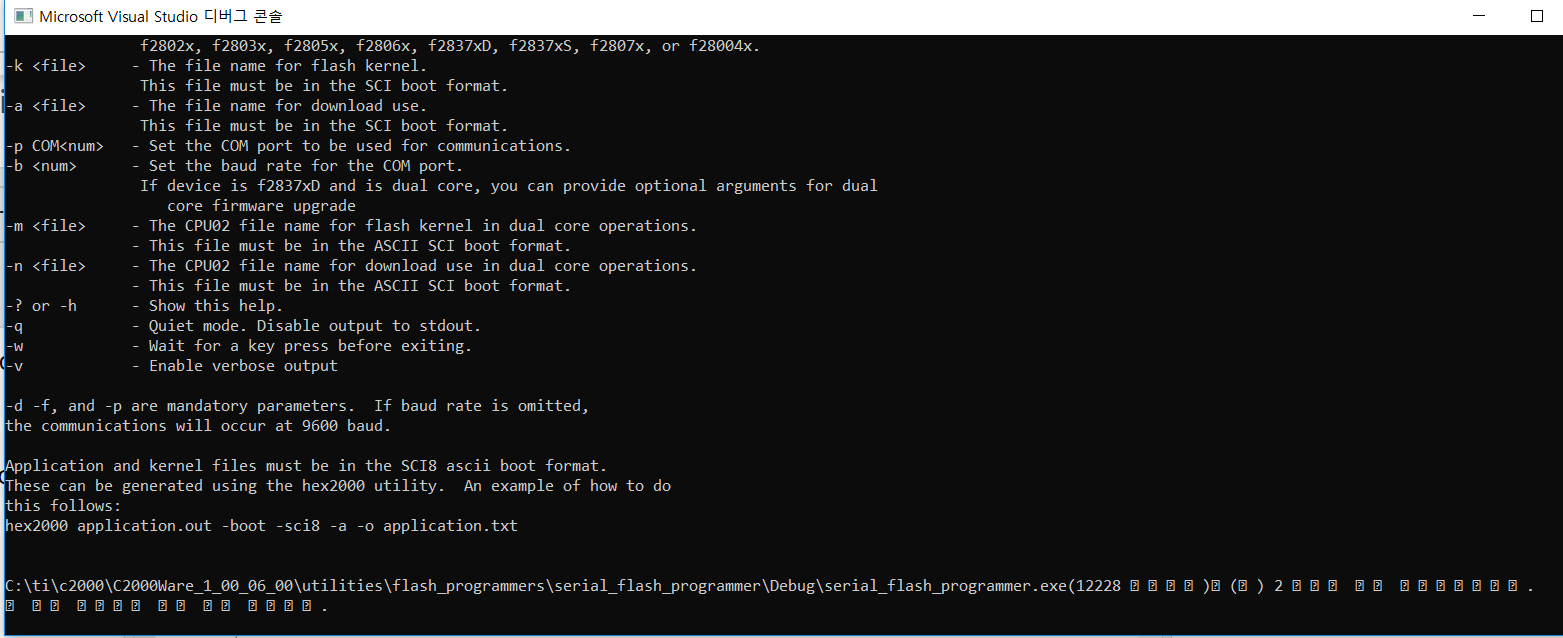
I am guessing I put the wrong argument onto command argument inbox that can be found at “debugging tag” of Serial flash programmer property. The line below is the argument i gave.
-d f2833x
-k C:\ti\c2000\C2000Ware_1_00_06_00\device_support\f2833x\examples
\f28335_flash_kernel\Debug\f28335_flash_kernel.txt
–a E:\CCS_Project\practice_v3.0\Debug\practice_v3.0.txt
-p COM4
-b 9600
The reason I did those things above is because I referred the line 6 and 7 of “6.2.2 Building serial_flash_programmer in Visual Studio” in the document “Serial Flash Programming of C2000™ Microcontrollers".
As the document I have mentioned above explains how to convert the .out file to .hex file at “6.1.1 Kernels” in the document mentioned above, i followed it with uncertainty.
I enabled the hex2000 utility for f28335 flash kernel example in CCS and set my project property as below with a hope that I did well to produce the hex file required for SCI boot loader.

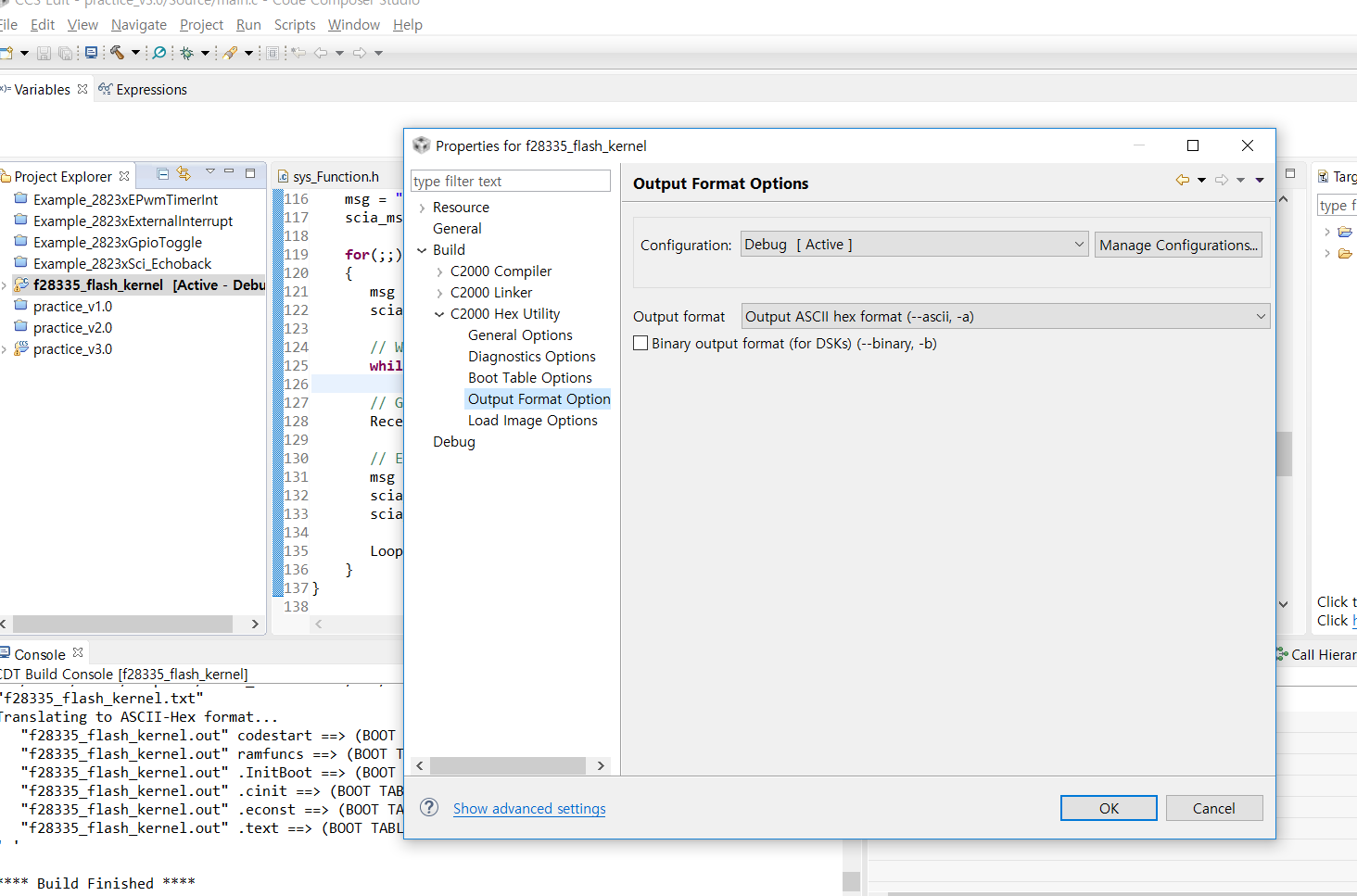
It is said the format must be in the ASCII SCI boot format, which is why I check the square boxes as the photos above.
I gave the same options to my project targeted to be load in FLASH RAM.
After the setting above from ehx2000 utility, I could see hex file. I changed the .hex extension to .txt because of the description of “6.1.1 kernels” section. “f28335_flash_kernel.txt and “practice_v3.0.txt” are the extension modified files I got after build process.
I have checked the boot mode select pins (GPIO 87, 86, 85, and 84). I set them for the boot by SCI loader so there seems to be no any problem.
Thanks for your patience and your sincere answer on my question I appreciate!


