This thread has been locked.

If you have a related question, please click the "Ask a related question" button in the top right corner. The newly created question will be automatically linked to this question.

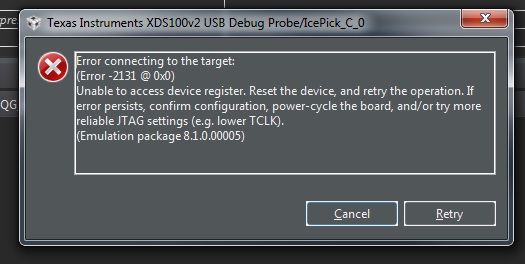
CCS/TMDSCNCD28379D: Control Card Error (Error -2131 @ 0x0) Unable to access device register.

Part Number: TMDSCNCD28379D
Other Parts Discussed in Thread: TMS320F28379D, , C2000WARE

Tool/software: Code Composer Studio

Hi,

I have recently started working on the control card (TMDSCNCD28379D). Previously i was working with the Launchpad (TMS320F28379D). All the examples program available in C2000ware Library executed perfectly with the Launchpad (TMS320F28379D) but now as i have moved to the control card (TMDSCNCD28379D), none of the C2000 examples is working. I am getting this error on Code Composer Studio v8.3

"IcePick_C_0: Error connecting to the target: (Error -2131 @ 0x0) Unable to access device register. Reset the device, and retry the operation. If error persists, confirm configuration, power-cycle the board, and/or try more reliable JTAG settings (e.g. lower TCLK)." .

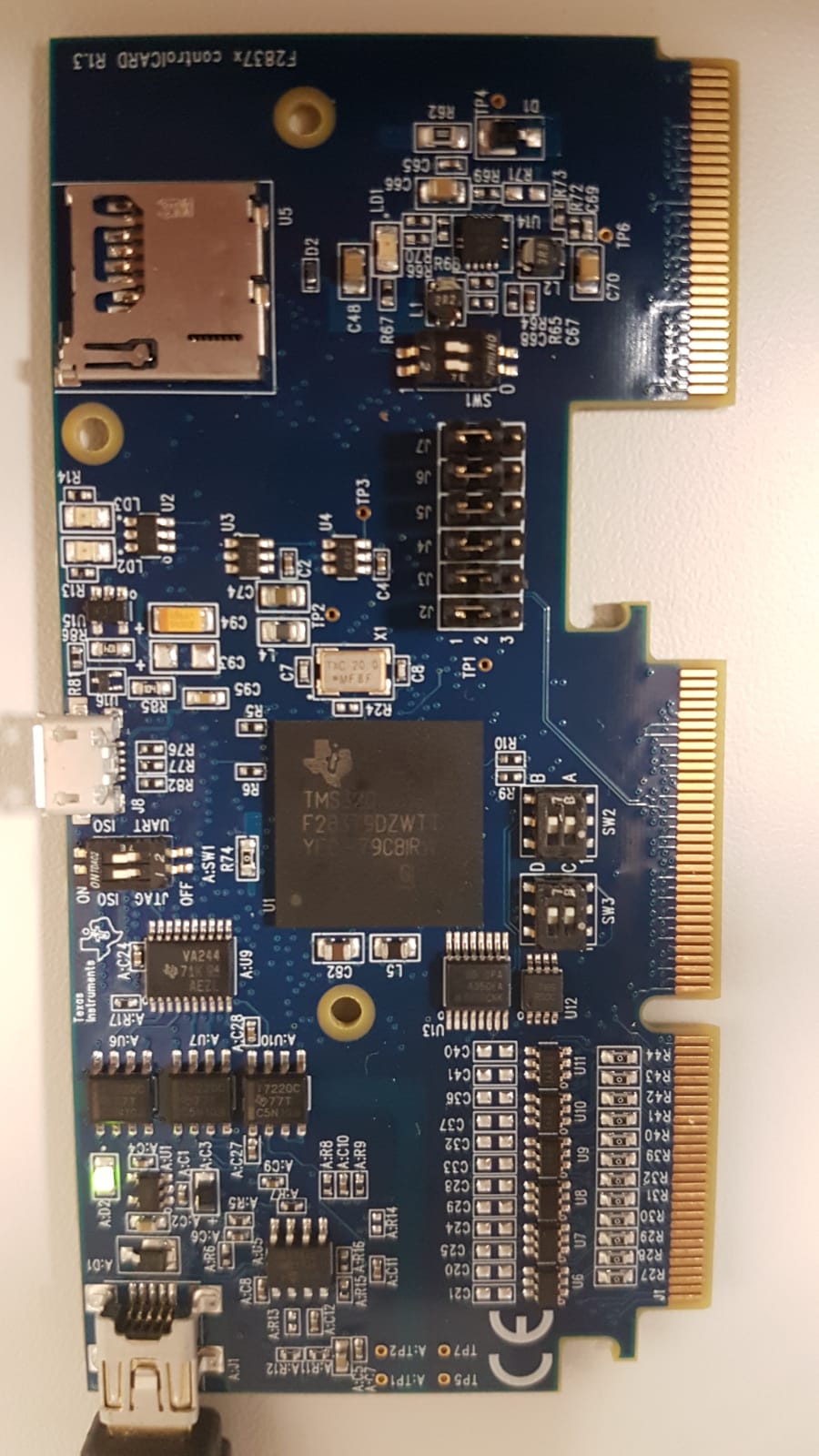
I googled the TI site for "JTAG Debugging". It suggested that probably i am facing cable connection problem. I am using the same cable for programming Launchpad and its working perfectly fine. Other than that i went through the document "Delfino™ TMS320F28379D controlCARD R1.3" for hardware settings. All the settings of switches for JTAG and Boot mode are currently in default mode. I have included a snap of the control card. Please guide me resolving this error.
  • Hasan,

    is that a picture of your test setup when you were trying to connect to the controlCARD? If so, you have not powered the controlCARD.

    Please look at the user guide an schematics in C2000Ware, they should fully explain your issue.

    C:\ti\c2000\C2000Ware_1_00_06_00\boards\controlCARDs\TMDSCNCD28379D

    This, like most other controlCARDs, is isolated. The device and emulator power domains are completely separate and there for you need to provide a separate source of power for the device. This can be done through a dock or in a pinch can be done through the micro USB connector J8.

    After you apply power to the device it should connect normally. Please be sure to use an XDS100v2 and that you correclty select F28379D as your target.

    Regards,
    Cody

  • Hi Cody,

    Thanks for your answer. You mean that i should connect another cable through the micro USB connector J8? Currently, a USB cable is connected at "A:J1 – USB emulation/UART connector". By which connector will the device be programmed? Yes for the emulator i have chosen XDS100v2 and F28379D as my target device.
  • Hasan,
    The device is programmed through A:J1. Power will need to be applied to the C2000 device through a separate source. (either J8 or from a base board) Please see section 3.3 "Using the controlCARD" of the User's Guide for more details.

    The User's Guide can be found in the directory previously mentioned above.

    Regards,
    Cody
  • Thanks Cody. I connected the J8 Connector for the processor supply and its working fine.