


Part Number: TMS320F28069M
Tool/software: Code Composer Studio
Hello,
I have a question on the debugger display screen of the Code Composer Studio V8.3.0.
In the screen capture image shown below, the console window and the graph tool window is displayed separately in the bottom half.
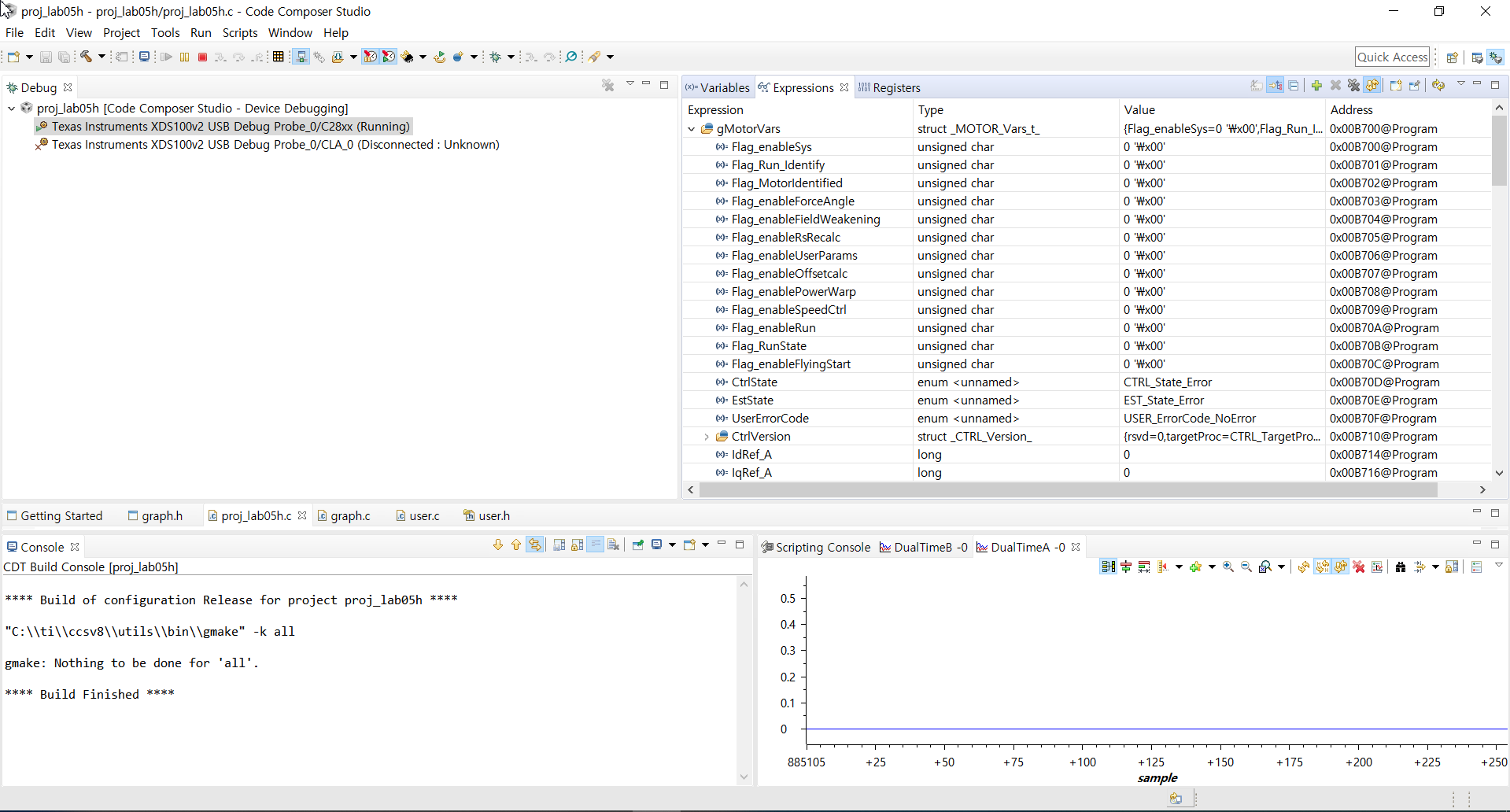
However in the screen capture image shown below, the console window and the graph tool window is displayed in the same window in the bottom half.

I have tried to separate the console window from the graph tool window for the debugger display shown above.
However I am not able to separate them.
How can I separate the console window from the graph tool window for the debugger display shown above?
Which document for the CCS should I refer to for this issue?
Thank you for your guidance.
With regards,
JS Yoo

