This thread has been locked.

If you have a related question, please click the "Ask a related question" button in the top right corner. The newly created question will be automatically linked to this question.

TMS320F28379D: SCIA in LaunchPAD does not work well

Part Number: TMS320F28379D
Other Parts Discussed in Thread: C2000WARE

Hi there,

I have got a TMS320F28379D LaundPad V2.0.

I have downloaded the "sci_echo_back_cpu01" example from C2000Ware.

I modified the RX and TX pin to GPIO 43 and 42 as shown in the LaundPad schematic.

   GPIO_SetupPinMux(43, GPIO_MUX_CPU1, 0x0F);
   GPIO_SetupPinOptions(43, GPIO_INPUT, GPIO_PUSHPULL);
   GPIO_SetupPinMux(42, GPIO_MUX_CPU1, 0x0F);
   GPIO_SetupPinOptions(42, GPIO_OUTPUT, GPIO_ASYNC);

I just build and download this example to the Launchpad.

On the computer, I use Tera Term and setup: speed: 9600, Data 8 bit, Parity none, Stop bits 1, Flow Control none. (The same as in the example guide).

However, what I saw on the terminal is not ASCII text. I do not know what is wrong.

Could anyone have the experience to solve it? Thank.

Kind Regards,

Alex

I have got a TMS320F28379D LaundPad V2.0.I have downloaded the "sci_echo_back_cpu01" example from C2000Ware.I modified the RX and TX pin to GPIO 43 and 42 as shown in the LaundPad schematic.

  • Alex,

    Did you try to use Putty/Hyperterminal?

    I did not use Tera Term - you can search online to understand why you get random unknown symbols. There is a good amount of info. Something to do with settings. 

    Thanks and regards,
    Vamsi

  • Hi Vamsi,

    Thank you for your answer.

    I have tried on both Putty and Hyperterminal.  I have set up speed (baud) 9600, Data bits 8, stop bits 1, parity none, Flow control None.

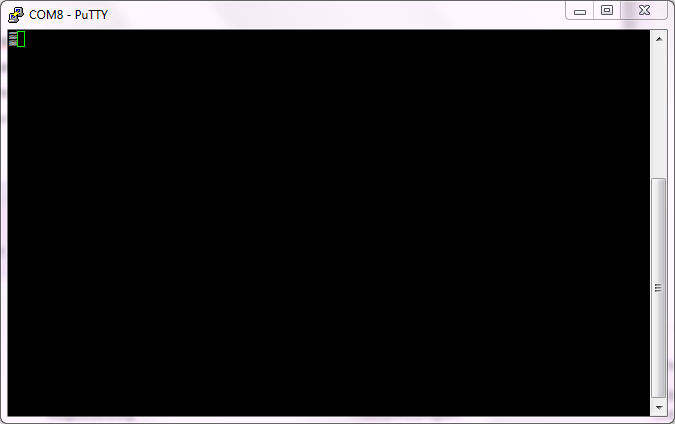
    On Putty, some strange symbol quickly appears and then disappears. Only one rectangular remains as following figure. I have checked that symbol on https://www.rapidtables.com/convert/number/ascii-to-hex.html  and the hex value is 2592. It does not belong to ASCII table.

    On the Hyperterminal, nothing happen. The LED D7 and D8 on the LaunchPad were blinking when I typed, it means some data is transferred.

    I have not changed the clock setting of the CPU (200 MHz) or SCI Baud rate, so the SCI speed should be 9600.

        SciaRegs.SCIHBAUD.all = 0x0002;
        SciaRegs.SCILBAUD.all = 0x008B;

    As I understand. The unknown symbol appeared when the data received is not correct. It can be baud rate. But the baud rate of both TMS320F28379D and terminal are the same. Is there other possible cause?

    I have tried on three different PCs and the same were happened.

    Kind Regards,

    Alex

  • Alex,

    Did you try to probe using an oscilloscope to see whether the data is as expected or not?

    Thanks and regards,

    Vamsi

  • Dear Vamsi,

    I did not change any clock frequency. The default baud rate is 9600 in this example.

    I  tried sending 0x5A from DSP to terminal and probed by oscilloscope. I saw on oscilloscope value in binary as 0 01011010 1. It is right for the sending value 0x5A. However, the duration of each bit is 209us, which is double duration of 9600 baud rate (104us).

    I change the received baud rate on the terminal and it received the message correctly.

    I only downloaded example, changed the PIN of TX and RX.

    I DID NOT change the clock frequency of the DSP, 200MHz for default.

    I DID NOT change the LSPCLK, 50MHz for default.

    I KEPT the baud rate setup 0x028B for 9600.

        SciaRegs.SCIHBAUD.all = 0x0002;
        SciaRegs.SCILBAUD.all = 0x008B;

    I tried to find the register LOSPCP, which setup the LSPCLK but I have not found it in the example code yet.

    Could you tell me what happened? Which clock frequency changed?

    Beside, I tried the LaunchPad Example code which measures the temperature and sends via UART and it works correctly at default baud rate 115200.

    Kind Regards,

    Alex

  • Alex,

    You can see the LSPCLK divider configuration in Device_init(). As you know this function is used in sci_ex1_loopback.c.

    You can try modifying it and see if that fixes your issue.

    Device_init() is at \C2000Ware_2_00_00_02\device_support\f2837xs\common\source\device.c.

    Please let me know if you need further help on this. I can ask our system control expert to help you.

    Thanks and regards,
    Vamsi

  • Dear Vamsi,

    Thank you for your advice.

    I have check the Device_init() in device.c, but the LSPCLK are set at default setting.

        //
        // Make sure the LSPCLK divider is set to the default (divide by 4)
        //
        SysCtl_setLowSpeedClock(SYSCTL_LSPCLK_PRESCALE_4);

    On an other hand, I found that the "_LAUNCHXL_F28379D" is defined in file "F28xProject.h" which are included current project.

    But in the InitSysCtrol() in file "F2837xD_SysCtrl.c", it looks like the "_LAUNCHXL_F28379D" has not been defined yet.

    Is this the problem? If yes, how to solve it?

    Kind Regards,

    Alex

  • Dear Vamsi,

    Sorry for my mistake. I have posted by my personal account. Above post is mine.

    Regards,

    Alex

  • Alex,

    It might be that the symbol has to be added in build settings. Will check and get back to you.

    Thanks and regards,
    Vamsi

  • Alex,

    Please add "_LAUNCHXL_F28379D"  in the project's predefined symbols (Right click on the project -> Show Build settings -> Build -> C2000 Compiler -> Advanced Options -> Predefined Symbols -> Pre-define NAME).

    We have an example with a build config for launchpad in C2000Ware at: ~\C2000Ware_2_00_00_02\device_support\f2837xd\examples\cpu1\blinky

    Thanks and regards,
    Vamsi

  • Dear Vamsi,

    Thank you so much for your time and help.

    The scia in the LaunchPad is working well.

    Best Regards,

    Alex